29
02 Installation Instructions User Manual V1.6-2022-01-05
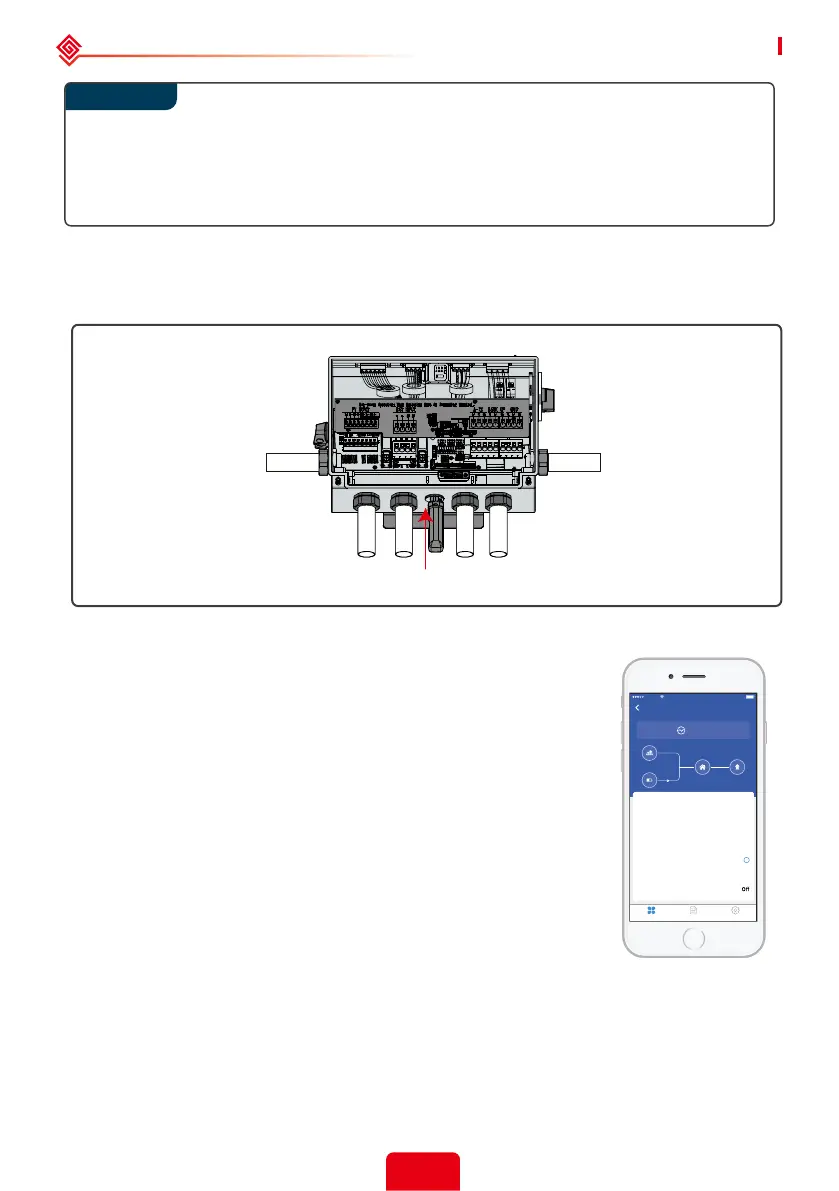
After all the wiring is connected, please reattach the wiring distribution box cover; ensure
that waterproof ttings are used and that the conduit/tubing will not channel water into
the wiring compartment.
Note: the wiring box cover ts only one way according to 2 pins and matching holes across
the top that must line up.
2.4.9 WiFi Communication Connection
After completing installation and wiring connection, please refer to “WiFi Conguration
Instructioin” in the accessory box to complete the WiFi conguration.
Plug the WiFi module into the Wi terminal.
2.5 PV Master App
PV Master is an external monitoring/ conguration application for
Hybrid inverters, used on smart phones or tablet for both Android
and iOS system. Main functions are as below:
1. Edit system conguration to make the system work as customer
needs.
2. Monitor and check the performance of the Hybrid system.
3. Wi-Fi conguration.
Please download "PV Master App" from www.goodwe.com or scan
the QR code on the back of this user manual.
Set safty parameters, such as PU curve, QU curve, voltage and
frequency protection parameters, and other adjustable parameters
via PV Master App. For more operations in detail, refer to the PV
Master User Manual.
99600ABP20BW4396
4:21 PM 100%
VIRGIN
Wait Mode
Safety Country
Battery Type
Work Model
Meter Status
BMS Status
Back-Up Supply
Anti-reverse Function
50Hz Grid Default
--
General Mode
Communication failure
Communication failure2
On
Overview ParamS et
0.00
0.02
0.00
0.02
?
Step 4



 To Next Page