12
Time Lapse Mode
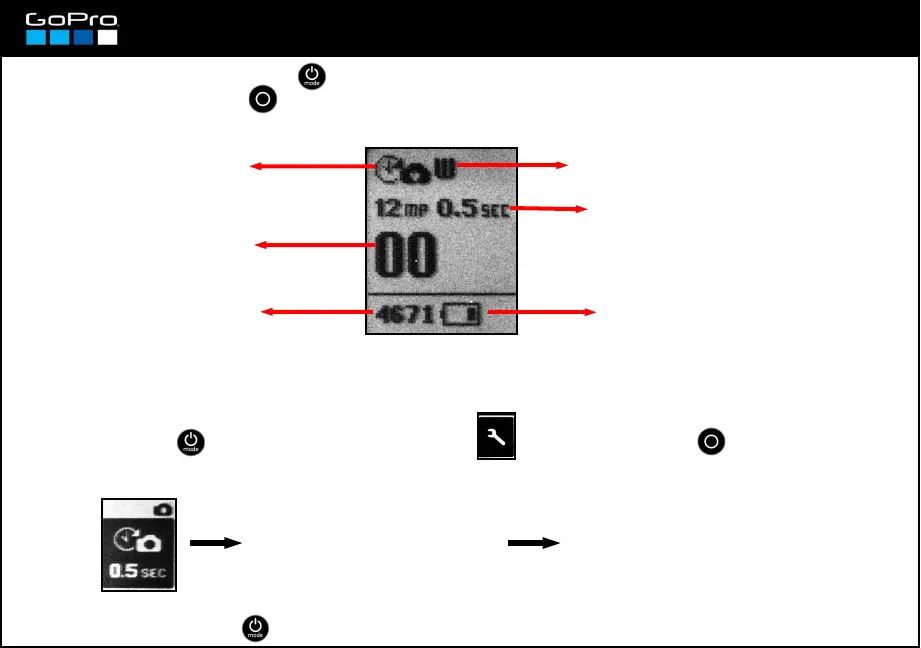
Time Lapse Mode icon
Selected Field of View (see card 17)
Photo Resolution and Time-Lapse
interval (see card 17 and here below)
Remaining battery life (see card 5)
Remaining photos in SD card
with the selected resolution
Shows the number of
photos in the SD card.
The photos are taken in the Resolution and Field of View selected for Photo Mode (card 17)
0.5 SEC: every half a second.
1 SEC: every second
2 SEC: every 2 seconds
5 SEC: every 5 seconds
10 SEC: every 10 seconds
30 SEC: every 30 seconds
60 SEC: every 60 seconds
Enter and select the interval
for the photos to be taken
automatically.
Press POWER button repeatedly to get to Time-Lapse Mode.
Pressing SHUTTER button the camera starts taking photos in the selected interval.
To select the Time-Lapse interval:
- Press POWER until you see the Settings Screen , enter with SHUTTER button and go to:
- To exit press POWER until you get to EXIT.














 To Next Page