19
Format & Operation with micro SD cards
To record images you must insert a micro SD card in the camera (it is sold separately) up to 64Gb.
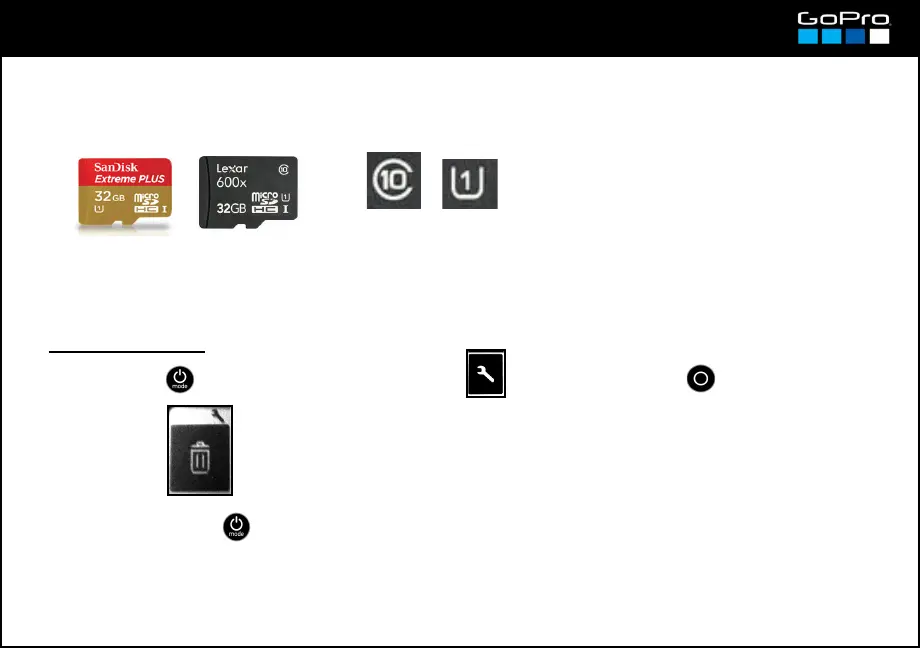
The most important spec is the card speed. You can consult the recommended cards in the GoPro official
website.
The Class 10 and UHS Class 1 symbols are a
good guide to warrantee that they are fast
enough for the GoPro.
● Insert the card in the camera port (see card 3) with the contacts facing the back of it. On every
mode, the screen will show the remaining recording time or remaining photos as shown in cards 9 to 12.
● To Format the card:
● To remove the card you don´t need to eject it in the menu, just turn Off the camera as a precaution.
The card comes out pressing it slightly.
CANCEL: to cancel the format process
LAST: last recorded file is deleted (being it video or photo)
ALL FORMAT: the card is format and every file is deleted.
→
See recording times on micro SD cards in card 28.
- Press POWER until you see the Settings Screen , enter with SHUTTER button and go to:
- To exit press POWER until you get to EXIT.














 To Next Page