8
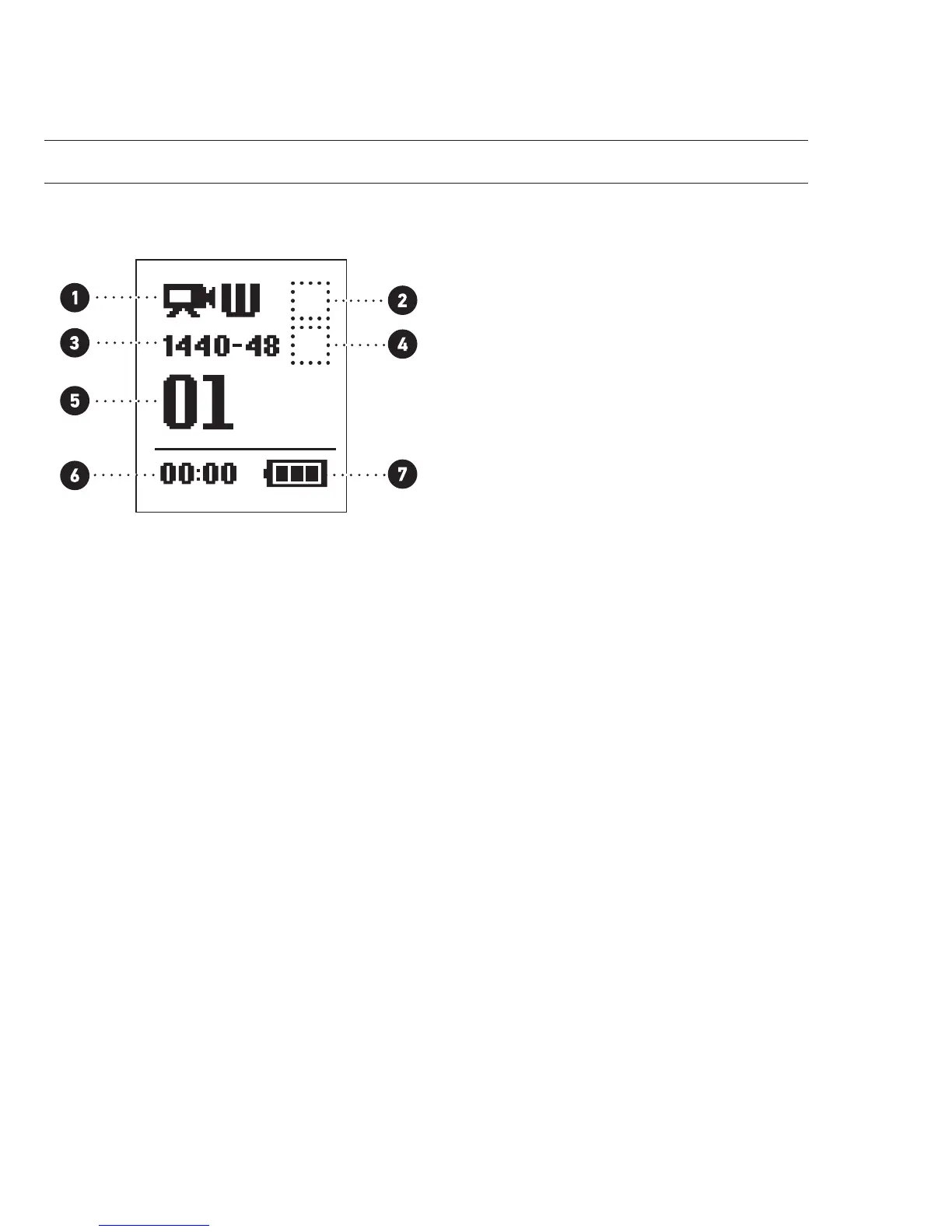
CAMERA LCD STATUS SCREEN
The LCD screen displays the following information about HERO3 modes and settings:
1. Camera Modes/FOV (Field of View)
2. Capture Setting Modes (not shown)
3. Resolution/FPS (Frames Per Second)
4. Time Interval Settings: (not shown)
5. Counter
6. Time/Storage/Files
7. Battery Life
Note: The icons displayed above will vary depending on what mode your camera is in.



 To Next Page