22
MDE-option_Wi-Fi_horloges_HANDI_LEDI-1103V1.1
2. CONFIGURATION
USING THE ANDROID TABLET
+ GT NETWORK MANAGER MOBILE
The Android tablet and GT Network Manager Mobile are the quickest way to congure the clocks.
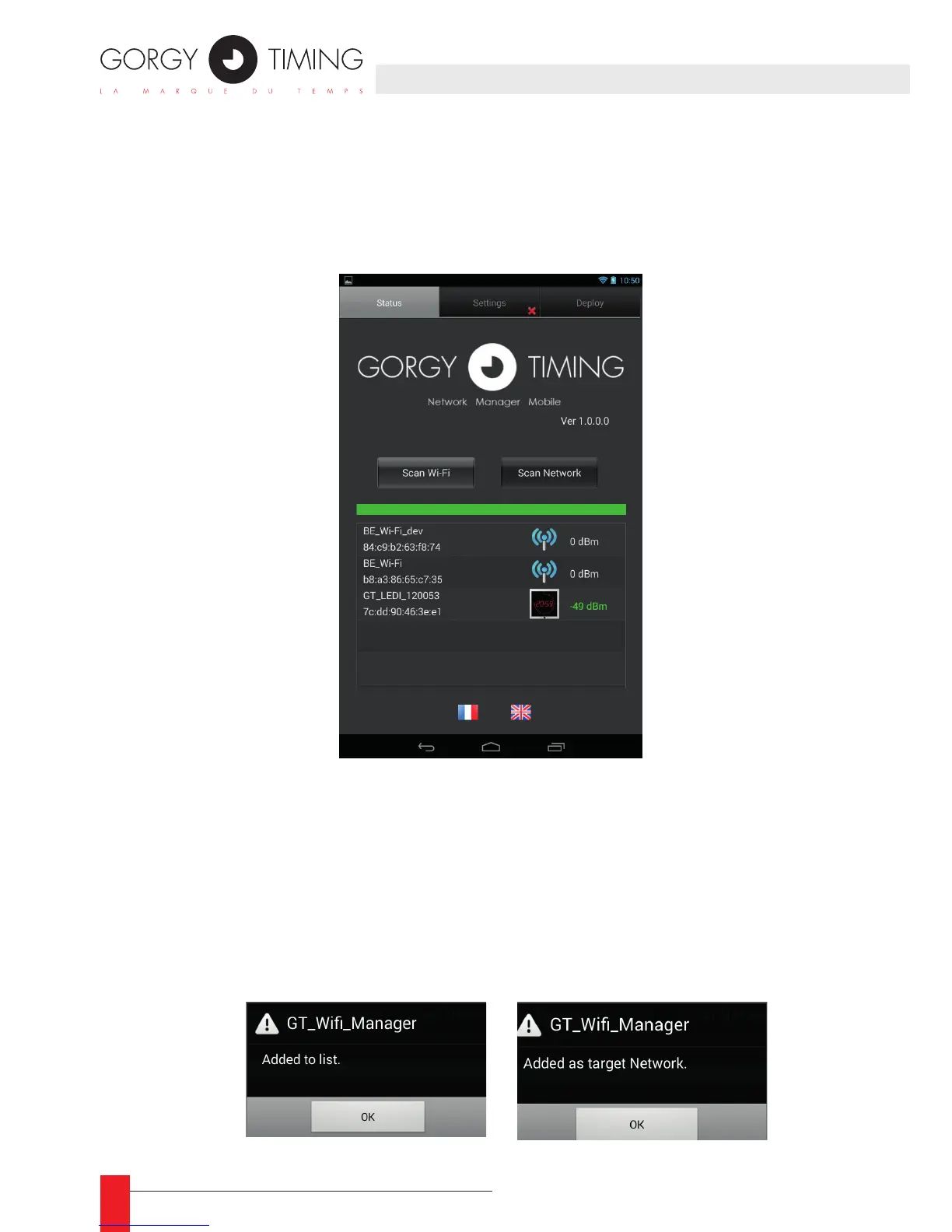
Once the application is started, in the « status » tab, a « Scan Wi-Fi » button allows the user
to search for any Wi-Fi network in the area.
Status tab
On this example, we can see a LEDI clock, whose serial number is 120053 and another
Wi-Fi Network.
To tell the clock you want it to connect to the network, you just have to tap it, (The applica-
tion will understand that you want to set it up) and to tap the network’s name. (The applica-
tion will understand that you want to use it as a target network).



 To Next Page