23
MDE-option_Wi-Fi_horloges_HANDI_LEDI-1103V1.1
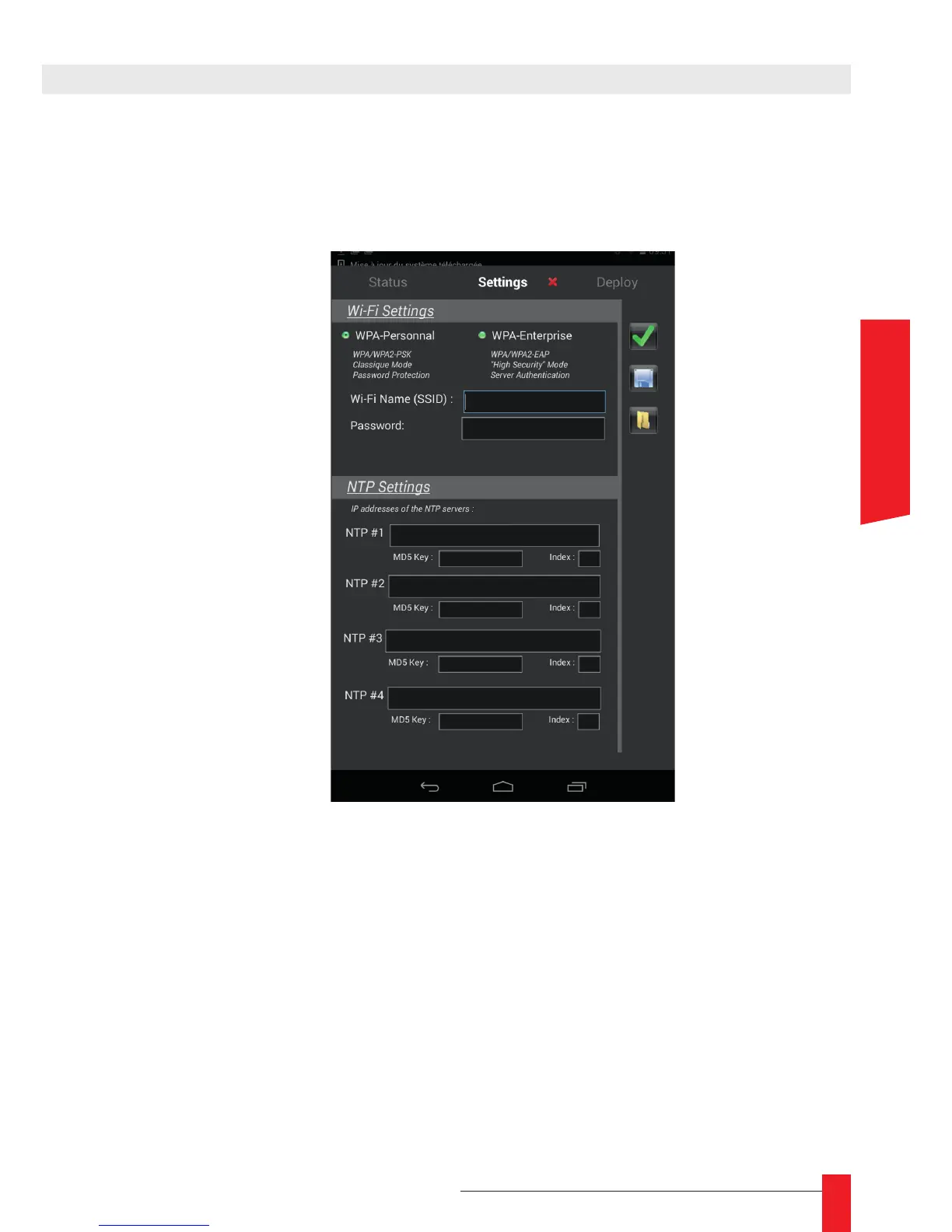
► In the « Settings » tab, you must rst select the type of network (Personnal or enter-
prise), then you have to ll in the encryption key of the chosen network and the IP
address of the server that will be used for synchronization.
► Then, click on « validate » to conrm this conguration. A green tick will appear in the
tab.



 To Next Page