41
MDE-Radio-Timing-GTC-3080V2.3
2. SETTING UP AND CONNECTING
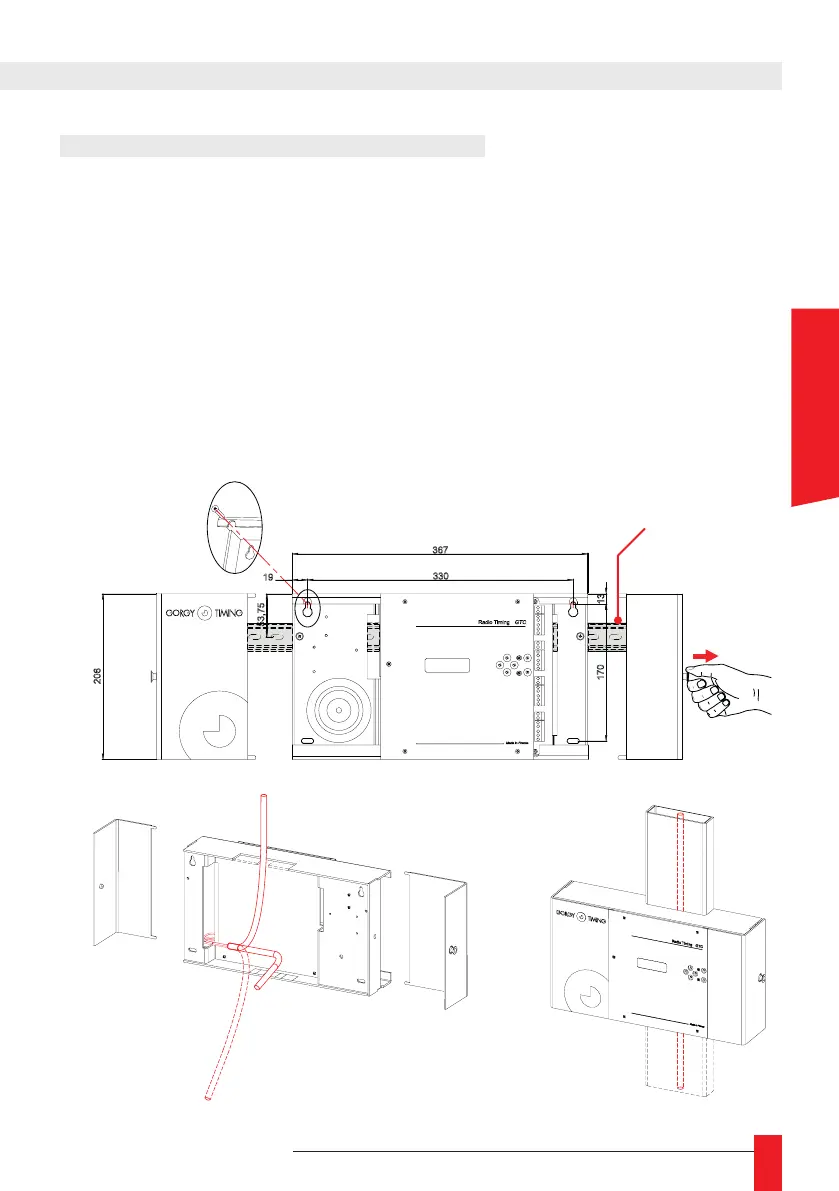
2.1. SETTING UP RT GTC WALL MOUNT
► 1 – Open the box
► Pull the 2 buttons on the 2 sides of the product.
► Remove the lid.
► Choice of output for the cables: the rear - 1
the chute by up or down - 2 and 3
► 2 – Attach the box to the wall using 2 x 5mm dia. screws (not supplied).
► 3 – Connect the power terminals to the grid (see chapter 2.2. Connection).
► 4 – Close the box.
► 5 – Perform programming by using the six buttons located beside the LCD screen.
367
330
206
53,75
170
13
19
2
2
3
3
1
DIN option
ENGLISH



 To Next Page