12
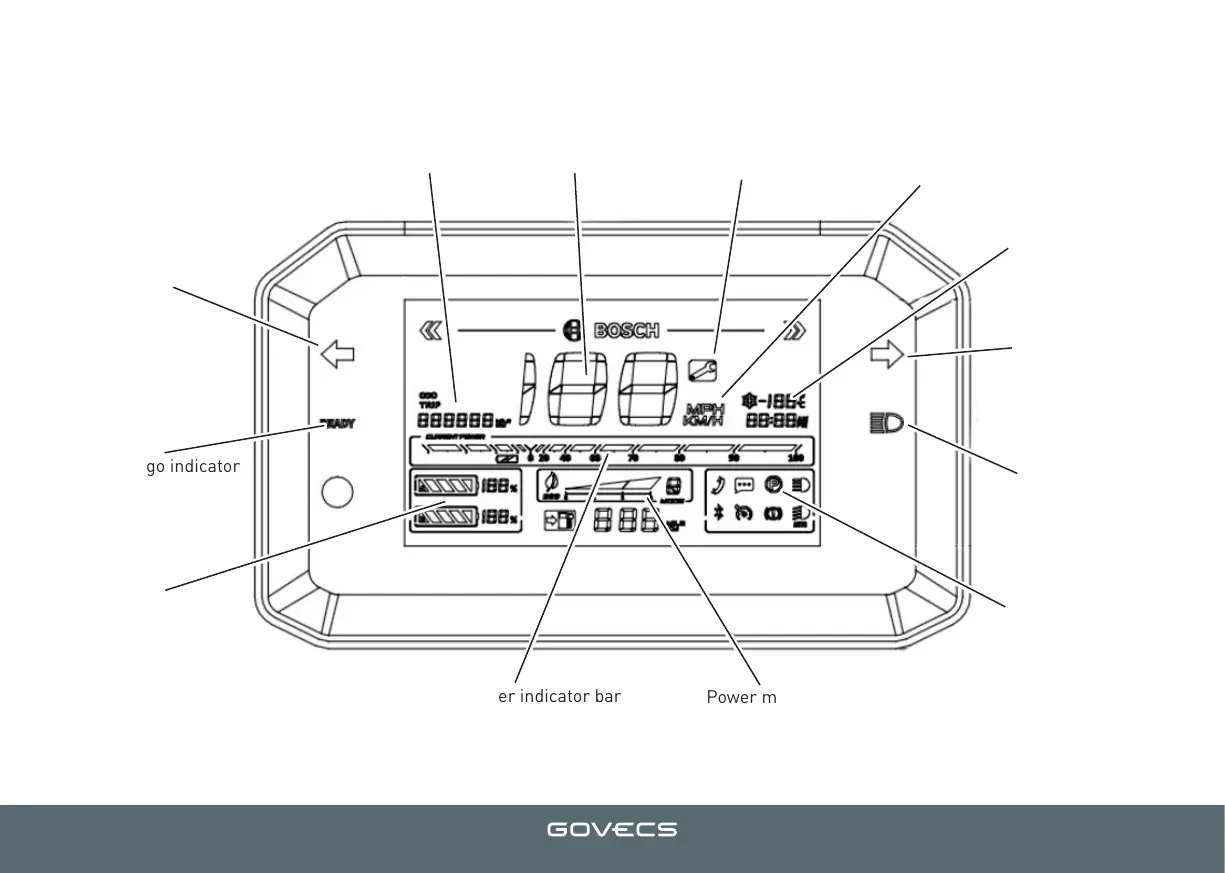
DISPLAY ELEMENTS
Trip distance Speedometer Service indicator
Speed units
Outside temperature
High beam
Parking mode
Power mode
Current power indicator bar
Battery charge status
Ready to go indicator
Right indicator
Left indicator
You can pair your vehicle system to your account using the GOVECS FLEX APP
Doing so makes it possible to get a spare key to your scooter.
You can soon download the GOVECS FLEX APP as well as the user manual here:
www.govecs.com/downloads
GOVECS FLEX App for Android and iOS is coming soon!


 To Next Page