F
D
A
34
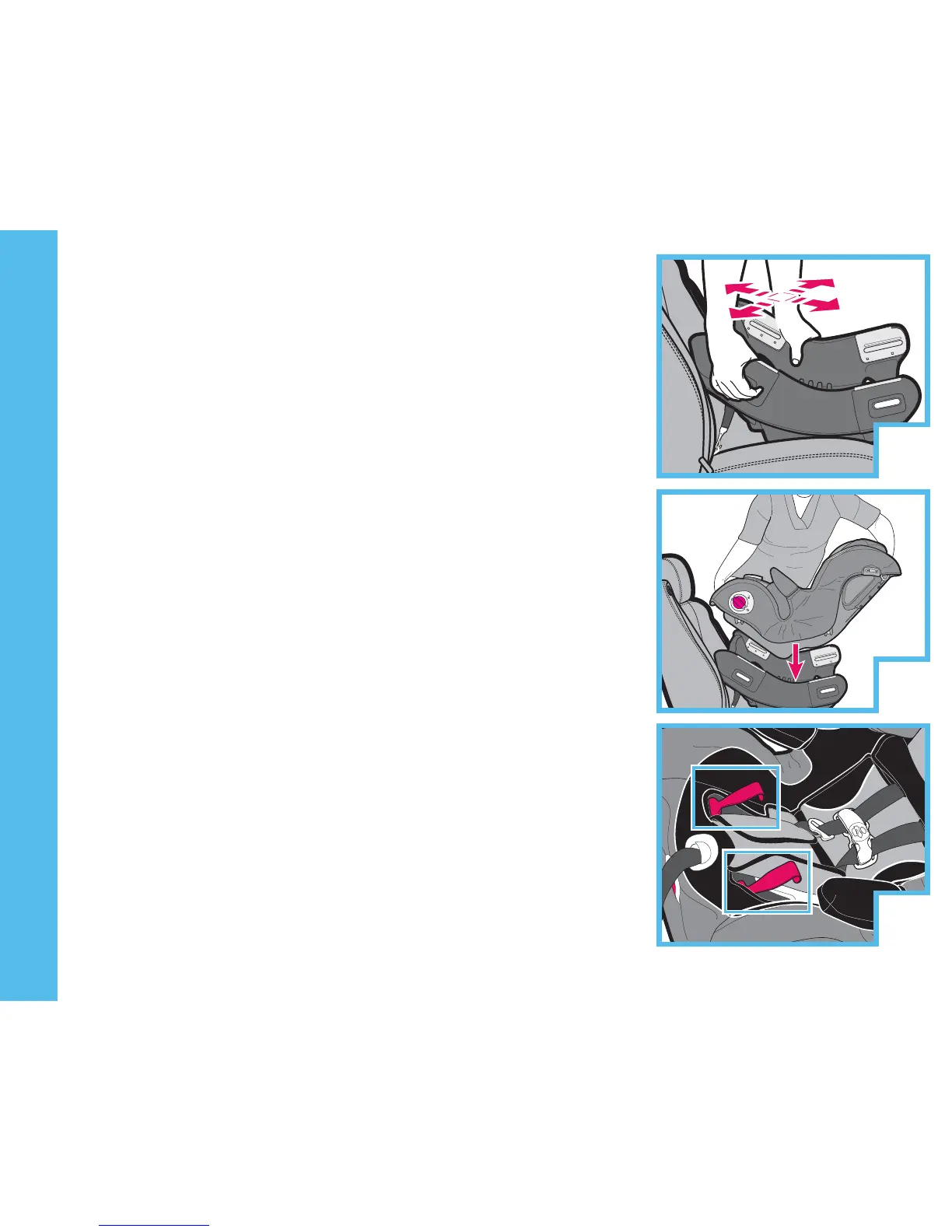
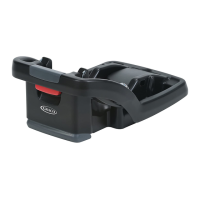
1. Test base for secure installation. See TFDUJPOTBOE
GPSCBTFJOTUBMMBUJPOQ A.
2. Push in B and rotate knobs C on both sides of child
restraint at the same time to unlock position.
3. Place child restraint on base in rear-facing position D.
4. Rotate knobs on both sides of child restraint to lock it
into base E. You will see lock symbols in windows on
side of base as shown H.
5. If you see the red ags up in the child restraint
seating area F and you see the unlock symbol I
then seat is not secured to base.
6. Check seat is secure by moving front to back and left
to right at the belt path G. Base should not move
more than 1 inch ( 2.54 cm). If belt loosens or
lengthens, repeat procedure.
NOTE: Make sure tether is stored. See i5FUIFS
4UPSBHFwQ. You can not use tether in rear-facing
mode.
NOTE: Bubble in level indicator must be fully
between the two lines J. Level indicator is for
rear-facing use only. See i6TJOH3FDMJOFwQ
11.0 REAR-FACING INSTALLATION





 To Next Page