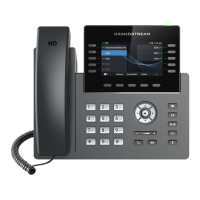
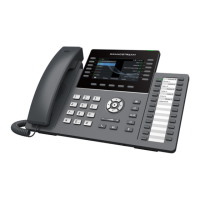
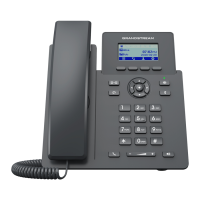
GRP260x Administration Guide
Version 1.0.1.18
Accept Incoming SIP
from Proxy Only
When set to “Yes”, the SIP address of the Request URL in the incoming SIP
message will be checked. If it does not match the SIP server address of the
account, the call will be rejected. The default setting is “No”.
Check SIP User ID for
Incoming INVITE
If set to “Yes”, SIP User ID will be checked in the Request URI of the incoming
INVITE. If it does not match the phone’s SIP User ID, the call will be rejected.
The default setting is “No”.
Allow SIP Notification message to perform factory reset
Authenticate Incoming
INVITE
If set to “Yes”, the phone will challenge the incoming INVITE for
authentication with SIP 401 Unauthorized response. Default setting is “No”.
Plays a reminder tone when you have a call on hold
Music On Hold URI to call when a call is on hold if server supports it.
Different soft switch vendors have special requirements. Therefore, users
may need select special features to meet these requirements. Users can
choose from Standard, Nortel MCS, Broadsoft, CBCOM, RNK, Sylantro,
Huawei IMS, PhonePower and UCM Call center depending on the server
type. The default setting is “Standard”.
Feature Key
Synchronization
This feature is used for Broadsoft call feature synchronization. When it is
enabled, DND, Call Forward features and Call Center Agent status can be
synchronized between Broadsoft server and phone. Default is “Disabled”.
Configures the conference URI when using Broadsoft N-way calling feature.
When set to “Yes”, a Softkey “BSCCenter” is displayed on LCD. User can
access different Broadsoft Call Center agent features via this Softkey.
Please note that “Feature Key Synchronization” will be enabled regardless
of this setting. Default setting is “No”.
Note: To activate this feature, users need to change the special feature to
Broadsoft and setup the Broadsoft Call Center to take effect.
Broadsoft Hoteling event feature. Default setting is “No”. With “Hoteling
Event” enabled, user can access the Hoteling feature option by pressing the
“BSCCenter” softkey.
When set to “Yes”, the phone will send SUBSCRIBE to the server to obtain
call center status. The default setting is “No”.


 To Next Page
 Loading...