29825 V4 SUB, JB & SBB Aqua Plus
Page 7 Operating Manual
www.grantinstruments.com
5.2 Using the JB Aqua Plus
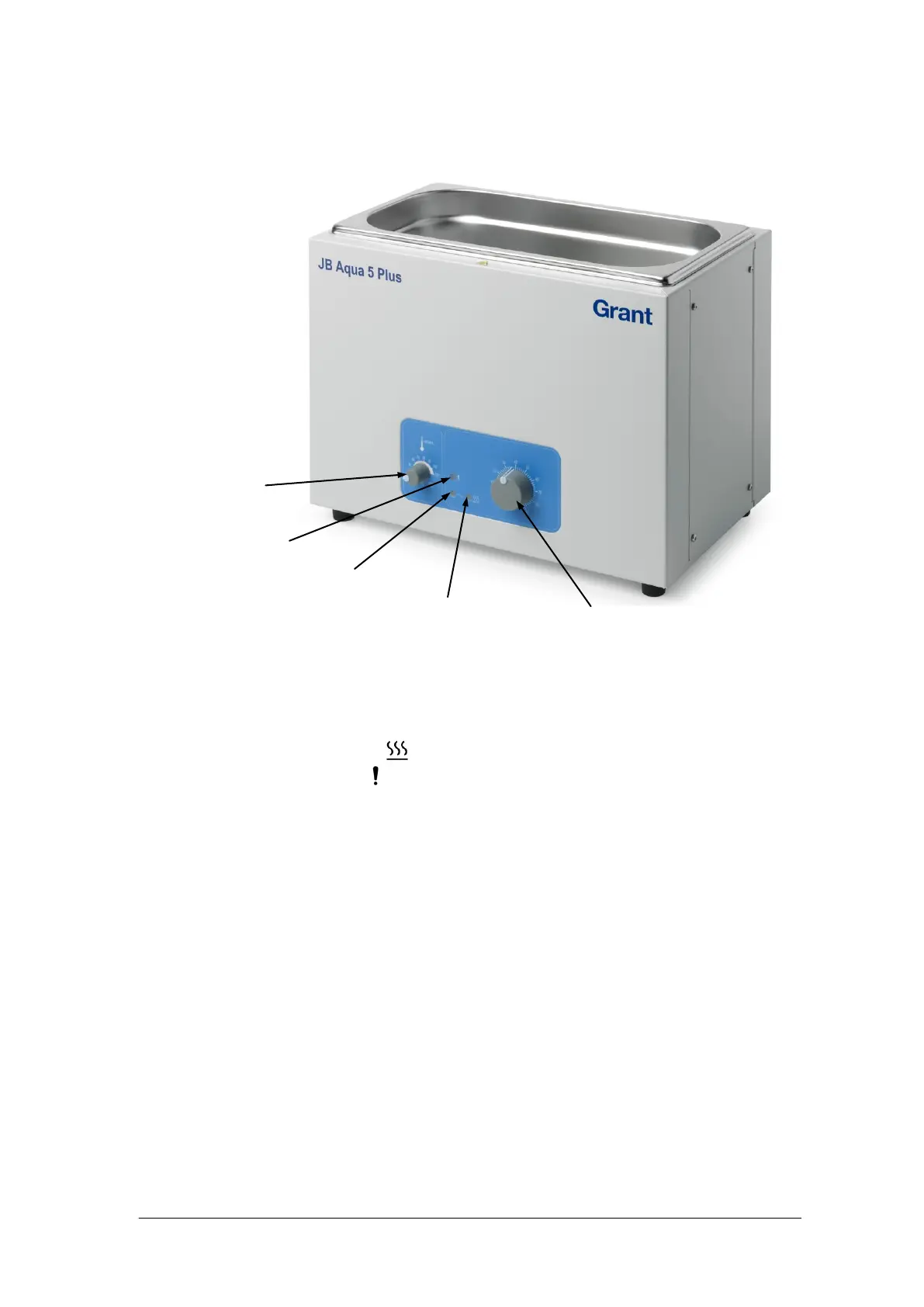
5.2.1 Bath controls
5.2.2 Indicator lamps
There are three indicator lights:
1. Power on (green).
2. Heater on (orange). Marked .
3. Warning (orange). Marked indicates that the temperature is being controlled by the
sample protection thermostat.
5.2.3 Setting the control temperature ()
The water temperature of the bath can be set using the larger temperature control knob.
1. Turn the knob of the sample protection thermostat fully to maximum.
2. Turn the knob of the temperature control to the desired temperature.
3. Turn on the unit using the switch on the rear of the bath and wait until the
temperature has stabilised.
4. Measure the temperature with a thermometer and adjust the temperature control
knob if necessary to obtain the desired temperature.
5. Set the sample protection thermostat as detailed below if needed.
Sample
protection
thermostat


 To Next Page