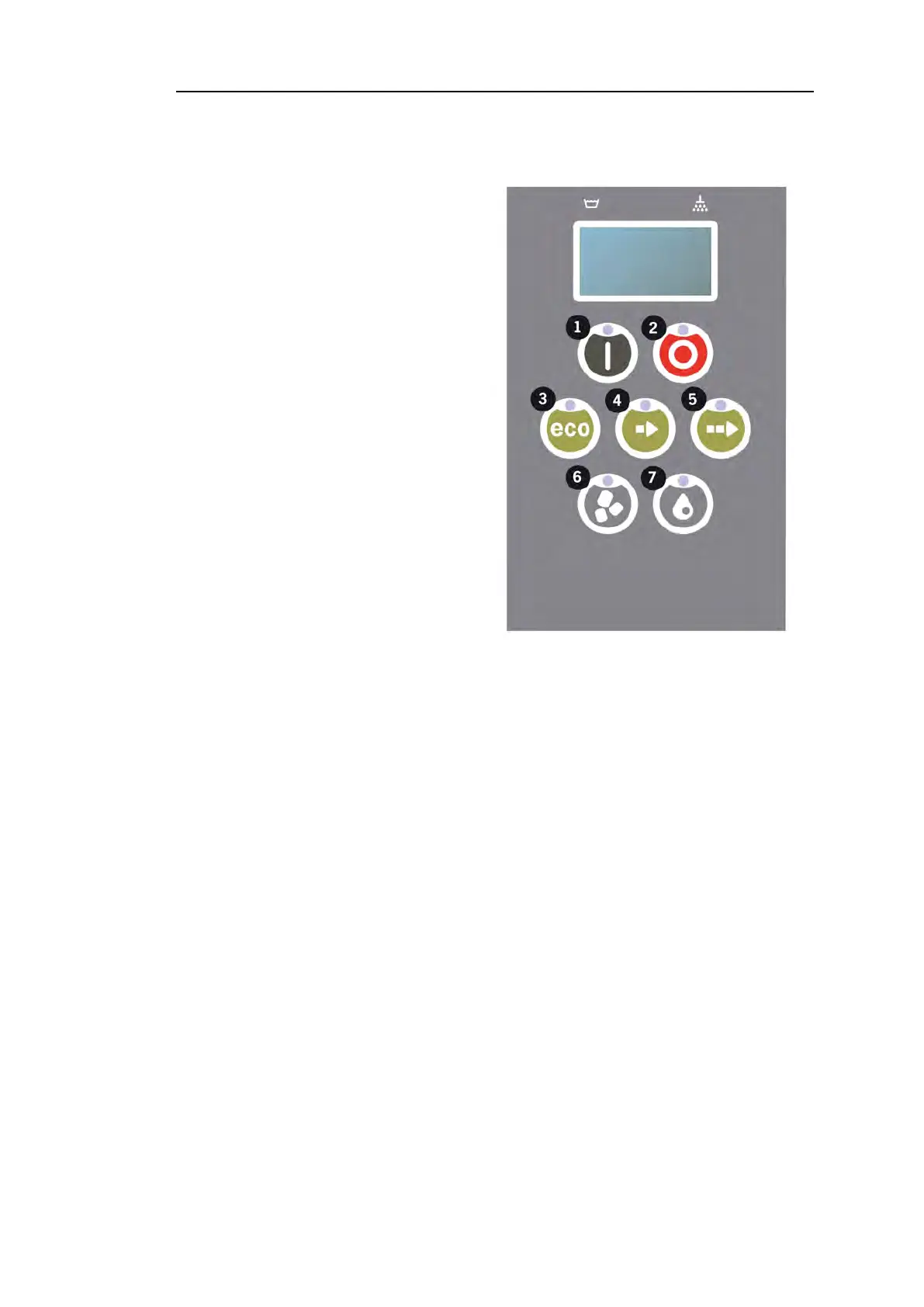
2.3 Control panel
2 Operating
2.3 Control panel
11 Confirm button is used to an-
swer “yes” to a question
shown in the display window
22 The Stop button is used to reset potential alarms.
It is also used to enter sleep mode. After 30 seconds the display light
goes out and the machine goes into sleep mode. The Stop button’s red
diode stays lit during sleep mode, but all functions in the machine are
deactivated.
Push any button to reactivate the machine.
In sleep mode there is no heating of the wash tank or rinse tank.
33 Start ECO program
44 Start Short program
55 Start Normal program
66 Washing with granules
77 Washing without granules
Rev. 2021-12 25


 To Next Page