2 Operating 2.5 Language selection
2.5 Language selection
To change the language settings:
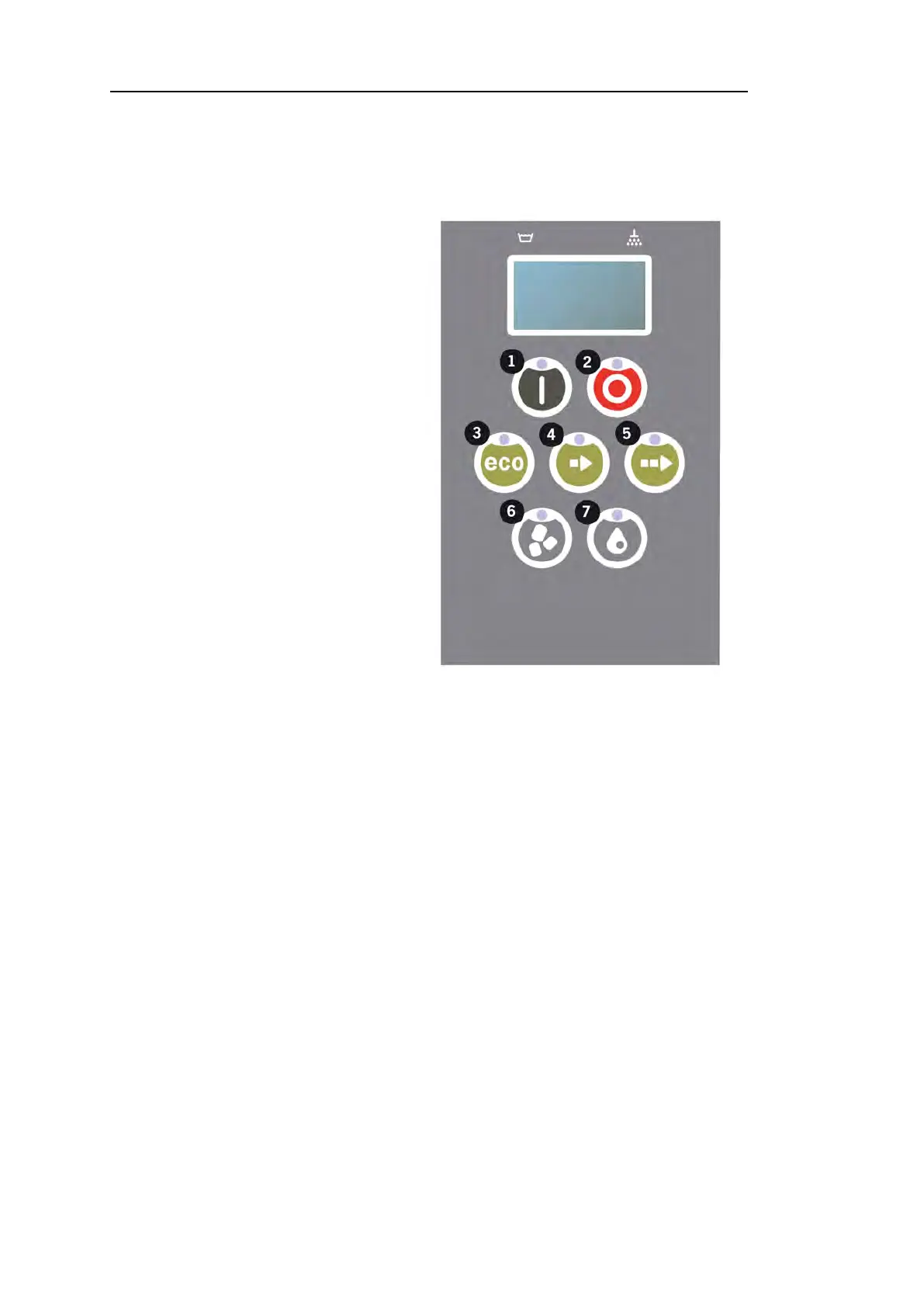
11 Press the STOP button, release
it and wait for 3 seconds.
22 Press the (4) “Short program” button, five times.
33 The display shows the following:
Language
< English >
Select Back
44 Press the Confirm button for “select”.
55 Scroll using the buttons for ECO(3) or Normal (5) program, to step
through the list of languages.
Language
< English >
OK Cancel
66 Select a language by pressing the Confirm button (1); OK.
77 Press STOP button (2) to quit programming mode.
30 Rev. 2021-09


 To Next Page