CWT7 USER AND SERVICE MANUAL
Revision: 03/2018 Page: 5
BASIC PARAMETER SETTING
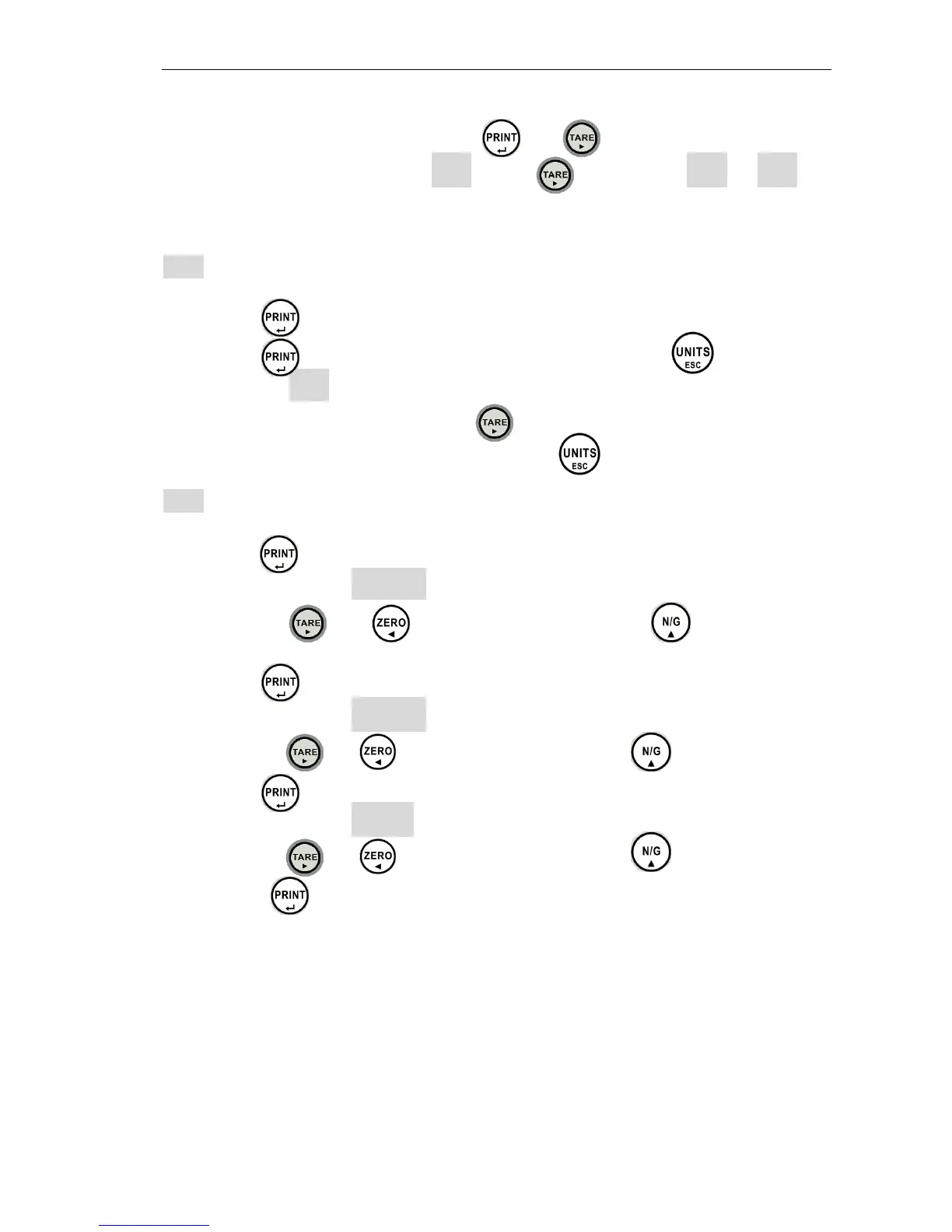
To access to functions setting, press the and key at the same time in
weighing mode, and LCD displays UF- 1 . Press key to rotate UF - 1 to U F - 9
“*” This flag indicates that the function is locked when “Approval Version”.
UF- 1 A/D count
1. Press the key to view the A/D count.
2. Press the key to view the the battery voltage or press the key to exit
back to menu UF- 1
3. To move to next parameter press the key.
4. To exit and return to normal weighing press the key.
UF- 2 High / Low limits setting
1. Press the key to enter.
2. The display will show 00. 0 0 0 L (set low limit).
3. Use the keys and to move cursor and press the to select
number.
4. Press the key to confirm.
5. The display will show 00. 0 0 0 H (set high limit).
6. Use the keys and to move cursor and press the to select number.
7. Press the key to confirm.
8. The display will show o .000 ,look at the remarks below.
9. Use the keys and to move cursor and press the to select number.
10. Press the key to confirm.
Remarks: 0 0 0
A B C
A --- Buzzer on: 0= Stable not required 1= Stable required
B –- LCD indicator and RELAY on: 0= Stable not required 1= Stable required
C : Buzzer beeps when: 0= Buzzer off 1= OK 2= LO and HI
Low limit set as 0 will clear all check weigh values.
This function is locked when UF-5 is set as “HoLD 1”


 To Next Page