CWT7 USER AND SERVICE MANUAL
Revision: 03/2018 Page: 7
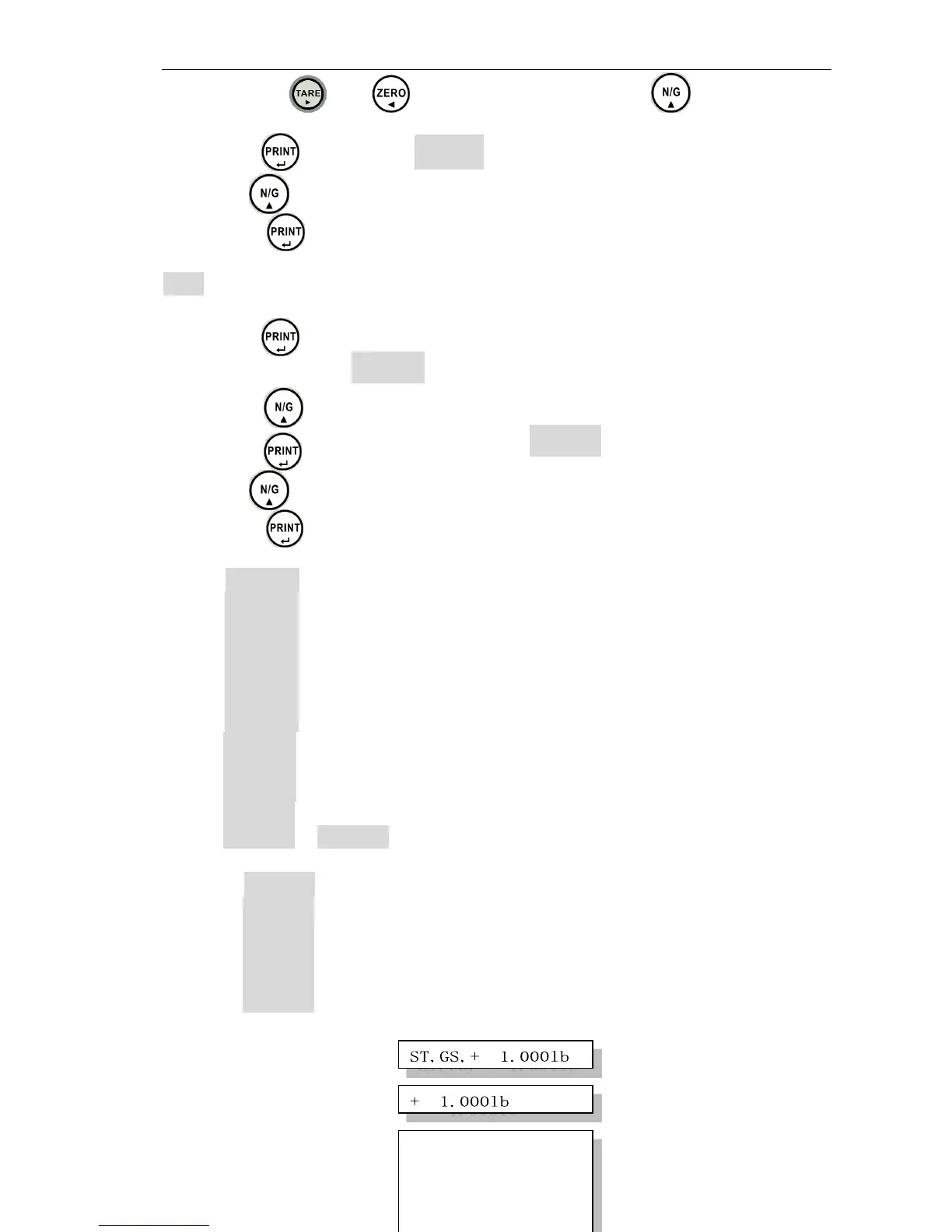
2. Use the keys and to move cursor and press the to select
number, this can set the range from 001 ~ 100 units of the animal hold.
3. Press the key will show TiME 8
4. Use the key to select 1,2,4,8,16,32 or 64 times within the hold range.
5. Press the key to confirm.
UF- 6 RS-232 Output
1. Press the key to enter.
2. The display will show 2 3 2 1 .
3. Press the key to select the modes.
4. Press the key to confirm,and will show b 9 6 0 0 .
5. Use the key to select the baud rate.
6. Press the key to confirm.
Modes: 23 2 0 : RS-232 disable
2 3 2 1 : Stable output – Format 1
2 3 2 2 : Stream output – Format 1
2 3 2 3 : Manual output – Format 1
2 3 2 4 : Stable output – Format 2
2 3 2 5 : Stream output – Format 2
2 3 2 6 : Manual output – Format 2
2 3 2 7 : Manual accumulate output – Format 3
2 3 2 8 : Auto accumulate output – Format 3
2 3 2 9 : Manual accumulate output – Format 4
2 3 2 1 0 : Auto accumulate output – Format 4
2 3 2 1 1
~
23 2 1 3 : LP50 printer is used
Baud rate B 1200 : Baud rate 1200
B 2 4 0 0 : Baud rate 2400
B 4 8 0 0 : Baud rate 4800
B 9 6 0 0 : Baud rate 9600
B 1 9 2 0 0 : Baud rate 19200
B 3 8 4 0 0 : Baud rate 38400
Remarks:
Format 1 o
u
tp
u
t
e
x
am
pl
e
s
:
Format 2 o
u
tp
u
t
e
x
am
pl
e
s
:
Format 3 o
u
tp
u
t
e
x
am
pl
e
s
:


 To Next Page