IS CHIPS COLLECTOR • 26
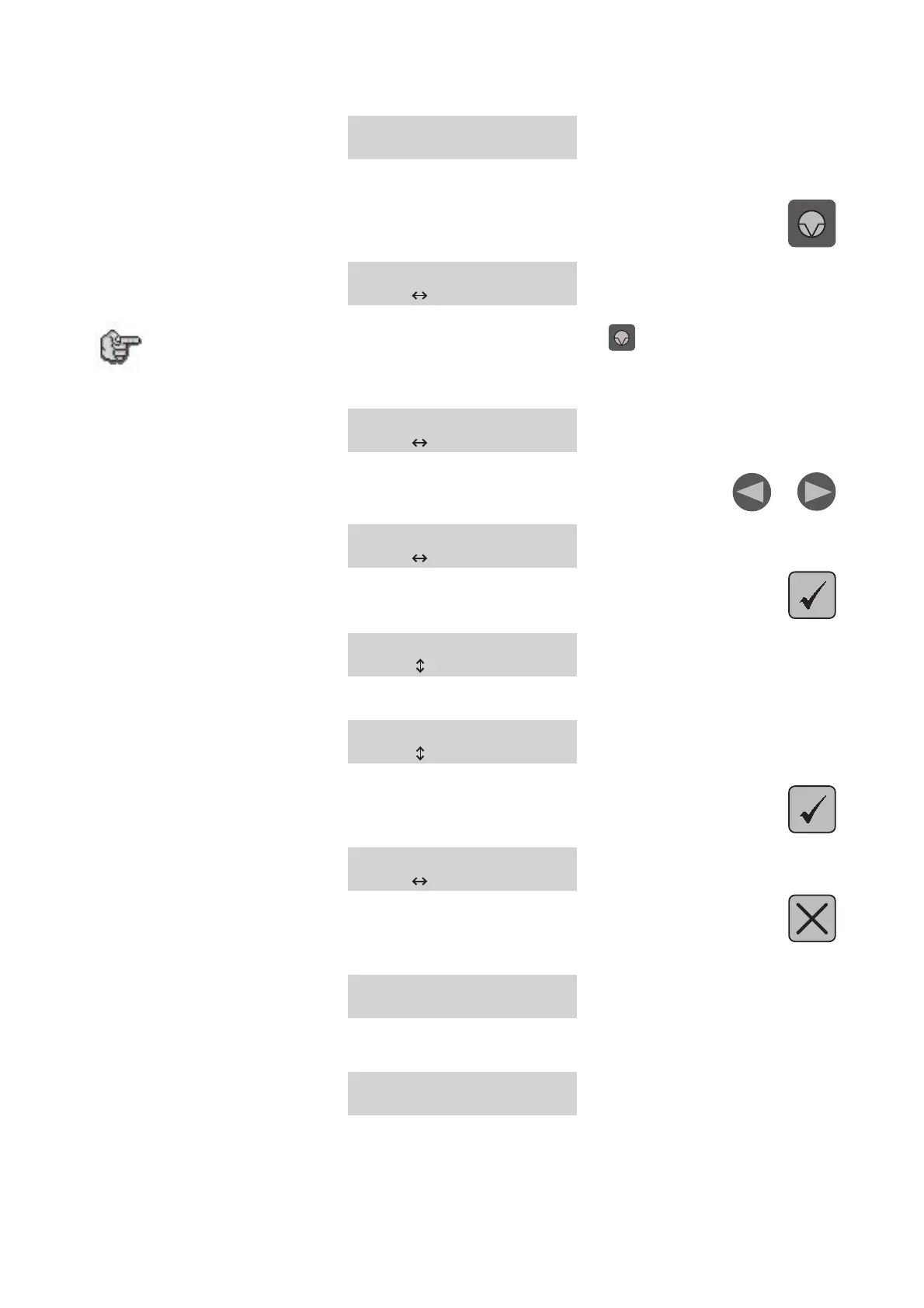
A new message will be displayed on the L.C.D. screen of the machine IS :
<< GRAVOGRAPH >>
VERSION XX.XX
This message will be displayed for about 3 seconds.
2. During that time (3 seconds) press
In [ SELF TEST ] Cy
to select
If this screen does not appear after having pressed , switch the machine IS off,
wait a few seconds, switch it on again, then start the configuration procedure
from the beginning.
In [ SELF TEST ] Cy
to select
3. Select the AUTOMATE menu with the keys
Cy [ AUTOMATE ] In
to select
4. Validate by pressing
AUTOMATE : NO
to select
5. Select «YES» to activate the Automaton function of the machine IS
AUTOMATE : YES
to select
6. Validate by pressing
Cy [ AUTOMATE ] In
to select
7. Press
The following message is displayed on the L.C.D. screen :
<< GRAVOGRAPH >>
VERSION XX.XX
Wait a few seconds.
The following message is displayed on the screen :
<READY TO RECEIVE>


 To Next Page