
 To Next Page
B
Bill BurbachSep 8, 2026
laser stopped firing in the middle of cut. what would cause that

laser stopped firing in the middle of cut. what would cause that
Expresses gratitude for choosing the LS1000 XP and the company's engraving solutions.
Advises users to read the manual for security, productivity, installation, and use of the equipment.
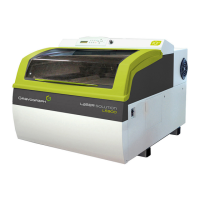
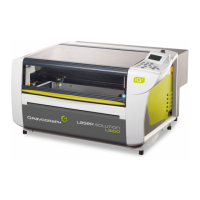
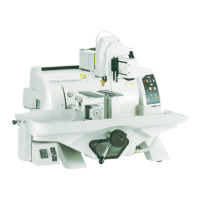
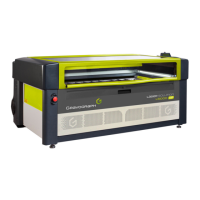
Introduces the LS1000 XP as a CO2 laser engraving, marking, and cutting machine.
Explains how the marking equipment is identified by an identification plate on the rear face.
Details safety precautions for the work station, including turning off the machine and handling the head.
Provides essential safety and operational instructions for the water chiller used with 100W/150W laser sources.
Offers guidance on safely moving, lifting, and handling the machine and its components.
Guides users through the steps of unpacking the machine, support table, and water chiller.
Details the process of removing straps, fasteners, and protective elements from the machine packaging.
Lists the components included with the LS1000 XP machine, such as the machine itself, support table, and toolbox.
Details the specific items found within the provided toolbox for the machine.
Lists the components included with the water chiller for 100W/150W laser sources.
Details the items found within the cardboard box associated with the water chiller packaging.
Provides essential safety recommendations and general guidelines for working with laser devices, including personnel safety.
Explains the safe operation of the Passthrough feature, emphasizing Class 4 laser safety protocols.
Outlines specific hygiene and safety instructions for personnel laser radiation protection in a restricted area.
Provides general safety instructions for laser operation, including avoiding exposure and not tampering with safety features.
Clarifies when safety glasses are mandatory for laser operation based on radiation levels.
Discusses hazards from fumes and toxic particles emitted when marking specific materials and advises on extraction systems.
Lists potential secondary radiation risks associated with using a Class 4 laser device.
Details the components and features visible from the front of the LS1000 XP machine.
Describes the cutting table configuration, including its removable blades.
Illustrates and labels the various connections and ports located on the rear of the machine.
Provides a detailed description of the front and rear views of the industrial water chiller.
Outlines crucial steps for the physical placement and setup of the machine for optimal performance and safety.
Details the necessary conditions and maintenance for the water chiller to ensure proper cooling of laser sources.
Emphasizes the importance of a functioning air extraction system and its minimum required characteristics.
Explains the requirements and setup for the air assist system, including the use of an air compressor.
Specifies the hardware, software configurations and compatibility needed for PC interfacing.
Provides step-by-step instructions for correctly connecting the water chiller to the machine.
Details the procedure for disconnecting and preparing the water chiller for shipping or storage.
Covers the essential electrical connection requirements and safety precautions for powering the machine.
Guides on connecting the power supply to the water chiller and its initial startup procedure.
Offers troubleshooting steps for common issues encountered with the water chiller's operation.
Explains how to connect the power supply to the main machine unit and related systems.
Details how to configure and use the PLC function for automated line integration and machine operation.
Provides detailed characteristics and wiring examples for the Sub-D15 connector's inputs and outputs.
Outlines the correct procedure for powering on the machine, emphasizing the order of operations.
Provides initial troubleshooting steps if the machine fails to switch on.
Details the correct procedures for safely powering down both the machine and the water chiller.
Explains the process for restarting the machine, including necessary waiting times to prevent damage.
Guides users on establishing a USB connection between the machine and a PC for data transfer and control.
Introduces the machine's control panel and identifies its main buttons and functions.
Explains the meaning of the green and red indicator lights on the machine based on its operational status.
Describes how to use the joystick for manual X-Y axis movement and head positioning.
Details how to adjust the engraving table height using the 'Z' key and access the machine's menus.
Explains the controls and indicators on the water chiller's panel, including alarm functions.
Provides instructions on how to reset the water chiller controller to its factory settings.
Describes how the machine handles temperature alarms, including error codes and stopping audible signals.
Explains the flow alarm system, indicating when coolant flow is insufficient or obstructed.
Advises that chiller parameters are preset and explains how to access and modify them if necessary.
Lists and describes various control parameters for the industrial chiller, including their functions and initial setups.
Guides users on how to access and adjust advanced parameters of the industrial chiller controller.
Details the initial steps for powering on the PC and the LS1000 XP machine.
Explains how to set up the page size and enter text for engraving in the graphics software.
Directs users to refer to the L-Solution driver manual for setting driver properties.
Guides on how to transfer files from the PC to the machine via USB for engraving or cutting.
Describes the two available work table configurations: engraving and cutting.
Explains how to use the Passthrough function to mark objects exceeding standard working surface dimensions.
Provides instructions on how to correctly position objects, like keyrings, on the engraving table.
Details the steps for fitting and connecting the air assist nose to the machine's head.
Explains how to perform focusing adjustments, including automatic and manual methods.
Outlines the step-by-step process for starting an engraving job, including safety checks and password entry.
Guides on safely removing finished work and reloading new material for the next job.
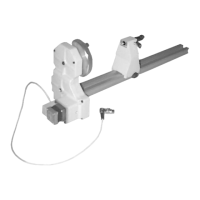
Describes the cylinder attachment accessory used for marking cylindrical parts like glasses or mugs.
Mentions the availability of an extra pair of safety glasses for Class 4 laser operations.
Provides essential advice on general maintenance, emphasizing safety and regular cleaning routines.
Lists the accessories provided with the machine for cleaning and maintenance purposes.
Details the procedures for cleaning the engraving table, glass, casing, guides, belts, and fume outlets.
Explains how to visually inspect and clean mirrors and lenses, highlighting precautions to avoid damage.
Provides detailed instructions on safely removing, cleaning, and reinstalling the Z Auto sensor.
Guides users through the steps to adjust the autofocus using the supplied gage and machine menus.
Details the procedure for setting the machine's origin point (zero) for engraving operations.
Lists the dimensions, weight, and surface properties of the LS1000 XP machine.
Provides specifications for movement speeds and repeatability related to the engraving process.
Details the noise emission levels of the machine in decibels (dB) under different operating conditions.
Lists operating environment conditions and detailed laser characteristics like classification and wavelength.
Provides electrical characteristics, protection details, and port specifications for connections.
Details firmware characteristics and technical specifications for the water chiller unit.
Explains how to switch on the machine and access its main menu structure.
Describes how to manage current job parameters like power, speed, and DPI settings.
Explains how to manage imported files, including deleting files from the machine.
Details how to view information related to imported files, such as file names and job details.
Guides on configuring general machine parameters like language, display unit, and PLC settings.
 General
| Brand | GRAVOGRAPH |
|---|---|
| Model | LS1000 XP |
| Category | Engraver |
| Language | English |