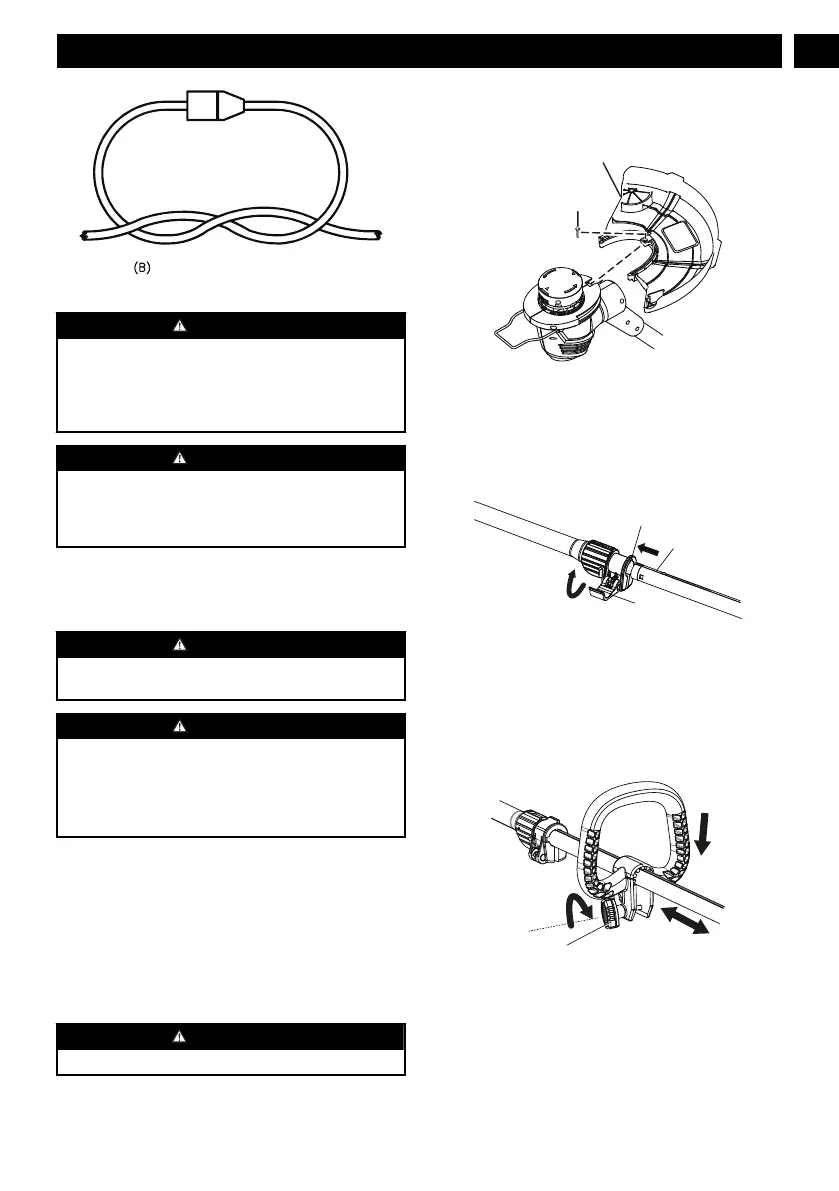
CONNECT PLUG AND RECEPTACLE
WARNING
Keep the extension cord clear of the working
area.Position the cord so that it will not get caught on
lumber, tools, or other obstructions while you are
working with a power tool. Failure to do so can result
in serious personal injury.
WARNING
Check extension cords before each use. If damaged
replace immediately. Never use the product with a
damaged cord since touching the damaged area could
cause electrical shock resulting in serious injury.
8 INSTALLATION
8.1 UNPACK THE MACHINE
WARNING
Make sure that you correctly assemble the machine
before use.
WARNING
• If the parts have damage, do not use the machine.
• If you do not have all the parts, do not operate the
machine.
• If the parts are damaged or missing, speak to the
service center.
1. Open the package.
2. Read the documentation in the box.
3. Remove all the unassembled parts from the box.
4. Remove the machine from the box.
5. Discard the box and package in compliance with
local regulations.
8.2 ATTACH THE GUARD
WARNING
Do not touch the cut-off blade.
1. Remove the screw from the trimmer head with a
Phillips head screwdriver (not included).
2. Put the guard (1) onto the trimmer head.
3. Align the screw hole on the guard with the screw
hole on the trimmer head.
4. Tighten the screw (2).
8.3 ASSEMBLE THE SHAFT
GUIDE GROOVE
GUIDE HOLE
CAM LEVER
1. Unlock the cam lever.
2. Insert the lower shaft through the guide groove until
you hear a "click".
3. Adjust the shaft to the most suitable position.
4. Lock the cam lever.
8.4 ATTACH THE AUXILIARY HANDLE
1. Remove the knob (1) from the handle.
2. Attach the auxiliary handle on the shaft.
3. Set the auxiliary handle in the comfortable position.
4. Tighten the auxiliary handle with the knob .
7
English
EN






 To Next Page