EasyManua.ls Logo

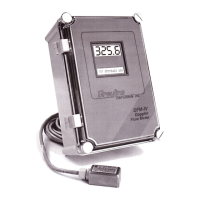
Greyline Instruments DFM-IV - User Manual

Greyline Instruments DFM-IV
44 pages
Print Icon
To Next Page IconTo Next Page
Loading...
USER’S GUIDE
Installation & Operation
Instructions
Doppler Flow Meter
Model DFM-IV
Manual Series A.6

Questions and Answers

  • K
    Kimberly BarnesAug 3, 2025
    How to troubleshoot a Greyline Instruments Measuring Instruments meter reading lower than expected?
    • G
      Gregory CollinsAug 3, 2025
      If your Greyline Instruments Measuring Instruments meter is reading lower than expected, consider these potential causes and solutions: * **Calibration Error:** Review the UNITS/MODE menu and Pipe ID settings. * **Lower flow rate:** Investigate pumps and valves, and compare the velocity with an alternate instrument. * **Signal penetration:** Increase sensitivity or relocate the sensor closer to elbows or flow disturbances. * **Laminar flow/high solids:** Remount the sensor at the 12 o'clock position on a horizontal pipe. * **Improper sensor mounting:** Reinstall the sensor with careful application of coupling compound. * **Pipe not full:** Remount the sensor on a vertical pipe.
  • D
    Danielle GentryAug 8, 2025
    What to do if a Greyline Instruments DFM-IV Measuring Instruments meter reading is too high?
    • J
      jasmineadamsAug 8, 2025
      If your Greyline Instruments Measuring Instruments meter reading is too high, consider the following solutions: * **Calibration error:** Review the UNITS/MODE menu and Pipe ID. * **Vibration or noise:** Decrease sensitivity and consider installing in another location. * **Pipe not full:** Remount the sensor on a vertical pipe. * **Nearby velocity increasing device:** Relocate the sensor more than 30 pipe diameters from the device. * **Local electrical noise:** Ensure all flowmeter wiring is in METAL conduit and the sensor cable shield is connected to the Ground stud.
  • N
    norriscindyAug 21, 2025
    How to fix an erratic meter reading on a Greyline Instruments Measuring Instruments?
    • H
      Harry MendozaAug 21, 2025
      If your Greyline Instruments Measuring Instruments meter reading is erratic, here's what you can do: 1. **Sensor placement:** Change the sensor placement, keeping in mind the recommended distances from elbows (6-10 diameters) and pumps, controlling valves, orifice plates, nozzles, or open pipe discharge (30 diameters). 2. **Signal Strength/Sensitivity:** Increase the SS/Sensitivity setting. 3. **Suspended particles/gases:** Relocate the sensor to a more turbulent pipe section or mount it at the 12 o'clock position on a horizontal pipe. 4. **Coupling compound/sensor mounting:** Remount the sensor, using Dow Corning Silicone #4. 5. **Slave/Master settings:** Select 'Master' in the SPECIAL FUNCTIONS menu. 6. **Power/Flow:** Check the fuse/breaker and confirm flow.
  • C
    Christina MartinAug 27, 2025
    What to do if Greyline Instruments DFM-IV meter reading does not track flow?
    • R
      rodney57Aug 27, 2025
      If the meter reading on your Greyline Instruments Measuring Instruments does not track the flow, check the following: * **Sensor connections:** Ensure the Sensor and GND wires are not reversed and are properly connected. * **AC power input Ground:** Use a direct connection with 12 AWG wire to the nearest Ground pole (less than 1 ohm resistance).
  • L
    Logan TannerNov 13, 2025
    Why is my Greyline Instruments DFM-IV meter reading when there is no flow?
    • K
      Kelly SullivanNov 14, 2025
      If your Greyline Instruments Measuring Instruments meter shows a reading when there is no flow, consider these possible causes and solutions: * **Vibration on pipe:** Install the meter in another location. * **Local electrical noise:** Ensure all flowmeter wiring is in METAL conduit, the sensor shield is properly grounded, the power input ground connection is correct (less than 1 ohm resistance), and the 4-20mA shield is connected to the Instrument Ground stud. You may also reduce the DFM Sensitivity setting. * **Cross talk:** Turn OFF one flowmeter or follow the synchronization procedure for two or more DFM-IV Flowmeters. * **Variable Speed Drive interference:** Follow the drive manufacturer's wiring and grounding instructions. Relocate the flowmeter electronics, sensor, and wiri...

Summary

QUICK BENCH TEST

CONNECTIONS

Details power input requirements (115VAC/230VAC) and notes on electrical safety compliance.

KEYPAD SYSTEM

MENU - FLOW CHART

Illustrates the DFM-IV menu system navigation and how to store calibration values.

RUN

TOTALIZER

Explains how to access, view, and reset the totalizer value for accumulated flow volume.

SIGNAL STRENGTH

Details how to adjust signal strength for optimal flow meter performance and ensure signal penetration.

Relays 1 2 3 (Relay Status Display)

24 HR LOG

Mentions the 24 HR LOG menu available for flow meters equipped with an optional Data Logger.

PASSWORD

Describes the password system to prevent unauthorized access to the calibration menu.

UNITS;MODE

Explains how to select units (e.g., ft, in, m) and operating modes (Flow or Velocity).

CALIBRATION

4-20 mA CURRENT LOOP

Explains how to offset the 4-20mA output to correspond to specific flow rates.

DAMPING

Describes how to adjust damping to stabilize readings under turbulent flow conditions.

RELAY PARAMETERS

SPECIAL FUNCTIONS

SENSOR MOUNTING LOCATION

SENSOR MOUNTING

SENSOR COUPLING

SENSOR MOUNTING;COUPLING RECOMMENDATIONS

ENCLOSURE INSTALLATION

SYNCHRONIZATION

BACKFLOW REJECTION

ERROR;WARNING MESSAGES

FUSE REPLACEMENT

Provides step-by-step instructions for replacing the fuse within the power module.

FIELD TROUBLESHOOTING (METER READING LOWER THAN EXPECTED)

FIELD TROUBLESHOOTING (METER READING ERRATIC; NO FLOW INDICATION)

FIELD TROUBLESHOOTING (METER READING TOO HIGH; DOES NOT TRACK FLOW)

COMMON QUESTIONS AND ANSWERS (PIPE VIBRATION, NOISE, CORROSION)

COMMON QUESTIONS AND ANSWERS (SIGNAL STRENGTH, CABLE LENGTH, RECALIBRATION)

APPLICATIONS HOTLINE

PRODUCT RETURN PROCEDURE

Outlines the procedure for returning instruments for service or warranty repair, including required information.

FLOW METER DATA SHEET

LIMITED WARRANTY

APPENDIX A - OPTIONS

SENSOR INTRINSIC SAFETY (OPTION 2 ISB)

ENCLOSURE HEATER AND THERMOSTAT - Option TH

ENCLOSURE SUNSCREEN - Option SCR

Describes the optional sunscreen to protect electronics from overheating and condensation caused by sunlight.

POWER INPUT OPTION 12 VDC OR 24 VDC

QUICK BENCH TEST (12;24 VDC)

Details how to perform a quick bench test for models configured with 12VDC or 24VDC power input.

CONNECTIONS (12;24 VDC)

Explains power input connections for 12VDC/24VDC models and essential grounding requirements.

INSERTION FLOW SENSOR (OPTION ISE)

HIGH TEMPERATURE SENSOR (OPTION SE3 H)

Details the high-temperature sensor, its mounting requirements, and operational specifications.

Data Logger Menu (Optional)

DATA LOGGING (Optional) - Setup

DATA LOGGING (Optional) - Log Management

DATA LOGGING (Optional) - Trend Logging Modes

DATA LOGGING (Optional) - Session Management

RS232 C SERIAL OUTPUT (with optional Data Logger)

RS485 SERIAL OUTPUT

SPECIFICATIONS (Enclosure & SE3 Sensor)

APPENDIX B - CONVERSION TABLE

PIPE CHARTS (Carbon Steel & PVC)

PIPE CHARTS (Stainless Steel, Hastelloy, Titanium)

Tables detailing pipe dimensions for Stainless Steel, Hastelloy 'C', and Titanium pipes across different schedules.

PIPE CHARTS (Cast Iron)

Tables detailing pipe dimensions for Cast Iron pipes according to ASA and AWWA standards.

DFM-IV CALIBRATION RECORD

Greyline Instruments DFM-IV Specifications

General IconGeneral
BrandGreyline Instruments
ModelDFM-IV
CategoryMeasuring Instruments
LanguageEnglish

Related product manuals