Fast Deposit Module CA10 User Manual
Confidential material of GRG, No disclosure to unauthorized Party 9 / 35
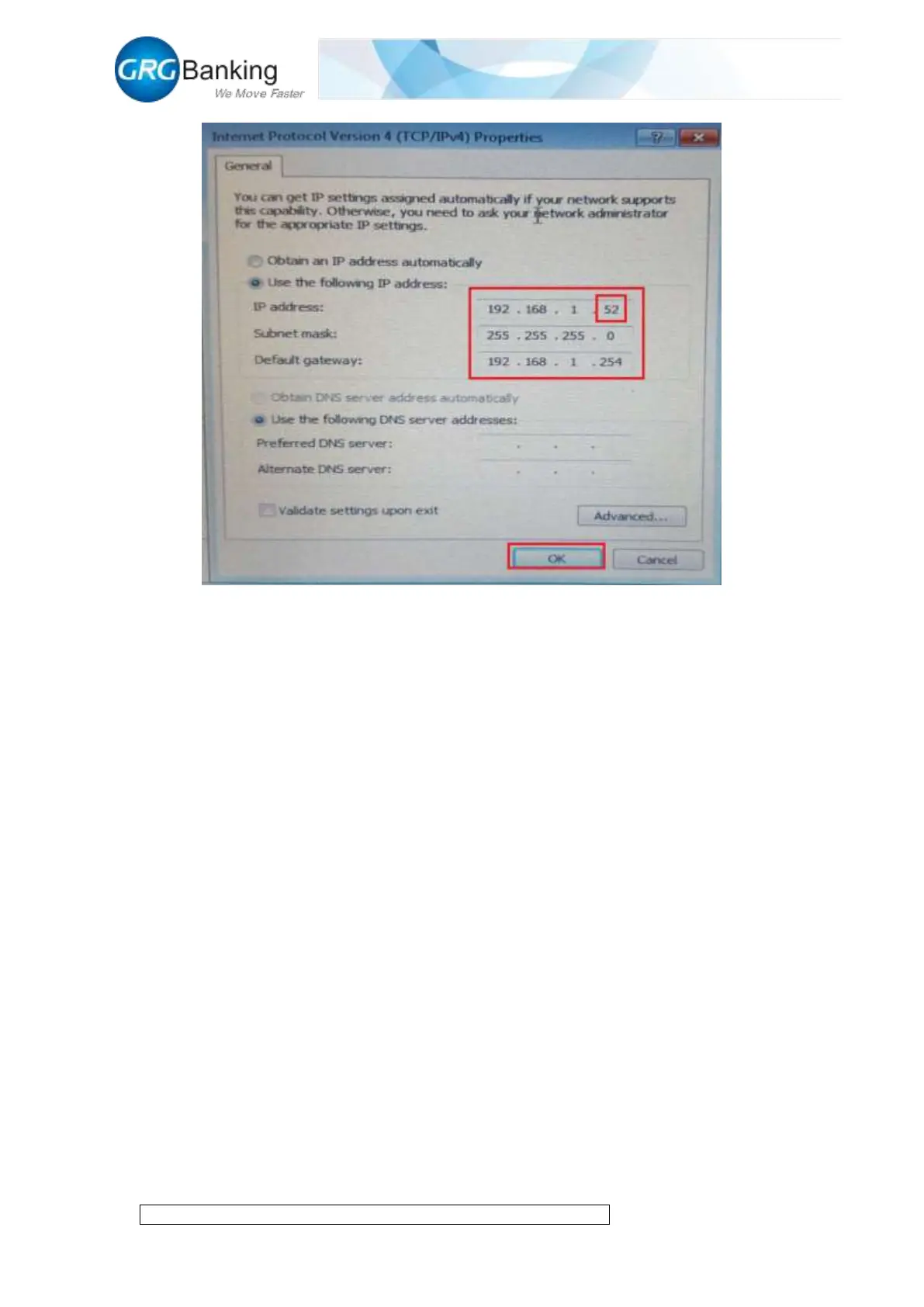
Figure 4-1
2.2 Connecting to PC by local area network
1) To connect CA10 to PC by local area network, first obtain the “Local Connection” IP address
for PC in local area network.
2) Using the method in 2.1 mentioned above to connect CA10 with PC, click “System CMD”
and “Set IP”, write the same IP address as that of “Local Connection” for PC in the pop-up setting
box, but the number “12” cannot be same for other PCs in the local area network, click “OK” to
display the successful interface and click “OK” again.


 To Next Page