Fast Deposit Module CA10 User Manual
Confidential material of GRG, No disclosure to unauthorized Party 27 / 35
12. Compensation image collection
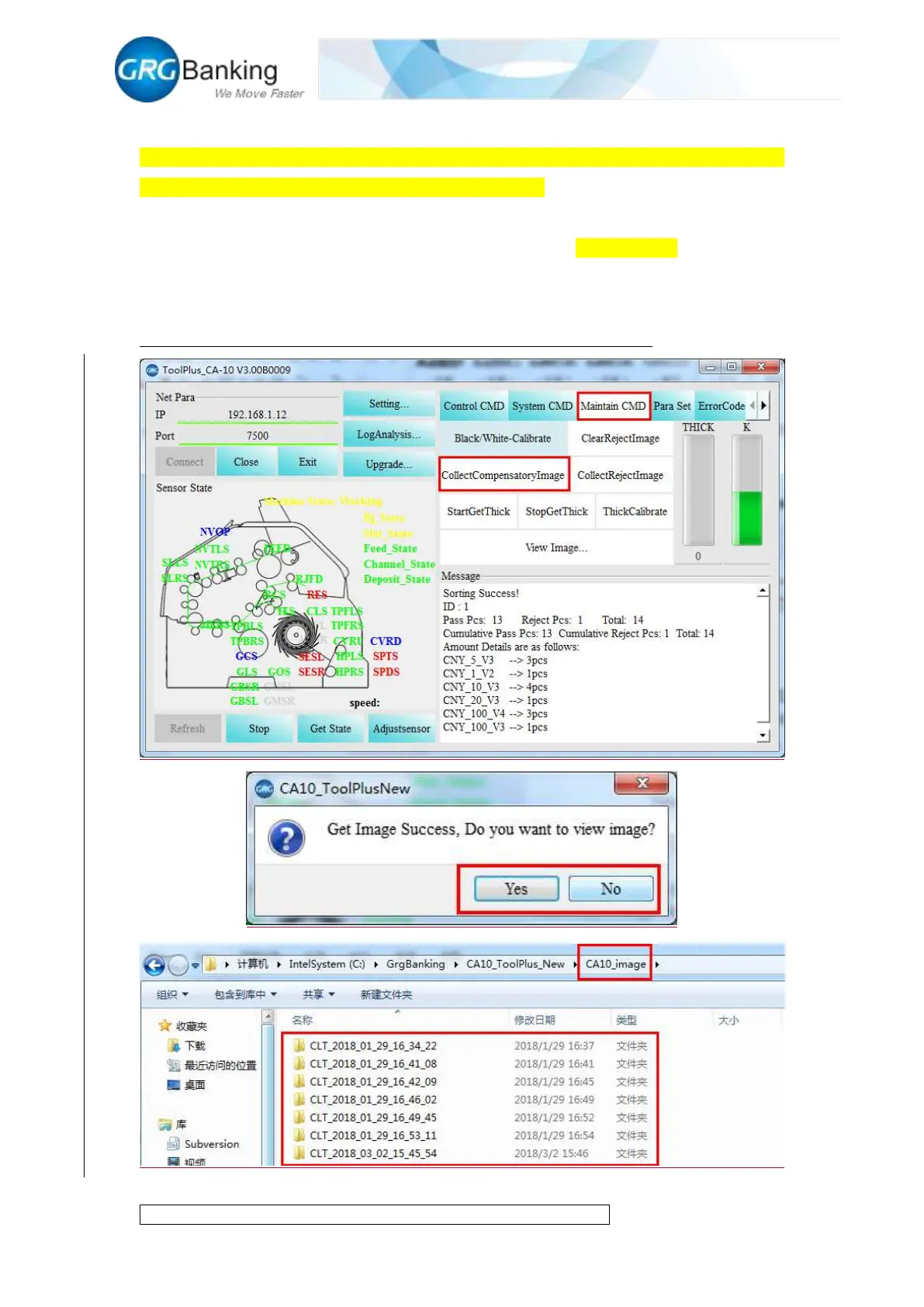
Place the notes required to collect compensation images orderly in the input slot, click “Maintain
CMD” and “Collect Compensatory Image” to feed the notes. Click “Image collect” to enable the
system to collect compensation images of these notes automatically and to store the collected
images in the corresponding CLT folder in the folder named “CA10_image” under the root
directory of “CA10_ToolPlus”. Each collection will generate a folder. Due to the large image files
and long collection time, it is recommended to collect less than 20 images per time.
(Compensation images are only collected to meet the need of GRG engineers).


 To Next Page