Fast Deposit Module CA10 User Manual
Confidential material of GRG, No disclosure to unauthorized Party 28 / 35
13. Reject image collection
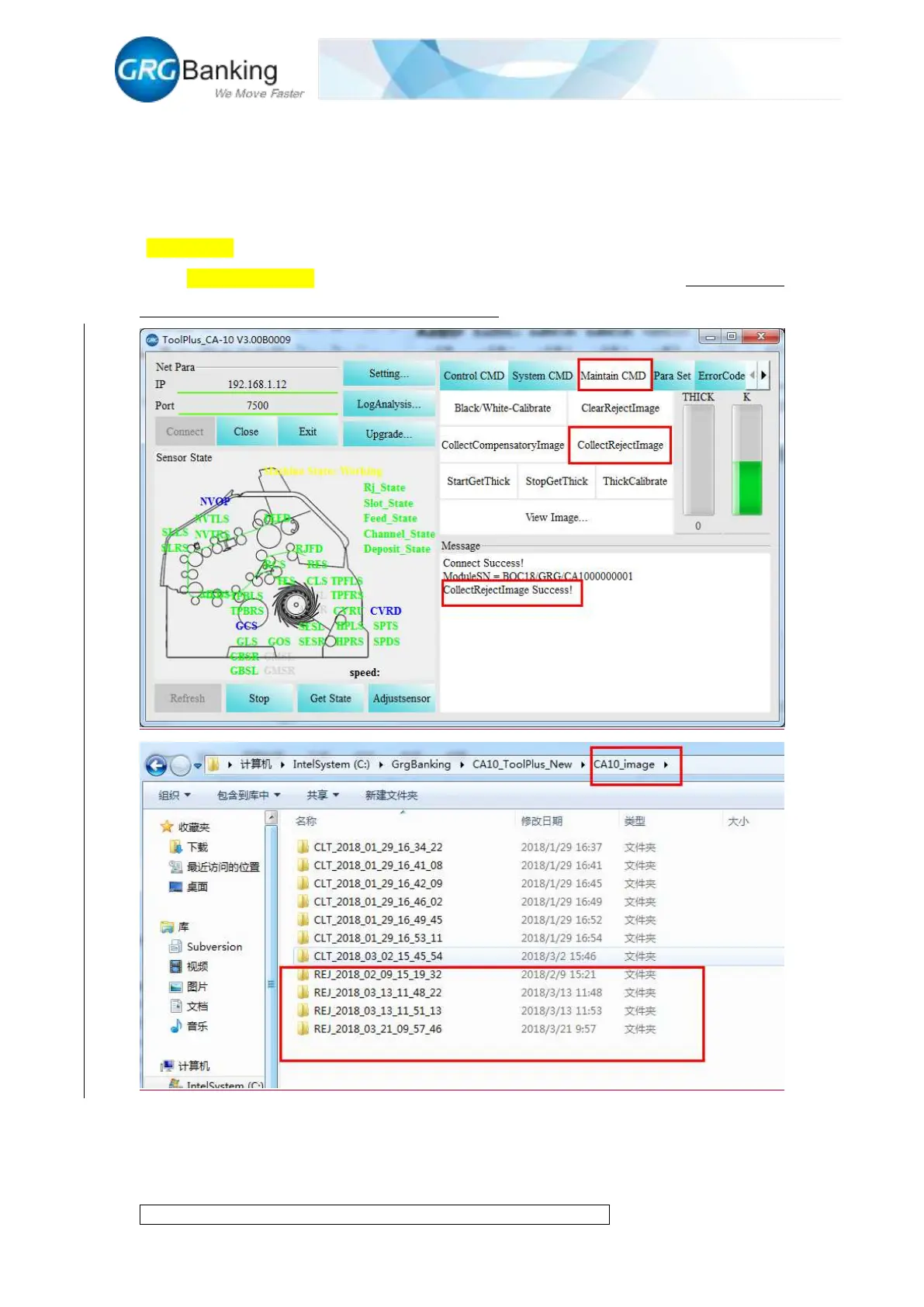
After one note counting, click “Maintain CMD” and “Collect reject image” to get about 20 images
of algorithm reject (subject to the actual quantity if less than 20 images). Generate automatically
an image file after collection and store it in the corresponding folder REJ in the folder named
“CA10_image” under the root directory of CA10_ToolPlus. Each collection will generate a folder.
Click “Clear Reject Image” to clear all stored reject images in the current system. (Reject images
are only collected to meet the need of GRG engineers).
14. Thickness calibration
Refer to Chapter 5 “CA10 Thickness Adjustment Instructions” for the thickness calibration


 To Next Page