Fast Deposit Module CA10 User Manual
Confidential material of GRG, No disclosure to unauthorized Party 31 / 35
Chapter 5 CA10 Thickness Adjustment Instructions
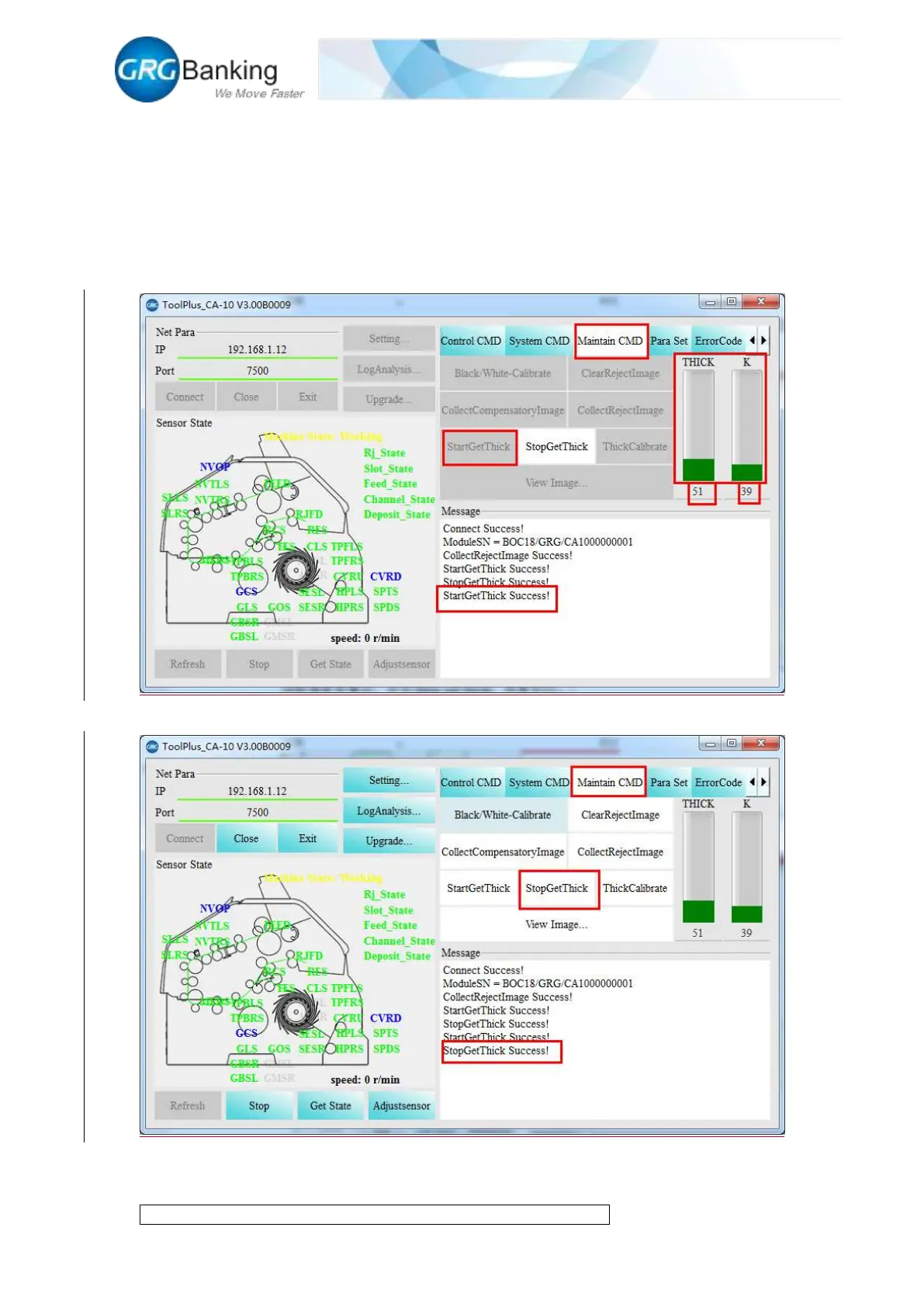
CA10 is adjusted to the qualified state before leaving factory. The qualified thickness zero value is
within 45-65 and the qualified thickness K value is within 30-50.Click “Maintain CMD” and click
“Start get thick” to read the thickness zero value and thickness K value in the histogram or in the
“Message” area.
After read the thickness zero value, click “Stop get thick” to recover the state.
When there are thickness fault or notes are rejected for thickness problems, and the read thickness
zero value and thickness K value is not in the qualified range, adjust the thickness with the


 To Next Page