Fast Deposit Module CA10 User Manual
Confidential material of GRG, No disclosure to unauthorized Party 11 / 35
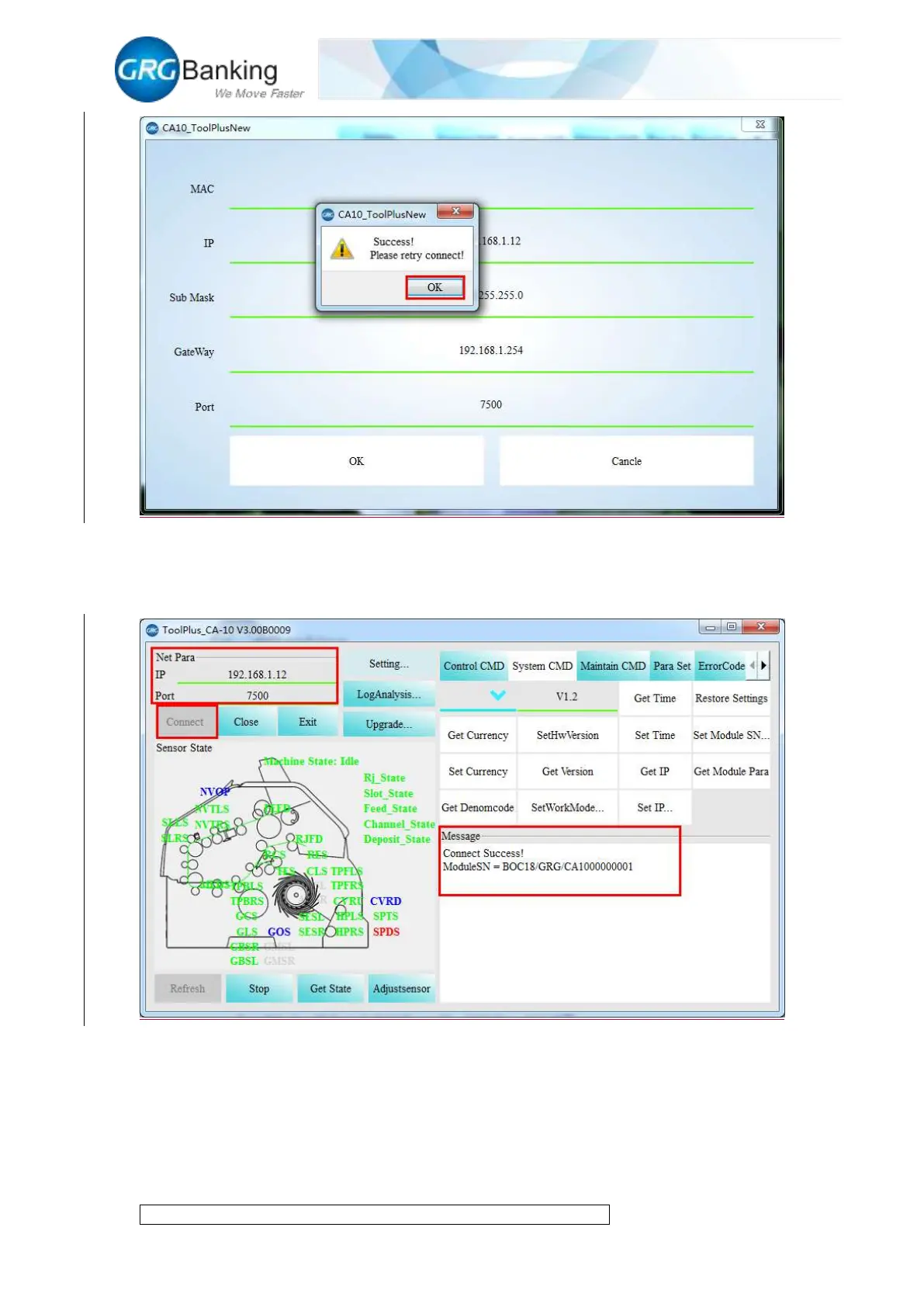
3) It is same to recover the IP address of local connection and local area network for PC.
Operate “CA10_ToolPlus” again, write the same IP address and port in step 2 and click the
“Connect” button for a successful connection.
2.3 Recovery of default IP address
To recover the default IP address of CA 10 upon the delivery from factory, turn “pin 2” of the dial
switch to “OFF” position on the main control board, and turn it to the “ON” position after hearing
the “beep” three times to finish the reset of IP address.


 To Next Page