EasyManua.ls Logo

Grizzly T26417 - User Manual

Grizzly T26417
44 pages
Print Icon
To Next Page IconTo Next Page
Loading...
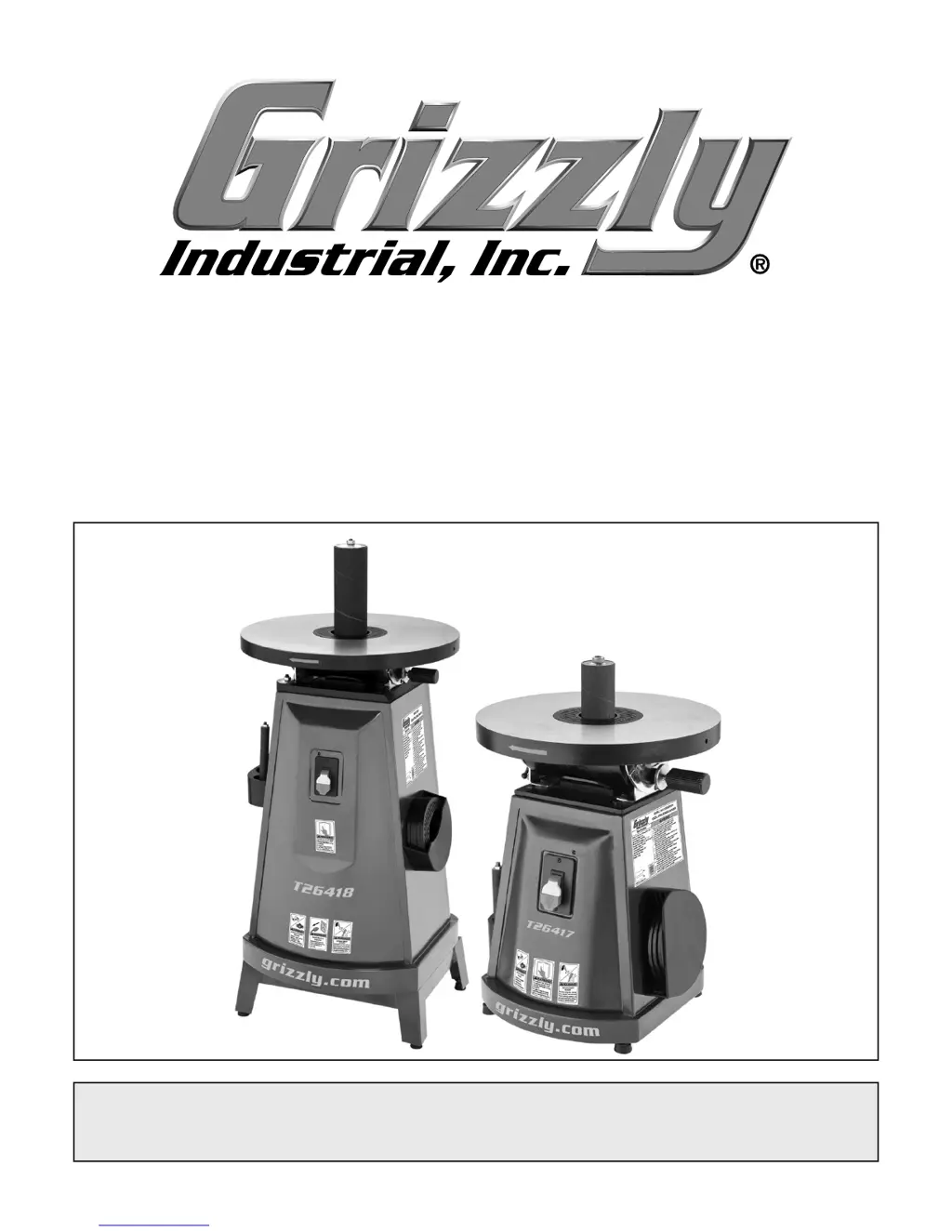
MODEL T26417/T26418
OSCILLATING SPINDLE SANDER
OWNER'S MANUAL
(For models manufactured since 1/15)
COPYRIGHT © NOVEMBER, 2013 BY GRIZZLY INDUSTRIAL, INC. REVISED JANUARY, 2015 (TR).
WARNING: NO PORTION OF THIS MANUAL MAY BE REPRODUCED IN ANY SHAPE
OR FORM WITHOUT THE WRITTEN APPROVAL OF GRIZZLY INDUSTRIAL, INC.
#DM16072 PRINTED IN CHINA
V2.01.15

Questions and Answers

  • M
    masonheidiAug 1, 2025
    How to prevent deep sanding grooves on a Grizzly Sander?
    • M
      melaniehardingAug 1, 2025
      Deep sanding grooves or scars may appear on the workpiece if the sanding sleeve is too coarse. Try using a finer grit sanding sleeve. Also, ensure you sand with the grain, not across it. Reduce the amount of pressure applied to the workpiece while sanding.
  • D
    Dr. Rachel ChristensenAug 9, 2025
    Why does my Grizzly Sander leave burn marks on the wood?
    • M
      Misty LaraAug 9, 2025
      Burn marks on the workpiece can appear if the sanding grit is too fine, so try using a coarser grit sanding sleeve. Reduce the amount of pressure applied to the workpiece while sanding. Also, avoid holding the workpiece in one place for too long; keep it moving.
  • B
    bensonhaleyAug 16, 2025
    How to stop sanding surfaces from clogging on Grizzly T26417?
    • A
      Amy ValenciaAug 17, 2025
      Sanding surfaces may clog quickly or burn due to excessive pressure against the sleeve. Reduce the pressure on the workpiece while sanding. This issue can also occur when sanding softwood or wood with high sap content. If this is the case, consider using different wood or plan on cleaning or replacing the sleeves frequently.
  • B
    Barbara GreenAug 25, 2025
    Why do grains rub off of my Grizzly T26417 Sander sanding sleeve?
    • S
      Shelia McdonaldAug 25, 2025
      If grains are rubbing off the sanding sleeve, it might be due to improper storage. Store sanding sleeves away from extremely dry or hot temperatures. Also, make sure that sanding sleeves are stored separately and not folded or flat.

Summary

Section 1: Safety

General Safety Instructions

Critical safety warnings and guidelines for operating machinery.

Additional Safety for Spindle Sanders

Specific safety precautions for spindle sander operation.

Section 2: Power Supply

Availability & Circuit Requirements

Guidelines for ensuring a safe and adequate power supply circuit.

Grounding, Plug, and Extension Cord Requirements

Proper electrical grounding, plug use, and extension cord guidelines.

Section 3: Setup

Dust Collection Setup

How to connect a dust collection system to the machine.

Performing a Test Run

Instructions for the initial functional test of the machine.

Section 4: Operations

Installing Sanding Drums and Sleeves

Steps for installing and threading sanding drums and sleeves.

Sanding Workpiece Procedure

Step-by-step guide to sanding a workpiece safely.

Section 5: Accessories

Section 6: Maintenance

Maintenance Schedule & Cleaning

Recommended daily checks and cleaning procedures for the machine.

Section 7: Service

Troubleshooting Common Issues

Solutions for common problems encountered with the machine.

Section 8: Wiring

Wiring Safety Instructions

Essential safety guidelines for working with the machine's electrical wiring.

T26417 Wiring Diagram

Electrical wiring schematic for the T26417 model.

Warranty & Returns

Grizzly T26417 Specifications

General IconGeneral
ModelT26417
Disc Diameter6 inches
Disc Speed3450 RPM
Belt Size4 x 36 inches
Table Size8-1/2" x 16"
Dust Port4"
Table Tilt0-45 degrees
TypeBelt/Disc Sander

Related product manuals