EasyManua.ls Logo

Groen BPM-15EC - User Manual

Groen BPM-15EC
19 pages
Print Icon
To Next Page IconTo Next Page
Loading...
PART NUMBER 174838, REV. E (02/19)
This manual provides information for:
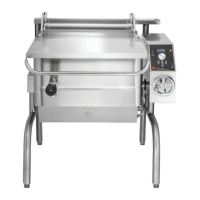
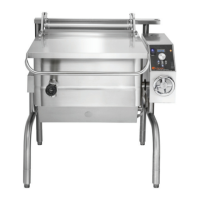
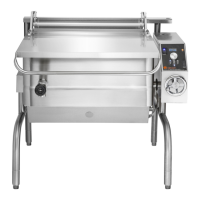
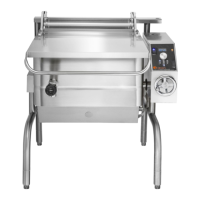
ERGONOMIC TILTING BRAISING PAN
MODELS BPM-15/30/40E(C,A,C2T™) &
BPP-30/40E(C,A,C2T™)
EQUIPMENT DESCRIPTION
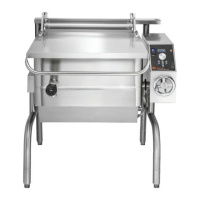
The BPM/BPP is a stainless steel, electrically heated Braising Pan which
is equipped with integrated heating elements, a hand operated or motor
powered tilting mechanism, electronic controls and a hinged cover. The
Braising Pan serves as a braising unit, griddle, fry pan, oven, kettle, bain-
marie, or food warmer and server. It can also be adapted for use as a non-
pressure steamer.
The pan body is constructed of heavy-duty stainless steel, welded into a solid
piece. It has a polished interior and exterior finish. A pouring lip is welded
to the top of the front wall. The cooking surface is a stainless steel clad
plate fitted with clamped-on electrical heating elements. The elements are
positioned to ensure uniform heat transfer over the entire surface.
Pans are mounted on an open-leg frame which is fabricated from tubular
stainless steel.
An easily operated worm and gear mechanism tilts the pan body and provides
precise control for pouring or dumping its contents. This tilting mechanism is
located in a stainless steel console to right of the pan body. For power tilt units
a three position switch on the front of the control console gives the operator
positive, smooth-acting control of tilt. To facilitate cleaning, the pan body can
be tilted past the vertical position.
Heating elements and other electrical components are enclosed for safety.
The temperature controller, heating indicator light and tilting switch are
contained in a compact control console which is mounted to the right of the pan body.
The temperature controller provides automatic control of cooking temperature. Turning
the temperature dial starts and stops heating and sets the pan temperature. Only one
electrical connection is required to install the unit.
A heavy gauge, one-piece, stainless steel cover with a rear condensate drip shield on
the underside is standard on the braising pan. A fully enclosed torsion bar-type counter-
balance provides easy operation to open the cover to maintain it open at any position.
The cover opens to the back. It is hinged to the frame, so it moves independently from
the pan body.
The following sizes and options are available:
Model
PAN DIMENSIONS
Tilt
Left to Right Front to Rear Depth
BPM-15EC/EA/ECT2 18-1/8” (460mm) 28-1/4” (718mm) 8” (203mm) Manual
BPM-30EC/EA/ECT2 26-1/4” (667mm) 28-1/4” (718mm) 10” (254mm) Manual
BPP-30EC/EA/ECT2 26-1/4” (667mm) 28-1/4” (718mm) 10” (254mm) Power
BPM-40EC/EA/ECT2 35-3/4” (908mm) 28-1/4” (718mm) 10” (254mm) Manual
BPP-40EC/EA/ECT2 35-3/4” (908mm) 28-1/4” (718mm) 10” (254mm) Power
REFERENCES
NFPA/70 - The National Electrical Code
NSF/ANSI - Standard 4
UL/ANSI - Standard 197
NATIONAL FIRE PROTECTION ASSOCIATION
60 Battery March Park
Quincy, Massachusetts 02269
NSF INTERNATIONAL
789 N. Dixboro Road
P.O. Box 130140
Ann Arbor, Michigan 48113-0140
UNDERWRITERS LABORATORIES, INC.
333 Pfingsten Road
Northbrook, Illinois 60062
OPERATOR MANUAL
IMPORTANT INFORMATION, KEEP FOR OPERATOR
1055 Mendell Davis Drive, Jackson, MS 39272
888-994-7636, fax 888-864-7636
unifiedbrands.net
THIS MANUAL MUST BE RETAINED FOR FUTURE REFERENCE. READ,
UNDERSTAND AND FOLLOW THE INSTRUCTIONS AND WARNINGS
CONTAINED IN THIS MANUAL.
FOR YOUR SAFETY Do not store or use gasoline or other flammable vapors
and liquids in the vicinity of this or any other appliance.
WARNING Improper installation, adjustment, alteration, service or
maintenance can cause property damage, injury or death. Read the
installation, operating and maintenance instructions thoroughly before
installing or servicing this equipment.
NOTIFY CARRIER OF DAMAGE AT ONCE It is the responsibility of the
consignee to inspect the container upon receipt of same and to determine
the possibility of any damage, including concealed damage. Unified
Brands suggests that if you are suspicious of damage to make a notation
on the delivery receipt. It will be the responsibility of the consignee to file
a claim with the carrier. We recommend that you do so at once.
Manufacture Service/Questions 888-994-7636.
Information contained in this document is known to be current and accurate at the time of printing/creation. Unified Brands recommends
referencing our product line websites, unifiedbrands.net, for the most updated product information and specifications. © 2019 Unified Brands.
All Rights Reserved. Unified Brands is a wholly-owned subsidiary of Dover Corporation.

Questions and Answers

  • B
    Brian AguirreAug 17, 2025
    What to do if the display is not lit on my Groen BPM-15EC?
    • C
      Craig PalmerAug 18, 2025
      If the display isn't lit on your Advanced or C2T Groen Commercial Food Equipment, ensure the power supply is on. Also, check the fuses, accessible by removing the caps on the side of the control box. Inspect for any loose or broken wires or a damaged RTD probe. Verify that the temperature controller is functioning by listening for a click when the switch opens or closes and checking the LEDs on the back of the board. Lastly, confirm that the contactor is functioning correctly.
  • M
    Mackenzie GriffinAug 20, 2025
    How to troubleshoot a Groen Commercial Food Equipment pan not heating with no indicator light?
    • S
      Sharon FordAug 20, 2025
      If your Groen Commercial Food Equipment pan isn't heating and the indicator light isn't on (STD and Classic models), first, ensure the power supply is on. Next, check the fuses, which are accessible by removing the caps on the side of the control box. Inspect for loose or broken wires or a damaged RTD probe. Verify that the temperature controller is functioning by listening for a click when the switch opens or closes and verifying LEDs on the back of the Classic board. Finally, check that the contactor is functioning.
  • T
    Timothy OliverAug 22, 2025
    Why does my Groen Commercial Food Equipment pan keep heating after reaching temperature?
    • F
      Frederick HillAug 22, 2025
      If your Groen Commercial Food Equipment pan continues to heat after reaching the desired temperature, check the temperature controller dial setting and turn it down if it's too high. Ensure the temperature controller is functioning properly. Also, check the temperature controller calibration and offsets. Finally, check the contactor to determine if it is de-energized.
  • R
    Rachel AllenAug 25, 2025
    What to do if my Groen BPM-15EC pan doesn't reach temperature?
    • Z
      Zachary Johnson DDSAug 26, 2025
      If your Groen Commercial Food Equipment pan does not reach the desired temperature, check the temperature controller dial setting and turn it up if it's too low. Inspect the heating elements for a ground short or an open (burned out) element. Verify the temperature controller is functioning by listening for a click when the switch opens or closes. Check the temperature controller calibration and offsets. Confirm that the contactor is functioning.
  • T
    Tiffany HinesAug 27, 2025
    What does 'PROB' in the display mean on Groen BPM-15EC Commercial Food Equipment?
    • N
      Nancy YangAug 28, 2025
      If the display of your Advanced or C2T Groen Commercial Food Equipment shows 'PROB', check for loose or broken wires or a damaged/failed RTD probe. It could also indicate a PCB board malfunction or failure.
  • A
    Amanda ThompsonAug 30, 2025
    What does 'HI' in the display mean on Groen Commercial Food Equipment?
    • J
      Joanne LeAug 30, 2025
      If the display of your Advanced or C2T Groen Commercial Food Equipment shows 'HI', check for loose or broken wires or a damaged/failed RTD probe. It could also indicate a PCB board malfunction or failure.
  • R
    Ricardo ParksSep 1, 2025
    Why is my Groen Commercial Food Equipment making a rapid clicking noise?
    • C
      Caroline RamirezSep 2, 2025
      If you hear a rapid clicking noise (chattering) from your Groen Commercial Food Equipment, check for low voltage. Also, inspect the contactor for dirt or corrosion on the contacts.
  • R
    Randall GonzalezSep 4, 2025
    What does 'CPER' in display mean on Groen BPM-15EC Commercial Food Equipment?
    • D
      Dakota WilsonSep 4, 2025
      If the display of your C2T Groen Commercial Food Equipment shows 'CPER', ensure that the core probe is plugged into the receptacle. Check for loose or broken wires or a damaged/failed RTD probe. It could also indicate a PCB board malfunction or failure.
  • S
    Susan BrooksSep 6, 2025
    What to do if my Groen BPM-15EC pan won't tilt?
    • T
      Troy SinghSep 6, 2025
      If your Groen Commercial Food Equipment pan will not tilt (Power Tilt Models), ensure that the electrical power supply is on. The actuator motor may be overheated; wait 15 minutes for it to cool, then try to operate the power tilt again. Check for a blown fuse on the motor control circuit and replace it with an approved equivalent. Inspect for a damaged DC rectifier and operating relays. Verify the correct setting of the upper and lower limit switches.
  • V
    Vanessa DeckerSep 9, 2025
    How to fix uneven cooking due to hot spots in Groen Commercial Food Equipment?
    • K
      Kevin NortonSep 9, 2025
      If you are experiencing uneven cooking due to hot spots with your Groen Commercial Food Equipment, ensure that the pan body is level.

Groen BPM-15EC Specifications

General IconGeneral
ModelBPM-15EC
CategoryCommercial Food Equipment
Capacity15 gallons
MaterialStainless Steel
Heating MethodElectric
Tilt MechanismManual
Voltage208-240V

Related product manuals