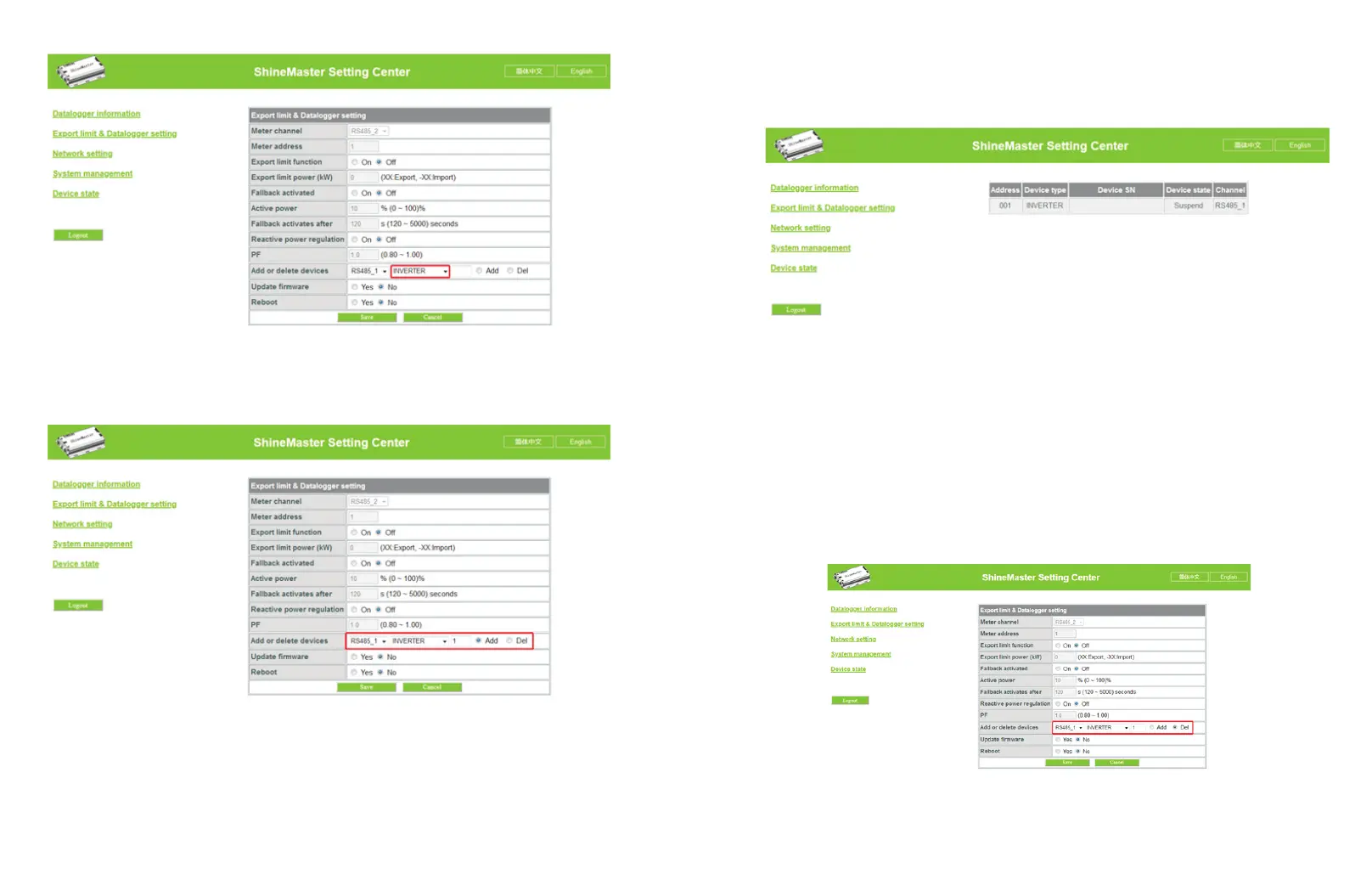
(3) In the third drop-down list, fill in the communication address of monitored device
(4) Select "Add" and click Save.
(5) After successfully saving, enter the "Device Status" page to check whether device is
successfully added.
4.4.2 Delete device
(1) Select the monitoring method for monitoring PV devices in the first drop-down list of
"Add or Remove Devices".
(2) In the second pull-down list, select the type of PV plant being monitored.
(3) Fill in the PV device communication address in the third pull-down list.
(4) Select "Del" and click Save to finish removing of the device.
(5) After successfully saving, enter the "Device Status" page to check whether the device
is successfully deleted.
As shown in the picture:
14 15
Fig 4-4
Fig 4-5
Fig 4-6
Fig 4-7



 To Next Page