Power indicator light, steady light means power
supply is normal
Network light:
1: No light means fail to obtain IP address;
2: Flashing light means connecting to the server
3:Steady light means connected to the server
;
The number of the LED continuously flashing means
the number of device connected to the ShineMaster
Flashing when configuration , if successful , the LED
will be off (temporarily unavailable)
RF signal indicator (temporarily unavailable)
The LED light is flashing when there is a error
table 2-2
2.2 Unpacking
2.2.1 Packing List
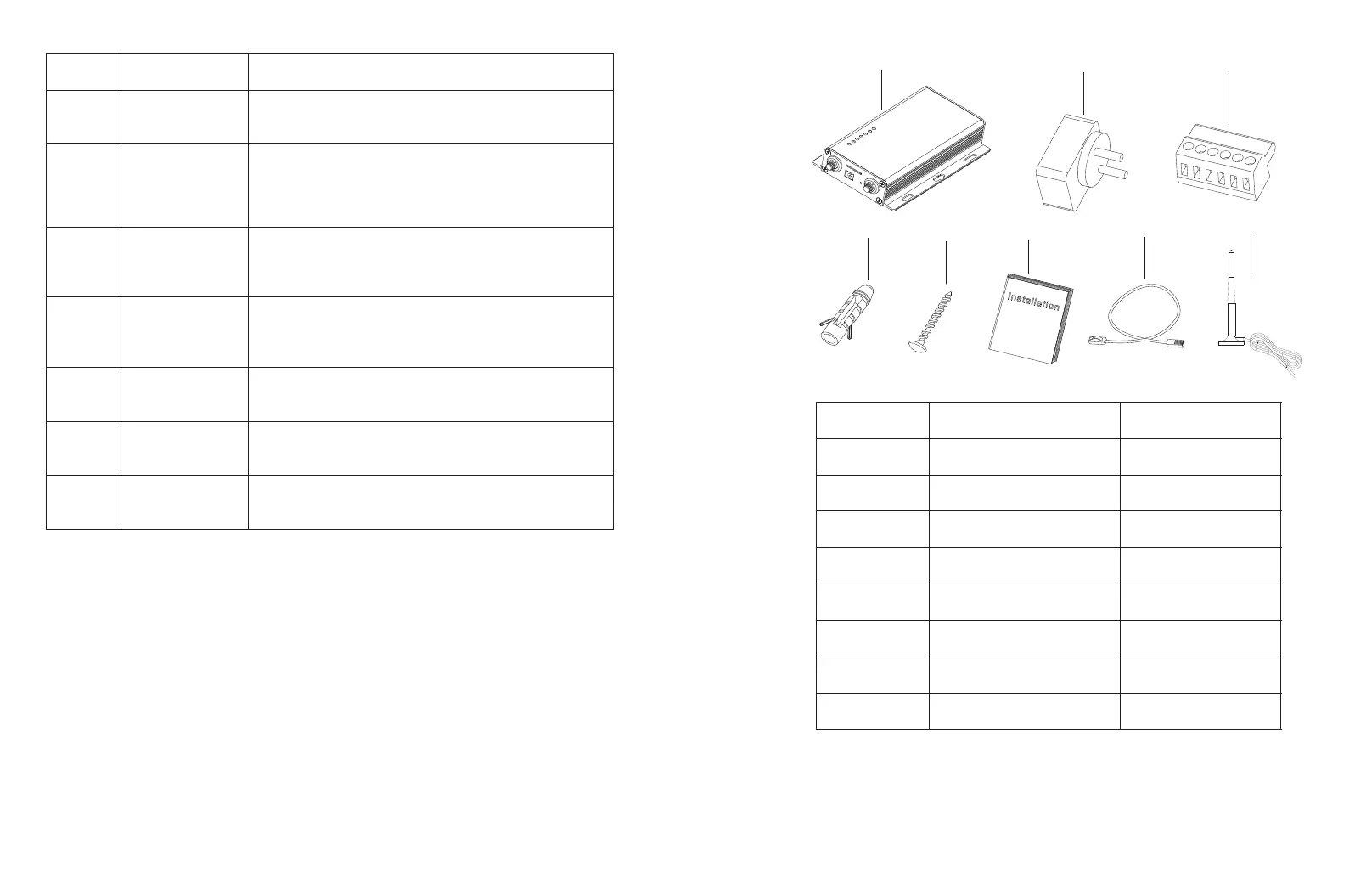
Check ShineMaster and accessories are intact and complete as below figure 2-2:
If any damage is found or any component is missing, contact your supplier.
Fig 2-2
Table 2-4
4 5
A
B
C
D
E
F
G
H
Note: 1:the above accessories ShineMaster 4 g version to configuration in 4 g antenna
2:4G sim card needs purchased from Local Telecommunication service provider .



 To Next Page