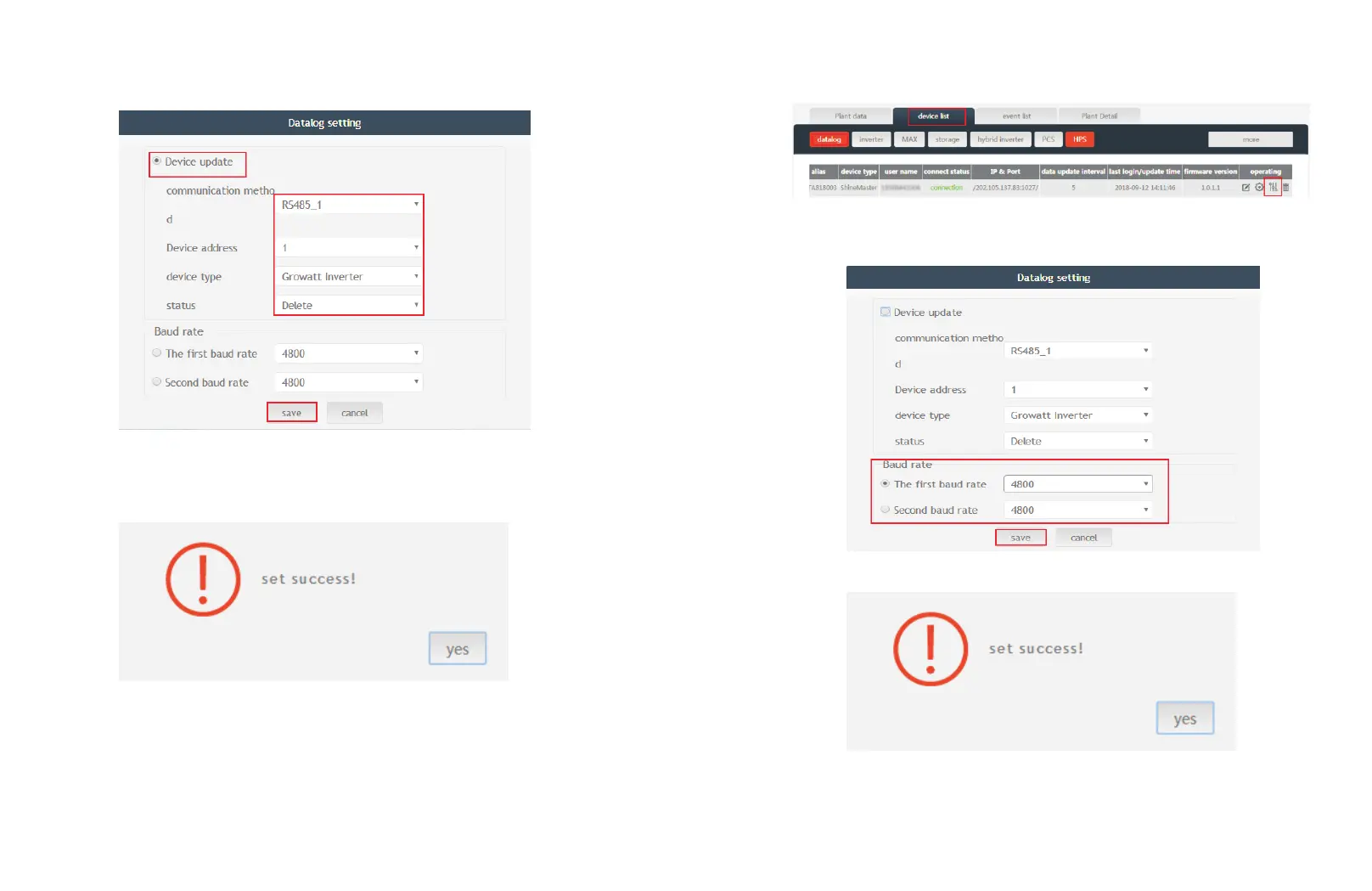
(3) Delete one device, just like following figure.
(4) Above adding or deleting devices if success following figure will pop out.
5.3.2 Change ShineMaster Baud rate.
(1) In the Server page click “Device Management” then click “Data Logger”, click the
Baud rate setting icon.
(2) Set chosen channel’s baud rate.
(3) If success following figure will pop out.
Note: The second channel of Baud rate setting would be the same as the fist channel.
26 27



 To Next Page