Revision A9 13
GRT Avionics Mini-X Installation, Setup & User Manual
1.5.3 Moving Map Softkey Functions (Optional)
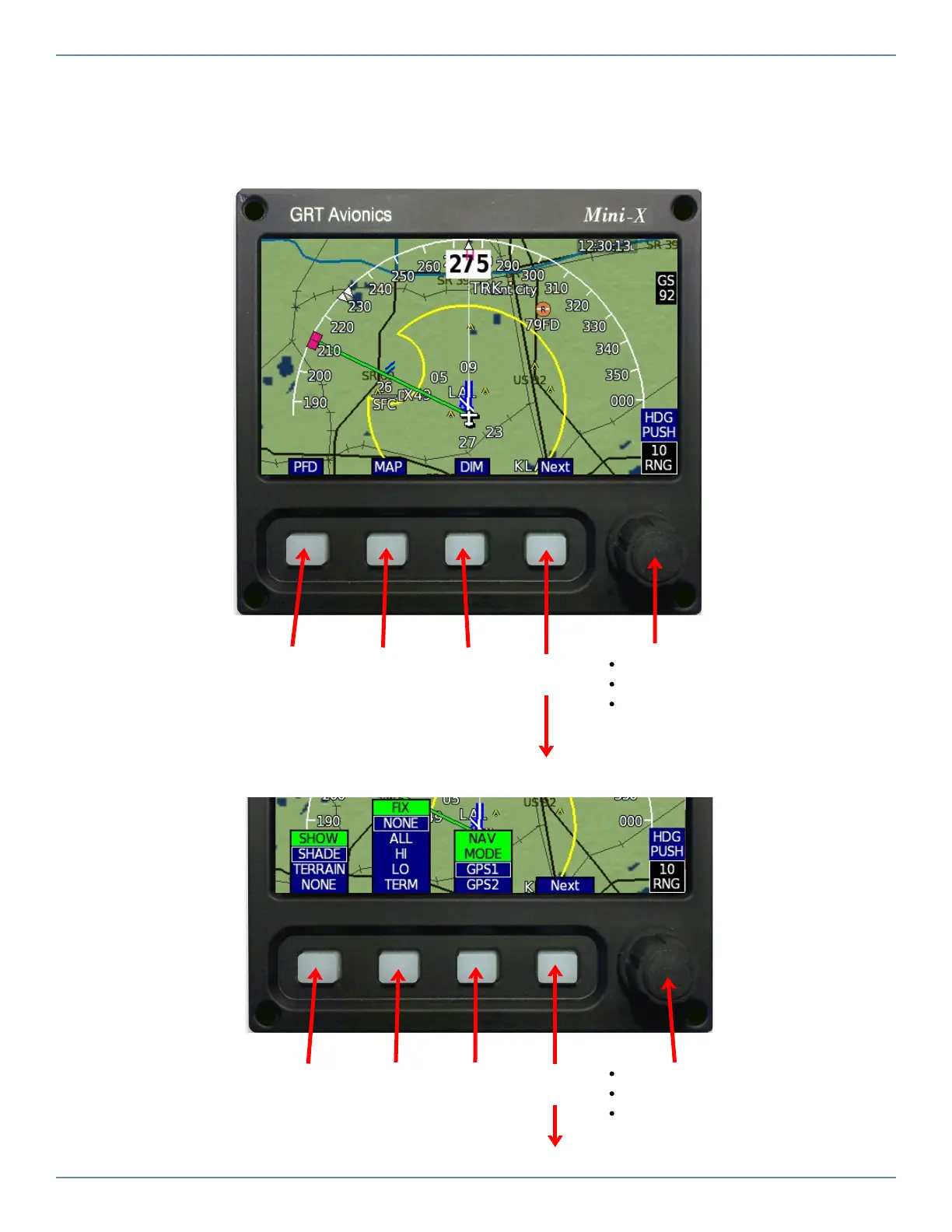
1. Press the MAP softkey to display the Moving Map page.
Primary
Flight
Display
Cycle thru
map views
& HSI
Screen
Dimmer
or Trans-
ponder
Turn to adjust map range
Press once for Heading Bug
Press again for Map Selection Tool
cursor and Nearest selection softkeys
Map Level 2 Softkeys (typical)
Choose
Map
Shading
Choose
Fixes to
Display
Choose
Nav
Source
Turn to adjust map range
Press once for Heading Bug
Press again for Map Selection Tool
cursor and Nearest selection softkeys
More
items…
More
items…


 To Next Page