EasyManua.ls Logo

Grundfos CU 241 - User Manual

Grundfos CU 241
30 pages
Print Icon
To Next Page IconTo Next Page
Loading...
CU 241
Dual pump unit
Installation and operating instructions
GRUNDFOS INSTRUCTIONS

Table of Contents

Question and Answer IconNeed help?

Do you have a question about the Grundfos CU 241 and is the answer not in the manual?

Summary

General Information and Safety

Hazard Statements

Safety warnings indicating hazardous situations that could cause death or serious injury.

Product Installation and Initial Setup

Mechanical and Electrical Installation Basics

Instructions for physically mounting the control unit and making electrical connections.

Startup Wizard and GO Remote Connection

Steps for connecting to Grundfos GO Remote and using the startup wizard.

Installing a Communication Interface Module

CIM Module Installation Procedure

Steps for installing a Communication Interface Module (CIM) into the control unit.

Fault Finding: Alarm and Warning Codes

Overview of Alarm and Warning Codes

A comprehensive list and explanation of all alarm and warning codes for fault diagnosis.

Control Unit Mounting Details

Mounting Screw Specifications

Specifics on screws and torque value for mounting the control unit.

CIM Module Installation Precautions

Antistatic Handling of Electronic Components

Essential precautions when handling electronic components to prevent static damage.

CIM Module Preparation Steps

Preparing the Control Unit for CIM Installation

Steps to remove the back cover and prepare the unit for module fitting.

Fitting the CIM Module

Securing the CIM Module Correctly

Instructions for correctly fitting the Communication Interface Module into the control unit.

Finalizing CIM Module Installation

Refitting the Control Unit Back Cover

Steps for refitting the back cover and securing cables after CIM module installation.

Electrical Connection Details

Power Supply Connection Requirements

Guidance on connecting the 24 VDC power supply, checking voltage and polarity.

Enabling Bluetooth on Operating Panel

Enabling Bluetooth for GO Remote Connection

Steps to enable Bluetooth on the operating panel to facilitate GO Remote connection.

Product Testing Procedures

Testing Emptying Applications

How to test pump start/stop based on level in emptying applications.

Testing Filling Applications

How to test pump start/stop based on level in filling applications.

Application Level Logic Explained

Empty Application Level Logic

Detailed explanation of how levels control pumps in the Empty application mode.

Fill Application Level Logic

Detailed explanation of how levels control pumps in the Fill application mode.

Control Unit Terminals and Identification

Terminal Functions Overview

Description of each terminal's purpose on the control unit.

Nameplate Information Explained

Explanation of the details provided on the product's nameplate for identification.

Supported Communication Modules

CIM Modules and Protocols

List of supported CIM modules and their corresponding communication protocols.

Operating Panel Functions

Control Panel Components and Symbols

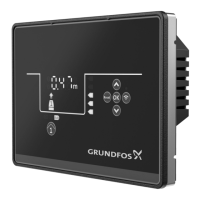
Detailed explanation of the display, buttons, and symbols on the CU 241 operating panel.

Setting Application and Sensor Types

Setting Application Type via GO Remote

Procedure to set the application type (Empty/Fill) using Grundfos GO Remote.

Setting Sensor Type

Guide to configuring sensor type using the operating panel or Grundfos GO Remote.

Setting Pump Start Levels

Configuring Start Levels for Pumps

Steps to set the start levels for pump 1 and pump 2 via GO Remote or the operating panel.

Overview

The CU 241 is a dual pump control unit designed for managing two pumps in various applications, including wastewater pits, filling pits, and tanks. It serves as a level-control unit, switching pumps on and off based on liquid levels detected by float switches or a pressure sensor. The unit indicates alarms and warnings, such as high-water levels or sensor failures, and offers both manual and automatic control of the pumps.

Function Description

The primary function of the CU 241 is to control the operation of up to two pumps based on liquid levels. In an emptying application, the pump starts when the liquid reaches "Start level P1" and stops when the level drops to "Stop level." A second pump will activate if the liquid level reaches "Start level P2." For filling applications, the pump starts when "Start level P1" is reached in the second tank and stops when the liquid reaches "Stop level." A second pump will start if the liquid level reaches "Start level P2."

The control unit features dry-running protection, which stops the pump if the liquid level falls below the "Dry-running level" to prevent mechanical damage. A "High level" sensor can trigger an output relay for visual or acoustic alarms or send a signal to a SCADA system if the liquid level exceeds a predefined high level.

"Multipump settings" allow for alternate starting and stopping of the two pumps, ensuring equal running hours. An "Inter pump delay" can be set to prevent both pumps from starting simultaneously. The "Antiseizing" function prevents pumps from choking or seizing due to deposits by periodically starting the pump for a user-defined duration.

The CU 241 also incorporates motor protection features, including overheat protection (using PTC sensors or thermal switches) and overload protection (via a motor-protection relay). A moisture protection function, when a moisture sensor is installed, helps detect water in the pump.

Important Technical Specifications

  • Supply Voltage: 24 VDC, -10% / +10%. The power supply must be class 2.
  • Enclosure Class: IP54, 3R for CU 241 when built into a panel of similar or higher enclosure class.
  • Maximum Power Dissipation: 3.4 W (for object 99347488).
  • GENIbus Terminal: -7 VDC to +12 VDC.
  • Nominal Current Condition (GENIbus): 4 mADC.
  • Short-Circuit Current Condition (GENIbus): 328 mA.
  • Communication Interface Modules (CIM): Supports CIM 050 (GENIbus), CIM 150 (PROFIBUS DP), CIM 200 (Modbus RTU), CIM 260 (3G/4G), CIM 270 (GRM), CIM 280 (Grundfos iSolution Cloud (GiC), Modbus TCP, PROFINET IO), and CIM 500 (GRM IP).

Usage Features

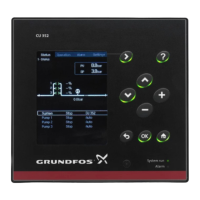
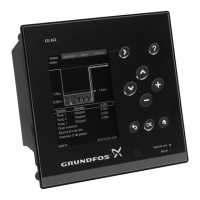
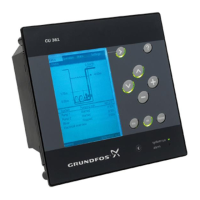
The CU 241 can be configured and operated through its integrated operating panel or via the Grundfos GO Remote application (Bluetooth communication).

Operating Panel:

  • Display: Shows pump status and level readings (in ft or m).
  • Buttons: Up/Down buttons for navigation and value adjustment, OK button for confirmation, Reset button for resetting settings or alarms, and a Connect button for Bluetooth pairing.
  • Indicators: On/Off/Auto indicators for each pump, High level, Start level (P1, P2), Stop level, Dry-running level, Lock symbol (when locked), and Alarm/Warning symbol (red for alarm, yellow for warning).
  • Startup Wizard: Guides through initial basic settings like sensor type and levels.

Grundfos GO Remote:

  • Provides access to advanced settings, status overviews, technical product information, and current operating parameters.
  • Allows setting application type (Empty/Fill), sensor type (Analog/Digital), start and stop levels, high level, stop delay, power-on delay, dry-running level, multipump settings (inter pump delay, max number of running pumps), antiseizing function, signal-detection time, maximum number of restarts, service interval, motor protection (nominal pump current, trip IEC class, pump connection, overheat protection), alarm reset (manual/automatic), buzzer settings, and units.
  • Offers security features to lock the operating panel and Grundfos GO Remote with a PIN code.

Manual Operation:

  • Pumps can be started and stopped manually from the operating panel or Grundfos GO Remote.
  • "Automatic return" can be configured to return the pump to a defined operating mode (Auto or Off) after manual operation.
  • "Forced start time" allows setting a period for the pump to run in manual mode.

Maintenance Features

  • Software Updates: New features and functions can be made available through software updates, which require contacting Grundfos.

  • Replacing Components: Instructions are provided for replacing the control unit, CIM module, and battery.

  • Fault Finding: An overview of alarm and warning codes is provided to assist in troubleshooting. Common codes include:

    • Code 2 (Power phase missing): Indicates a missing power supply phase or blown fuse.
    • Code 4 (Too many motor restarts): Suggests a blocked or partly blocked pump causing motor overload.
    • Code 9 (Power phase sequence wrong): Incorrect power supply phase setting.
    • Code 12 (Service needed): Pump requires service based on time to next service countdown.
    • Code 22 (Moisture in motor of pump): Moisture detected in the pump motor.
    • Code 25 (Wrong configuration): Level control or IO terminal not configured correctly.
    • Code 48 (Motor is overloaded): Pump is clogged.
    • Code 57 (Missing water in the application): Low water level triggering dry-running protection.
    • Code 69 (Winding temperature too high): Pump is clogged or has run for too long.
    • Code 84 (Memory storage media faulty): Internal memory error.
    • Code 117 (Door opened): Control unit room door opened.
    • Code 159 (Communication error CIMxxx): CIM module communication error or defect.
    • Code 165 (Signal fault): Sensor signal out of configured range or defective sensor.
    • Code 191 (High water level): Defined start level not reached, pump too small, or defective level sensor.
    • Code 205 (Level switch inconsistency): Defective or stuck float switch.
    • Code 225 (Communication error pump module): Missing GENIbus connection or defective pump module.
    • Code 226 (Communication error IO module): Missing GENIbus connection or defective IO module.
    • Code 229 (Water on floor): Sensor detects water on the floor.
  • Disposal: The product and its parts must be disposed of in an environmentally sound way, either through public/private waste collection services or by contacting Grundfos. Waste batteries should be disposed of through national collective schemes.

Grundfos CU 241 Specifications

General IconGeneral
BrandGrundfos
ModelCU 241
CategoryControl Unit
LanguageEnglish

Related product manuals