ENGLISH
38
Connecting external devices
... with digital audio/video signals
7
Suitable devices: Digital satellite receivers,
Playstation, BluRay player, DVD player/
recorder, set-top box, notebook, PCs.
7
Video signal: Digital video; resolution: stand-
ard 576p; HDTV 720p, 1080i, 1080p.
7
Audio signal: digital audio (stereo, multi-chan-
nel compression, uncompressed).
7
Presets »HDMI 1«, »HDMI 2« or »HDMI3«.
1
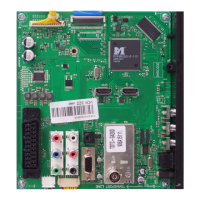
Connect the »HDMI1«, »HDMI2« or
»HDMI3« socket on the television and the
corresponding HDMI socket on the external
device using a standard HDMI cable (digital
video and audio signal).
... with analogue video signal
(progressive)
7
Suitable devices: DVD recorders/players,
games consoles.
7
Video signal: YUV; resolution: standard 576p;
HDTV 720p, 1080i, 1080p.
7
Audio signal: stereo, analogue.
7
»Component« preset.
1 Connect the »COMPONENT Y/AV2 Pb
Pr« sockets on the television to the corre-
sponding sockets of the external device with
RCA cables (video signal).
2 Connect the »COMPONENT L R« sockets
on the television to the corresponding sock-
ets of the external device with RCA cables
(audio signal).
OPERATION USING EXTERNAL DEVICES
-----------------------------
... using the SCART socket
(CVBS/RGB signal)
7
Suitable devices: Digital satellite receiver,
DVD player/recorder, set-top box, games con-
sole, video recorder, decoder.
7
Video signal: CVBS/RGB.
7
Audio signal: stereo, analogue.
7
»AV1« preset.
1 Connect the »AV1/S-VHS« socket on the
television and the corresponding socket on
the external device using a SCART cable
(video and audio signal).
Activating a decoder
If a decoder is connected to the »AV1/S-VHS«
socket, this must be activated to provide an
unencrypted video/audio signal.
1 Open the menu with »
MENU«.
2 Select »SETTINGS« with »
V
« or »
Λ
« and
press
»OK«
to confirm.
– The »SETTINGS« menu appears.
3 Select the »Decoder« with »
V
« or »
Λ
«.
4 Activate the function with »
<
« or »
>
«
(»On«).
5 Press »
MENU« to end the setting.
... with S-Video signal
7
Suitable devices: DVD player/recorder, video
recorder, camera recorder, notebook, PC.
7
Video signal: Y/C.
7
Audio signal: stereo, analogue.
7
»S-VHS« preset.
1 Connect the » AV1/S-VHS« socket on the
television and the corresponding socket on
the external device using an EURO/AV ca-
ble (video and audio signal).



 To Next Page
 Loading...