41
ENGLISH
Connecting a PC
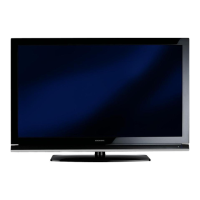
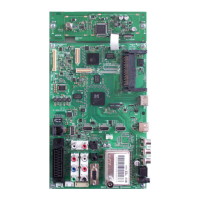
1 Connect the »PC-IN« socket on the television
to the corresponding socket on the PC using
a VGA cable (video signal).
2 Connect the »Audio« socket on the televi-
sion to the corresponding socket on the PC
using a suitable cable (audio signal).
Note:
7
Adjust your PC to the monitor (for example,
picture resolution 1280 x 768, picture fre-
quency 60 Hz).
Selecting presets for the PC
1 Press » « and use »
V
«, »
Λ
«, »
<
« or »
>
«
to select the preset »PC« and press
»OK«
to
confirm.
Settings for PC mode
1 Open the menu with »MENU«.
2 Select the »SOURCE SETUP« menu item with
»
V
« or »
Λ
« and press
»OK«
to confirm.
– The »SOURCE SETUP« menu appears.
3 Select the function or setting with »
V
« or
»
Λ
«, and then use »
V
«, »
Λ
« or »
<
«, »
>
« to
implement it.
OPERATION AS A PC MONITOR
----------------------------------------------------------
Options:
–
»Auto Ajust« for automatic PC configura-
tion.
– »Auto
Ajust
Mode«, select the option
»On« if the configuration should be imple-
mented automatically in PC mode.
– »Position« to configure the horizontal and
vertical picture position.
– »Size« to set the cycle frequency.
– »Phase« to eliminate flicker, unfocused
pictures or horizontal interference.
4 Press »
MENU« to end the setting.
Source
PC
Position
Auto Ajust
Auto
Ajust
Mode
On
Size
Phase
0
30
Exit
Back
SOURCE SETUP
Extended settings
50H - 50V
20.09.2010
15:46



 To Next Page
 Loading...