ENGLISH
32
BLUETOOTH MODE
---------------------------------------------------------------------------------------------------
7
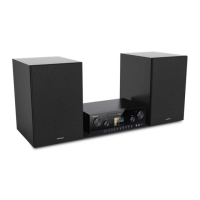
The CMS 1050 automatically connects
to the last Bluetooth auxiliary device that
was logged on.
7
If the Bluetooth auxiliary device is not rec-
ognised, it has to be activated again via its
own menu.
Playback from the Bluetooth
auxiliary device
1 Start playback on the Bluetooth auxiliary
device.
2 Set the preferred volume
with the control knob
on the hi-fi system or press »– VOL +« on the
remote control
3 End playback on the Bluetooth auxiliary de-
vice.
Notes:
7
Various functions can also be controlled on
the CMS 1050.
Press »eII« to pause playback,
press »eII« again to resume playback;
press »
3
« to select the previous
track and »4 « for the next track.
7
Note that the data transmission range can
be as much as 9 m, depending on the Blue-
tooth device that is used and the structure
of the building.
Logging out the Bluetooth auxiliary
device
1 Log out the Bluetooth device.
– The display changes to »NO BT«.
Logging the Bluetooth device back
on
1 If you move out of data transmission range or
switch off Bluetooth mode, the Bluetooth aux-
iliary device is logged out.
2 To log back on, select your Grundig Conk-
nected Hifi System again on the Bluetooth
auxiliary device.
Note:
7
If it is not possible to connect to a Bluetooth
auxiliary device that was registered previ-
ously, remove your Grundig Connected Hifi
System from the Bluetooth auxiliary device's
device list and repeat the search and con-
nection procedure.
Compatible with the following
devices
Your CMS 1050 can be connected to any come-
mercially available Bluetooth-compatible devices
that comply with the A2DP standard. This includes
smartphones, laptops and tablet PCs, for example.
Selecting the Bluetooth input
source
1 Select the Bluetooth input source by pressing
» « on the device or » « on the remote
control.
– Display: »BT«.
Finding and connecting a Blue-
tooth auxiliary device
1 Activate the Bluetooth function on the Bluetooth
auxiliary device.
2 Start the search function on the Bluetooth auxil-
iary device.
– After a short time, your CMS 1050 will be
displayed on the Bluetooth auxiliary device.
3 Select the Grundig Connected Hifi System on the
Bluetooth auxiliary device and connect to it.
4 When the Bluetooth auxiliary device is con-
nected to your device, »BT« is displayed on the
CMS 1050.
Note:
7
Your CMS 1050 can only receive and play
the audio signal from one Bluetooth device;
however, up to 8 Bluetooth auxiliary devices
can be logged on.
Activating a Bluetooth auxiliary
device that is logged on
Notes:
7
You only have to log Bluetooth auxiliary de-
vices on once.
7
When the Bluetooth auxiliary device leaves
and then moves back into signal range of
the Grundig Connected Hifi System, the
auxiliary device logs on automatically.












 To Next Page