18
- Press the ENTER button to confirm and press the LCD MENU button to
return to previous menu or press the EXIT button to exit.
Storage To
- Press the Źor Ż button to select the channel number you want to save to.
System
- Press the Ź or Ż button to select the TV sound system.
Current CH
- Press the Ź or Ż button to select the current channel.
Search
- Press the Ź or Ż button to search backward/forward,
- press the LCD MENU or EXIT to stop the program searching.
Fine-Tune
- Press the Ź or Ż button to fine tuning when the signal level of the current
channel is weak.
Skip
- Press the Ź or Ż button to turn on/off the switch of skip. When it’s set to
ON, the current channel will be skipped when you switch channels by
pressing the CH+ or CH- buttons.
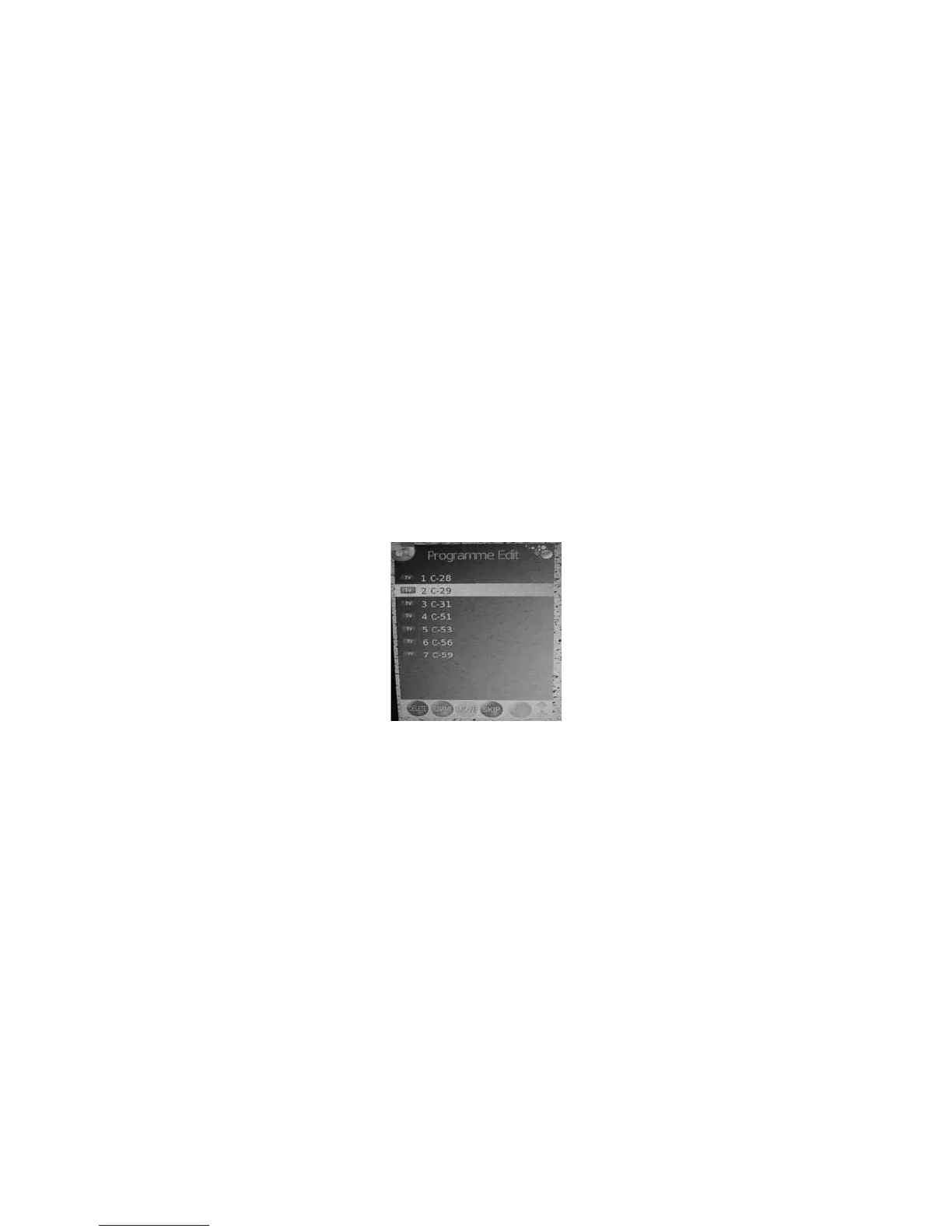
Programme Edit
- Press the Ÿorź button to select the channel you want to edit.
- Press the red button on remote control to delete the selected channel.
- Press the green button on remote control to rename the selected channel.
(this operation works only for analogue TV programs). Press Ÿ,ź,ŹorŻ
button to set.


 To Next Page