19
- Press the yellow button on remote control to move the selected channel up
or down in the list.
- Press the blue button on remote control to set “SKIP” for the selected
channel. When the channel is set to SKIP and this channel will be skipped
when you switch channels by pressing the CH+ or CH- buttons.
- Press the FAV button on remote control to add the selected channel into
favourite list.
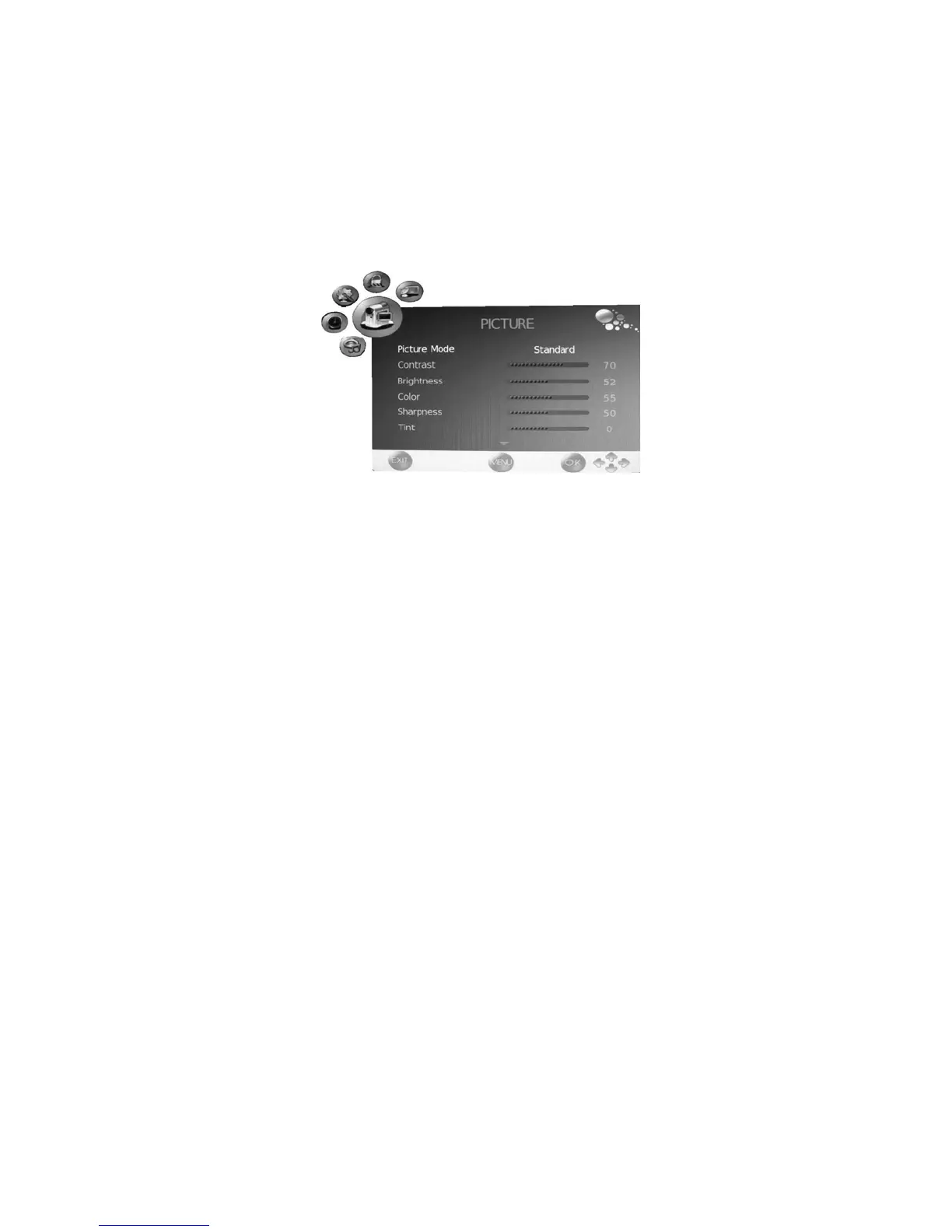
PICTURE menu
- Press the LCD MENU button to display the OSD menuˈthen press the Ż or
Ź button to select PICTURE menu.
- Press the Ÿ or ź button to select the items in PICTURE menu, press the Ź
button to enter the sub-menu, press the LCD MENU button to return to the
previous menu or press the EXIT button to exit.
Picture Mode
Press the Ż or Ź button to select picture modes.
Contrast
Press the Ż or Ź button to adjust the contrast.
Brightness
Press the Ż or Ź button to adjust the brightness.
Colour
Press the Ż or Ź button to adjust the colour.
Sharpness
Press the Ż or Ź button to adjust the sharpness.


 To Next Page