20
Tint
Press the Ż or Ź button to adjust the sharpness, this option only works in
VGA mode and VGA input connected.
Colour Temperature
Press the Ż orŹ button to select colour temperature: Cool, User, Warm,
Medium.
Aspect Ratio
Press the Ż or Ź button to select Aspect Ratio: Zoom1, Zoom2, Auto, 4:3,
16:9.
Noise Reduction
Press the Ż or Ź button to turn the Noise Reduction function on or off.
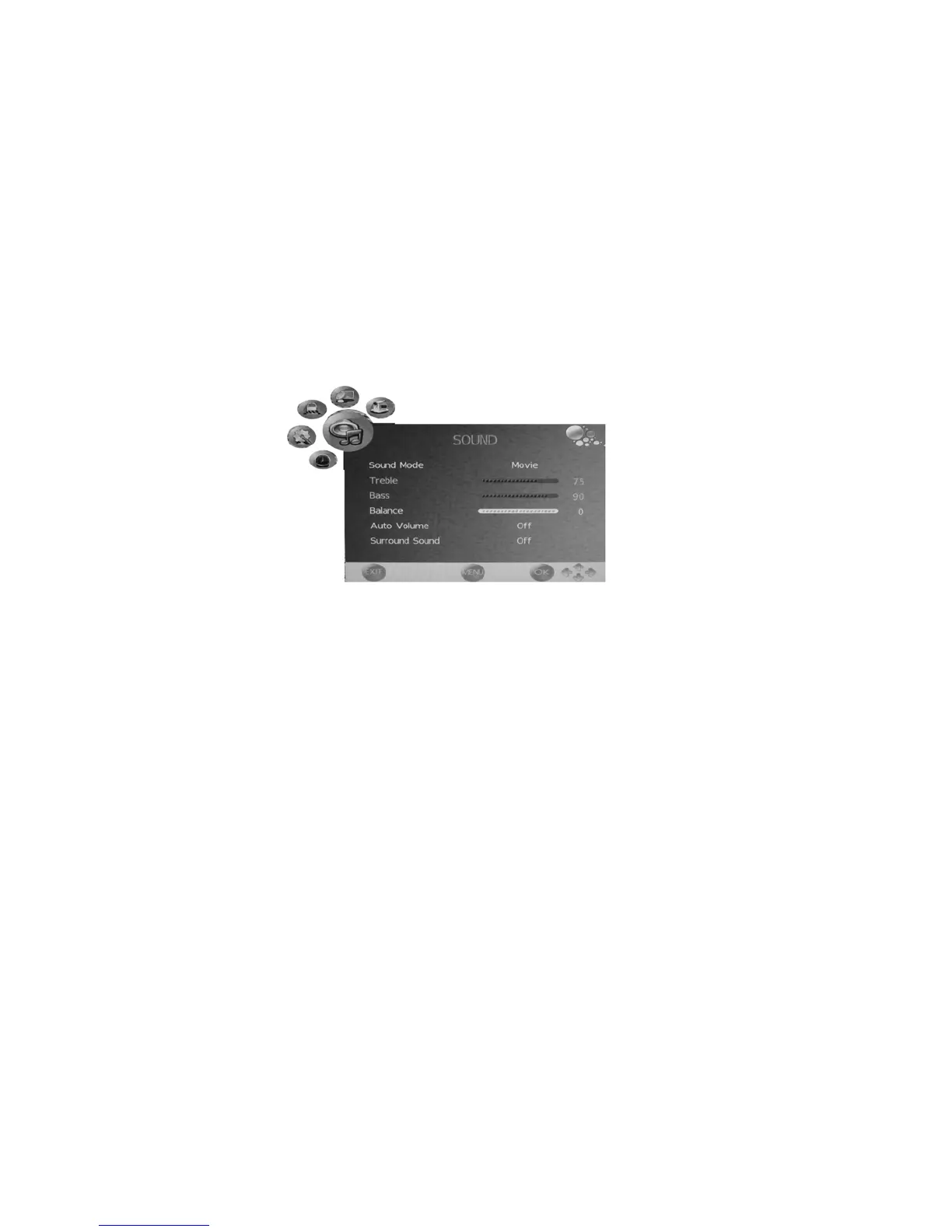
SOUND menu
- Press the LCD MENU button to display the OSD menuˈthen press the Ż or
Ź button to select SOUND menu.
- Press the Ÿ or ź button to select the items in SOUND menu, press the Ż
or Ź button to enter the sub-menu, press the LCD MENU button to return to
the previous menu or press the EXIT button to exit.
Sound Mode
Press the Ż or Ź to select sound mode: User, Standard, Music, Movie,
Sports.
Treble
Press the Ż or Ź button to adjust the treble.


 To Next Page