7
Wall Mount Bracket Installation Guidelines
____________________________________________
1. Place the “LCD TV” on a solid surface. Use soft material to place over
the front screen to avoid any damage.
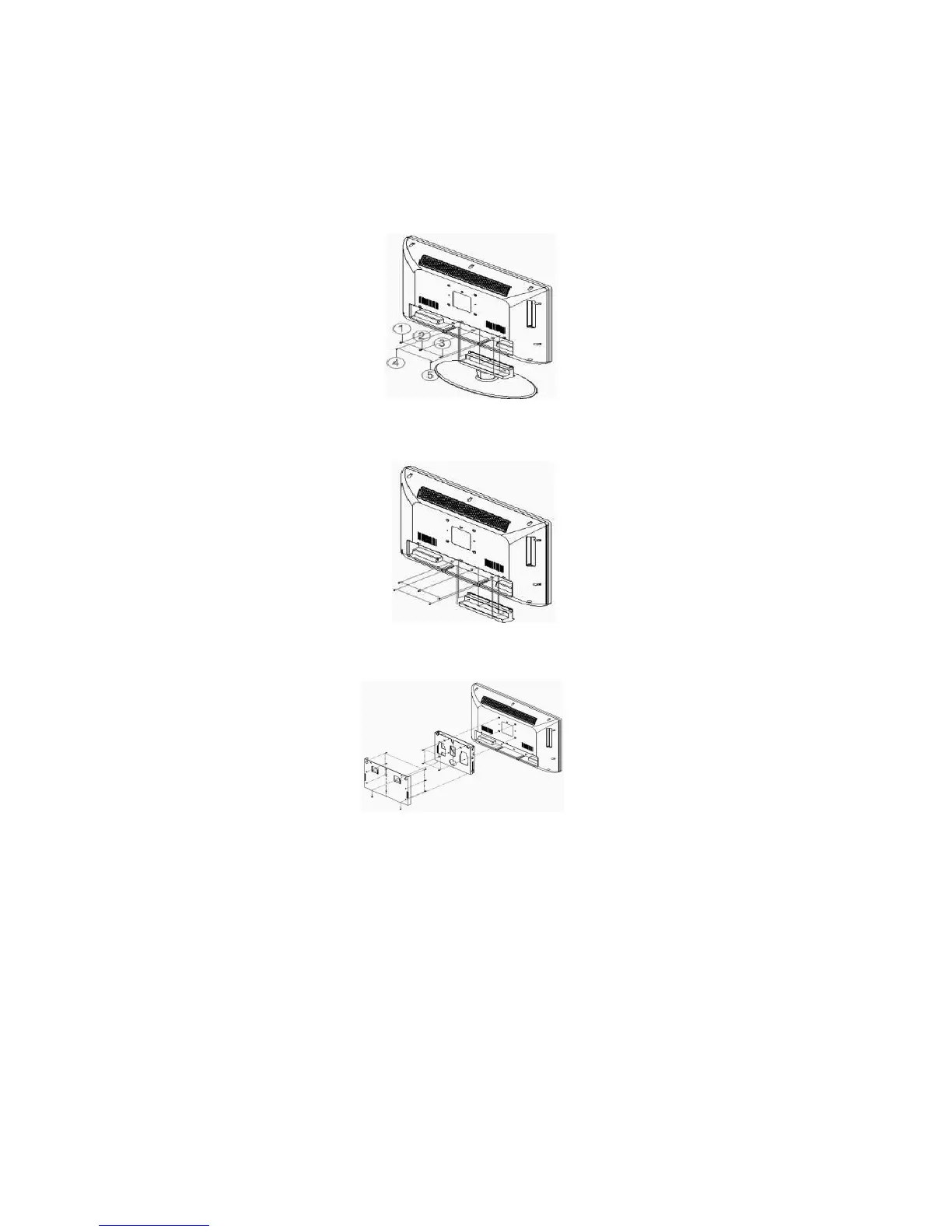
2. Remove the 5 screws˄ķĸĹĺĻ˅from the unit and take away the stand
(Refer picture 1).
(picture 1)
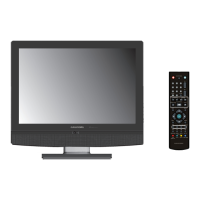
3. Using the plastic cover that came with the LCD screw in the 5 screws to
fix the plastic cover on the bottom of the unit (Refer picture 2).
(picture 2)
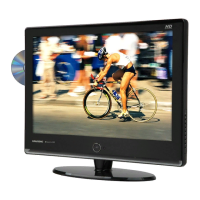
4. Use 4 screws to fix the TV on the wall mount bracket .Please find there
are 4 VESA holes on the back of the unit (Refer picture 3).
(picture 3)


 To Next Page