22
time using the Ÿ,ź,Ż or Ź buttons.
On time
Press the Ż or Ź button to select on, press the Ź button to enter the setup
sub-menu, then to set the time you want the unit to be turned on, select the
time using the Ÿ,ź,Ż or Ź buttons.
Sleep timer
Press the Ż or Ź button to set the sleep time: 240min, 180min, 120min,
90min, 60min, 30min, 20min, 10min.
Auto sleep
Press the Ż or Ź button to select on or off. When it’s set to on, the unit will
turn to standby mode automatically if there is no signal input for a period of
about 5 minutes.
Time Zone
Press the Ż or Ź button to set the time zone.
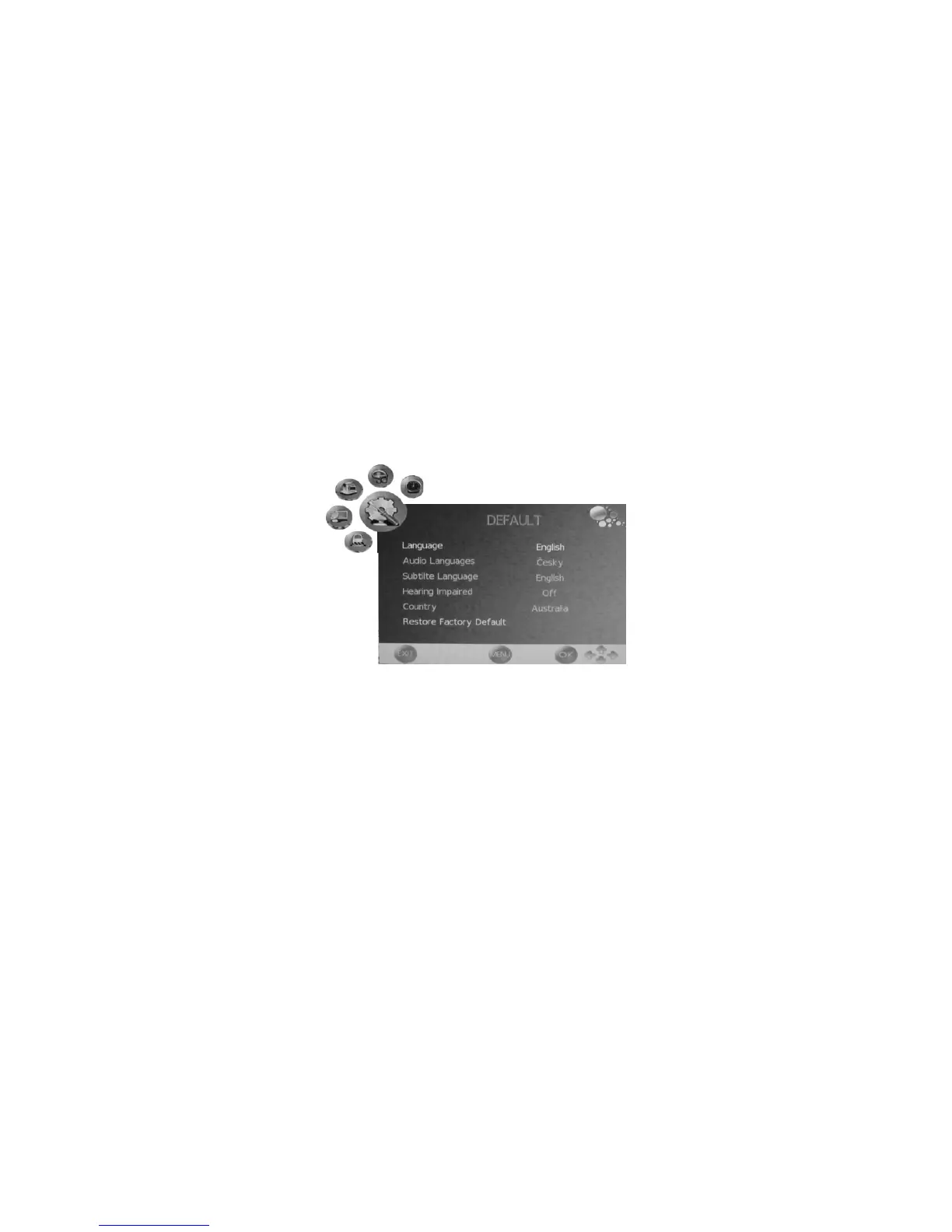
DEFAULT menu
- Press the LCD MENU button to display the OSD menuˈthen press the Ż or
Ź button to select DEFAULT menu.
- Press the Ÿ or ź button to select the items in DEFAULT menu, press the
Ż or Ź button to enter the sub-menu, press the LCD MENU button to
return to the previous menu or press the EXIT button to exit.
Language
Press the Ż or Ź button to select the OSD language, the default language



 To Next Page