23
ENGLISH
CD MODE
---------------------------------------------------------------------------------------------------------------------------------------
Selecting the CD input source
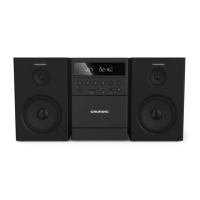
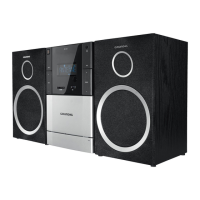
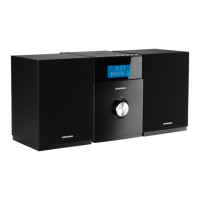
1 Press »SOURCE« on the hi-fi system repeat-
edly or press »CD« on the remote control.
Inserting and playing CDs
Warning
7
The lens of the CD player should never be
touched.
1 Press »PUSH « on the hi-fi system to open
the CD compartment.
2 Insert your CD in the compartment with its la-
bel facing upwards.
3 Close the lid of the CD compartment by press-
ing »PUSH « on the hi-fi system.
4 Press » « to start playback.
Notes:
7
To change an album in MP3/WMA mode,
press » « or » « on the remote control.
7
To select additional title information, press
»DISPLAY«.
5 Press »7/ « to stop playback.
Notes:
CD playback also stops when:
7
the CD compartment is opened;
7
the disc has reached the end;
7
you select another source: TUNER, CASS,
CARD, USB or AUX;
7
you select standby;
7
you press the tape deck »8« button.
Pausing and resuming playback
1 Press » « during playback to pause.
– In the display, the elapsed playing time
flashes.
2 Continue playback by pressing » «.
Repeat actual track
1 During playback, press »3« on the hi-fi sys-
tem or press »5« or »6« on the remote control.
– Playback starts from the beginning.
Selecting another track
1 During playback, press »3« or »4« on
the hi-fi system or »5« or »6« on the remote
control once or repeatedly until the number of
the desired track appears in the display.
– Playback of the selected track starts auto-
matically.
Note:
7
You can also select tracks in stop mode.
However, you must then start playback of
the track with » «.
Searching for a passage within
a track
1 During playback, press and hold down »3«
or »4«.
– Playback is at high speed and without vol-
ume.
2 Release »3« or »4« when the passage
has been found.
– Playback continues.


 To Next Page