ENGLISH
21
This function enables you to save up to 20 tracks on the current CD in a cer-
tain order and then play them back in that sequence. The same track may be
saved more than once.
Selecting and saving tracks
1 Insert the CD and press »
ı
PLAY/PAUSE II« to start playback.
2 Press »PROG.« to select the function.
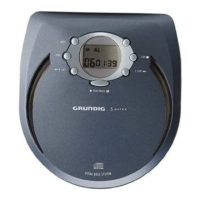
– Display: »00
01«, »PROG« flashes (the first two digits indicate the
track number, and the last two indicate the position in the memory).
3 Press »
5a R.SKIP« or »F.SKIPs6« to select the track.
– Display: for example »02 01«.
4 Press »PROG.« to save the track.
– Display: for example »00
02«.
Note:
Repeat steps 3 and 4 to save more tracks.
If you try to store more than 20 tracks, the first track you saved is dis-
played.
Playing back the track memory
1 Press »
ı
PLAY/PAUSE II« to play back the track memory.
– Display: »PROG« and playback begins with the first programmed
track.
2 Press »STOP ■ « to end playback of the track memory.
3 To play the music program again, press »PROG.« and afterwards
»
ı
PLAY/PAUSE II«.
Deleting the track memory
1 With the CD stopped, press »STOP ■ « or open the CD compartment.
Note:
The track memory is also deleted if
– you pull out the mains cable or
– remove the batteries from the device.
CREATING A TRACK MEMORY
_________
PROG
u
0I
00
PROG
u
0I
02
PROG
u
00 00
04
:



 To Next Page