14
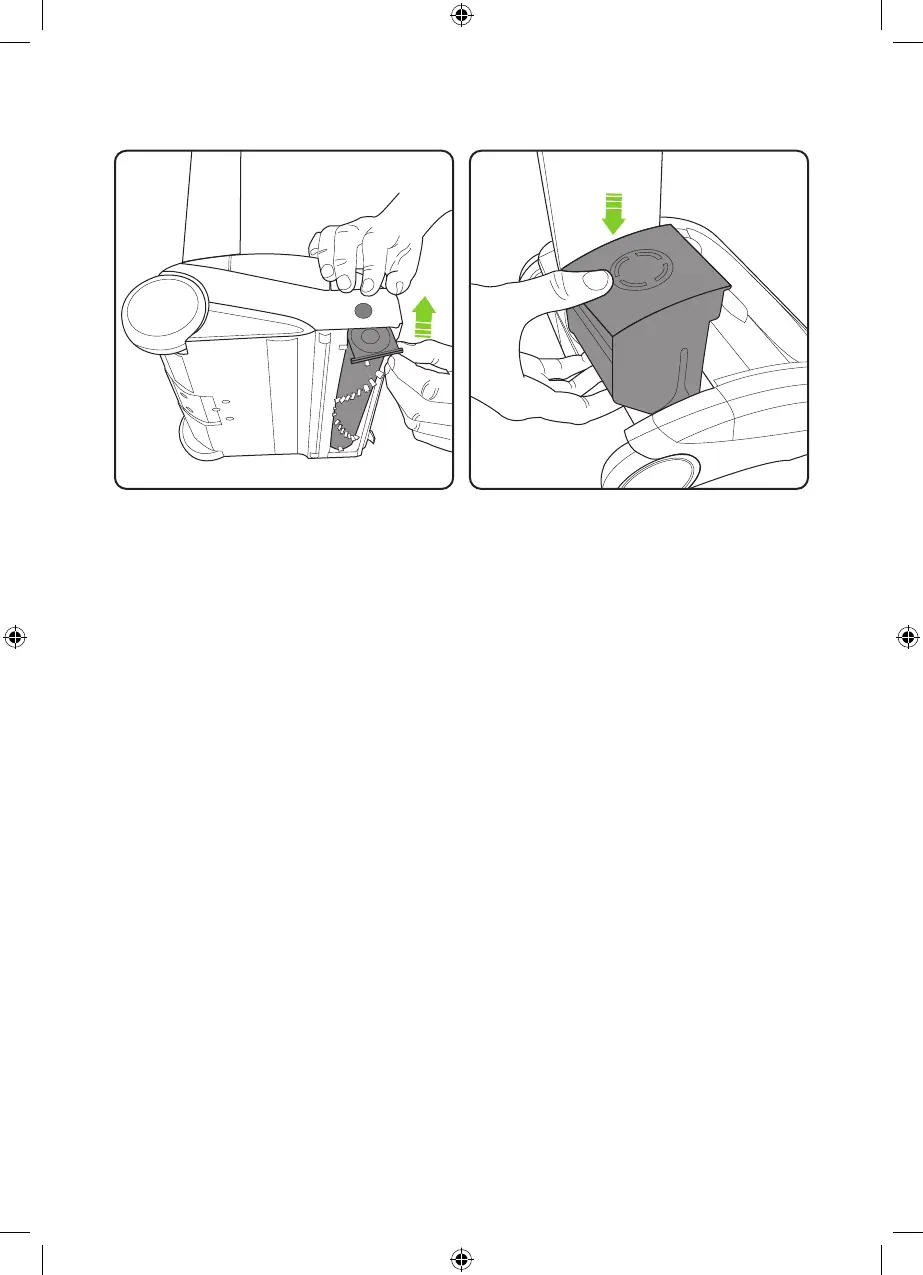
Re-insert the brush bar, starting by the end
furthest away from the button. Then line up
and push the brush bar into the product until it
clicks into place.
Replace the battery by sliding it down into the
head assembly. It will click into place.
5012_System_K9_UF_manual_aw.indd 145012_System_K9_UF_manual_aw.indd 14 18/05/2021 16:3418/05/2021 16:34


 To Next Page