6
Assembly (continued)
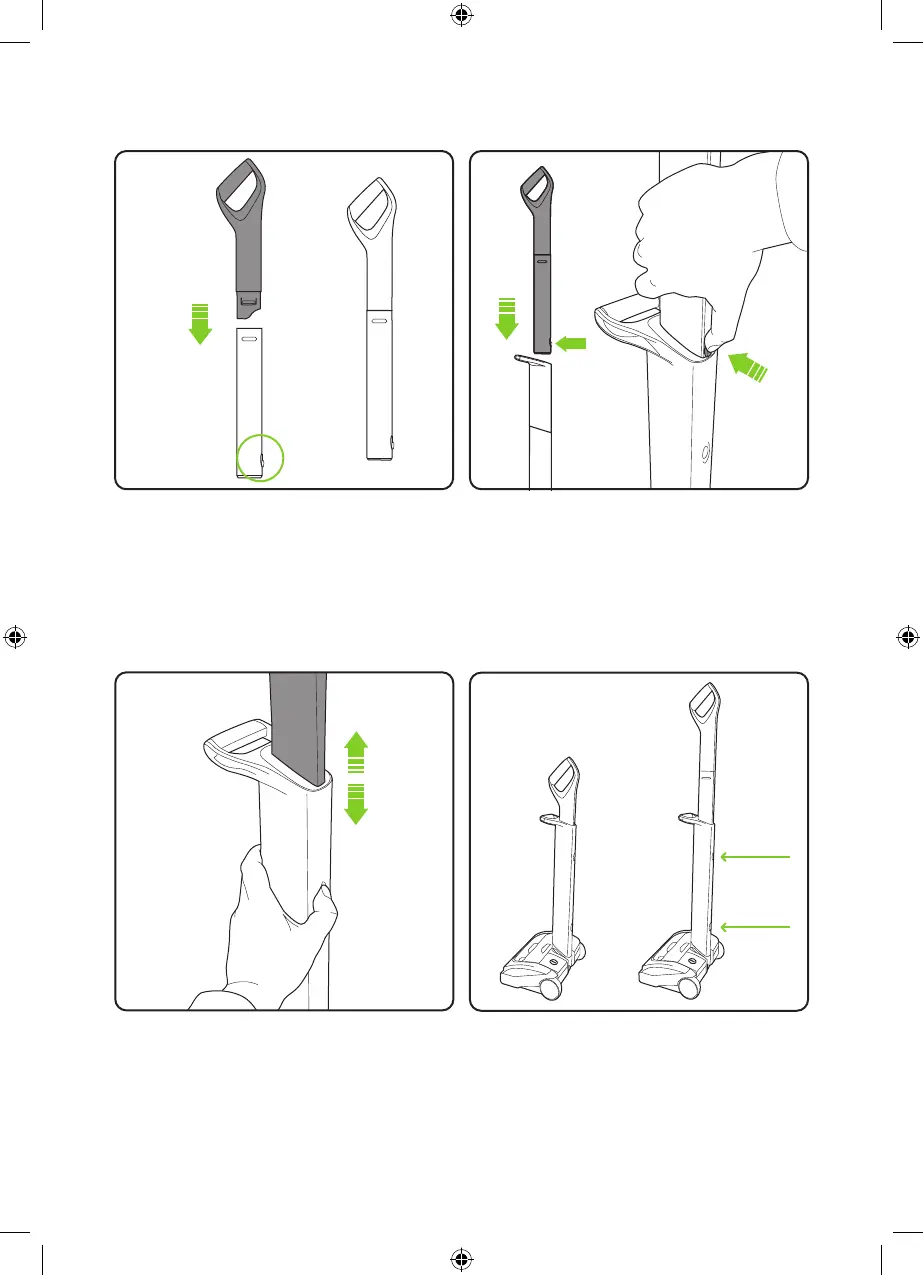
Insert the upper handle into the lower handle.
You will need to press the button on the upper
handle to fit it in. Once it slides down you will
hear it click into place.
Push the two parts of the upper handle
together in the orientation shown above. They
will only fit one way. They will click into place
and remain permanently fixed.
To stow or extend the upper handle simply
press the button on the lower handle to
unlock the upper handle.
The upper handle will now slide up or down
depending on required position.
Storage
The upper handle can be set in two positions:
Lowered for storage and raised for use. To
lower the handle, release the upper button.
To raise the handle from the stored position,
release the lower button.
Upper Button
Lower Button
5012_System_K9_UF_manual_aw.indd 65012_System_K9_UF_manual_aw.indd 6 18/05/2021 16:3418/05/2021 16:34



 To Next Page