Assembly
Battery Charging and Recharging
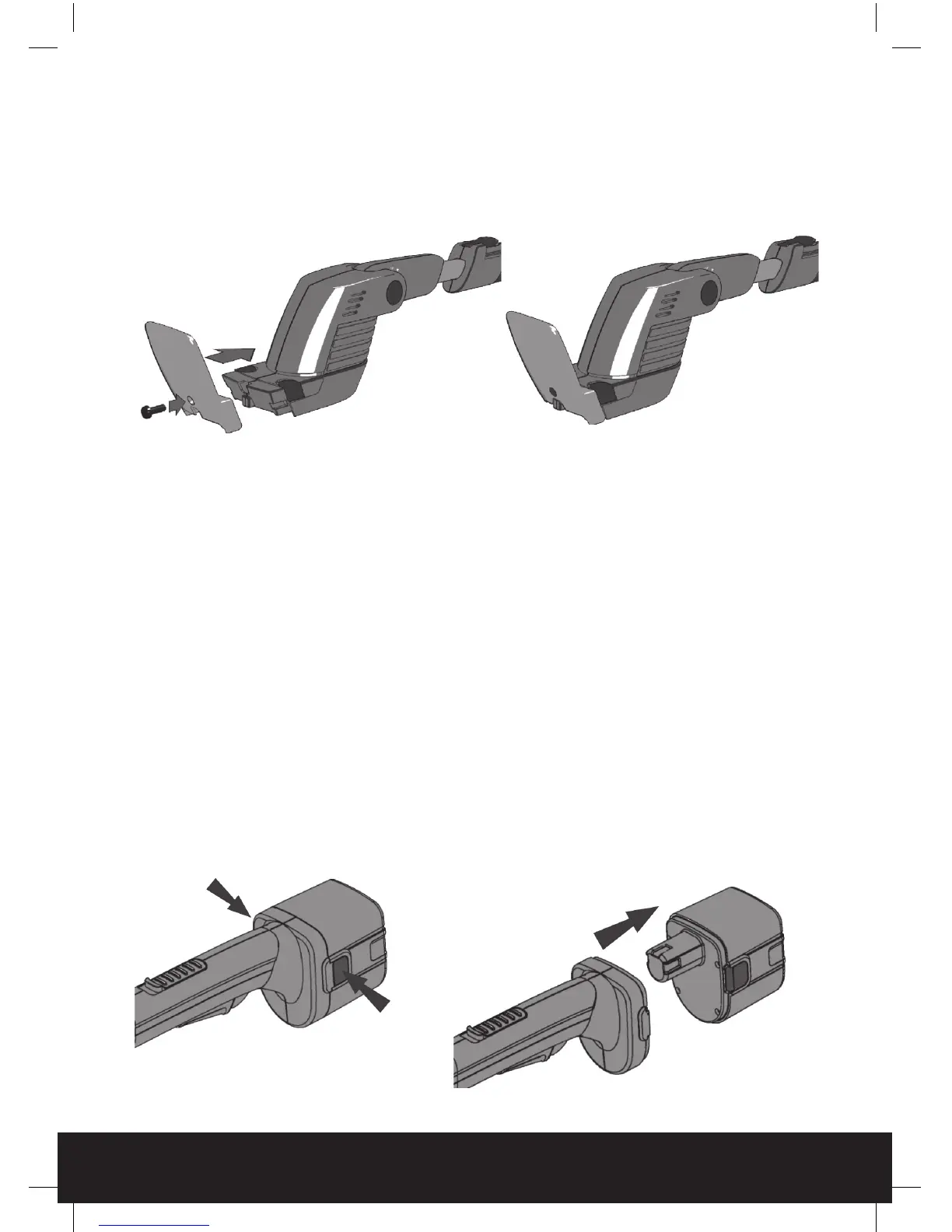
Fit the visor to the tool using the screw supplied. Do not over tighten the screw.
WARNING: if the battery is damaged in any way do not attempt to charge it and
replace it immediately.
Before use check the power supply and charger cables for signs of damage or
ageing. A damaged charger cable can increase risk of fire or electric shock.
Fully charge the battery before rst use.
The battery has to be removed from the product to charge it.
To remove the battery press the 2 release buttons on either side of the battery at the same
time and pull the battery from the tool.
helpline 01905 345891 email support@greytechnology.co.uk web www.gtechonline.co.uk
8
HT04 GenericManual09QVC.indd 8 23/12/2009 11:25


 To Next Page