5
The Orca can be placed on the charge base to
charge the battery (page 10), for self-cleaning
(page 11), and storage
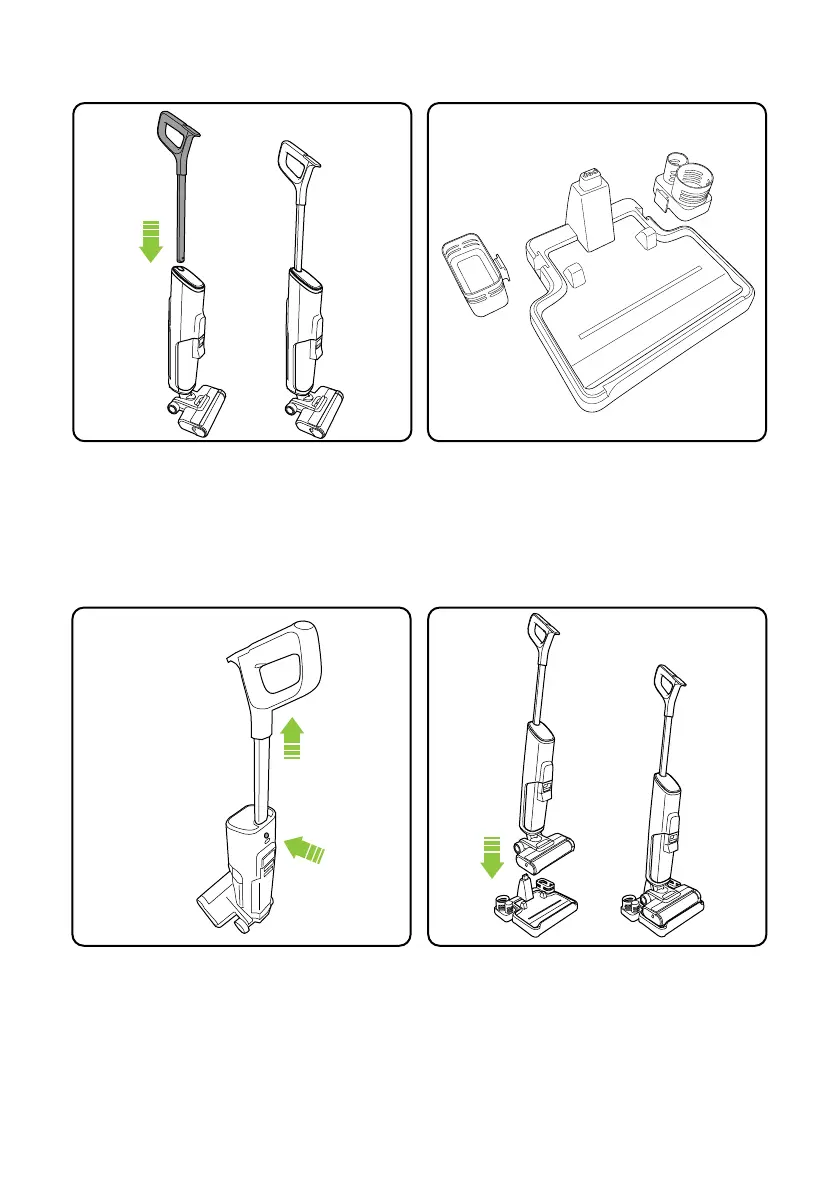
The handle can be removed by using a suitable
tool to press and release the latch in the round
hole in the rear of the body, and then pulling
the handle upwards
Assembly
Place the accessory holders on the charging
base.
Insert the handle into the main body. It will click
into place. The handle includes the screen.
Note the direction of the handle.


 To Next Page