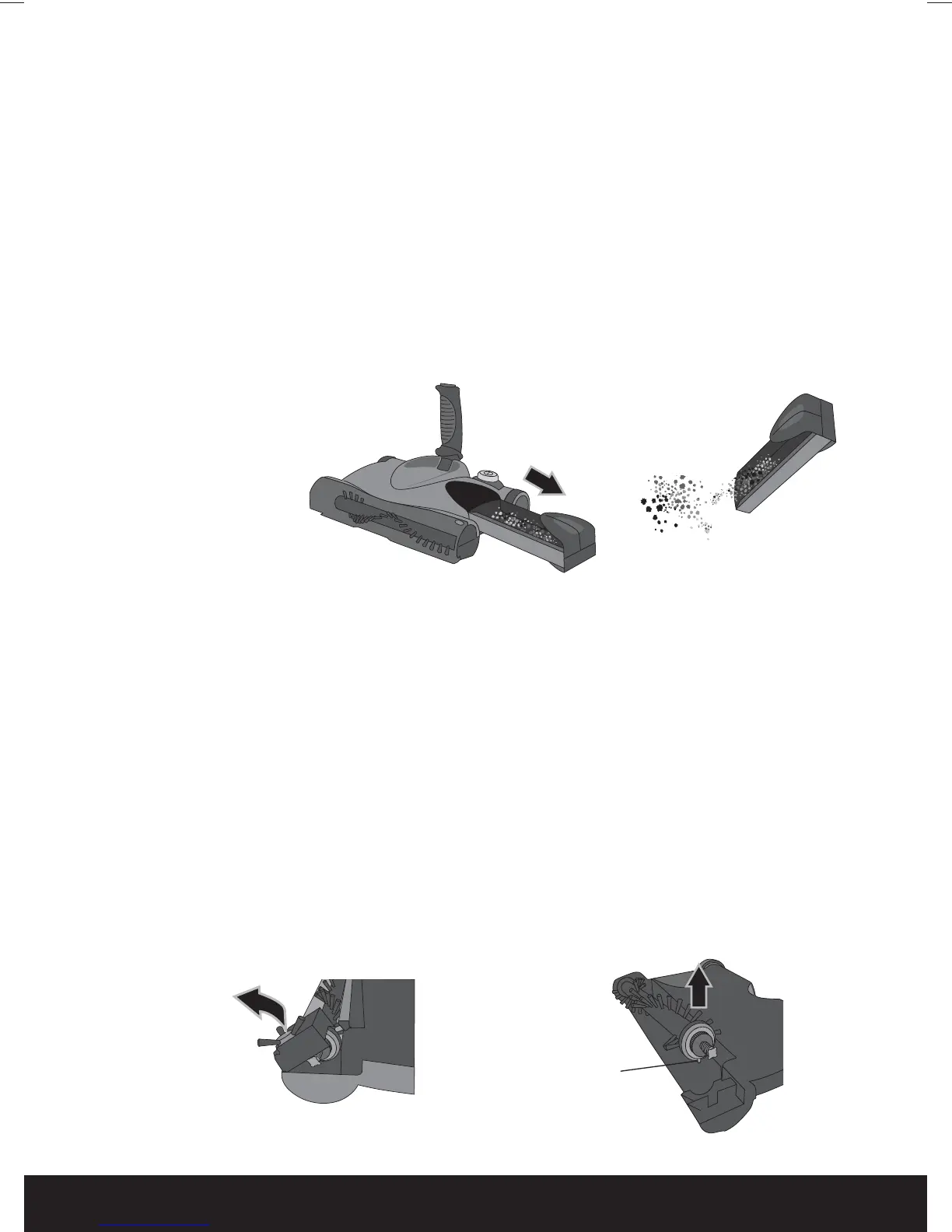
Emptying the Dust Tray
Brush Bar & Edge Wheel Removal
helpline 01905 345891 email support@greytechnology.co.uk web www.gtechonline.co.uk
9
The Brush Bar and Edge Wheel can be removed for cleaning or replacement.
1 Push the latch and un-hook the Edge Wheel Cover from the front of the unit.
2 Slide the belt off the end of the Brush Bar drive gear.
3 Lift the end of the Brush Bar, then slide out of the unit.
4 The Edge Wheel Brush can be pushed out of the cover.
5 Remove any hair, fibre and dust from the Edge Wheel and Brush Bar.
6 Replace the Brush Bar by fitting the shaft into the bearing in the housing, then engage
the end with the drive gear into the unit. Note: peg to relocate into unit.
7 Refit the belt onto the drive gear.
8 Hook the Edge Wheel Cover back onto the unit and push into place until the latch
is securely engaged.
Note: peg
to relocate
into unit.
To achieve the best performance, empty the Dust Tray after each use.
1 To remove the Dust Tray, grip the clear window and the bottom of the tray and pull
it out from the side of the unit. Note: Make sure the sweeper is not turned on
whilst the Dust Tray is removed.
2 Empty the Dust Tray, and replace by sliding all the way back into the unit.
The Dust Tray can be cleaned with a damp cloth, but make sure it is completely dry
before replacing in the sweeper.
Replacement Brush Bars and Edge Wheels can be purchased through the
helpline, or by visiting www.gtechonline.co.uk
6:0DQXDOLQGG


 To Next Page