PX/QX/RX Version 4.20 User Manual – Issue B
- 34
-
Appendix B – Editing Text
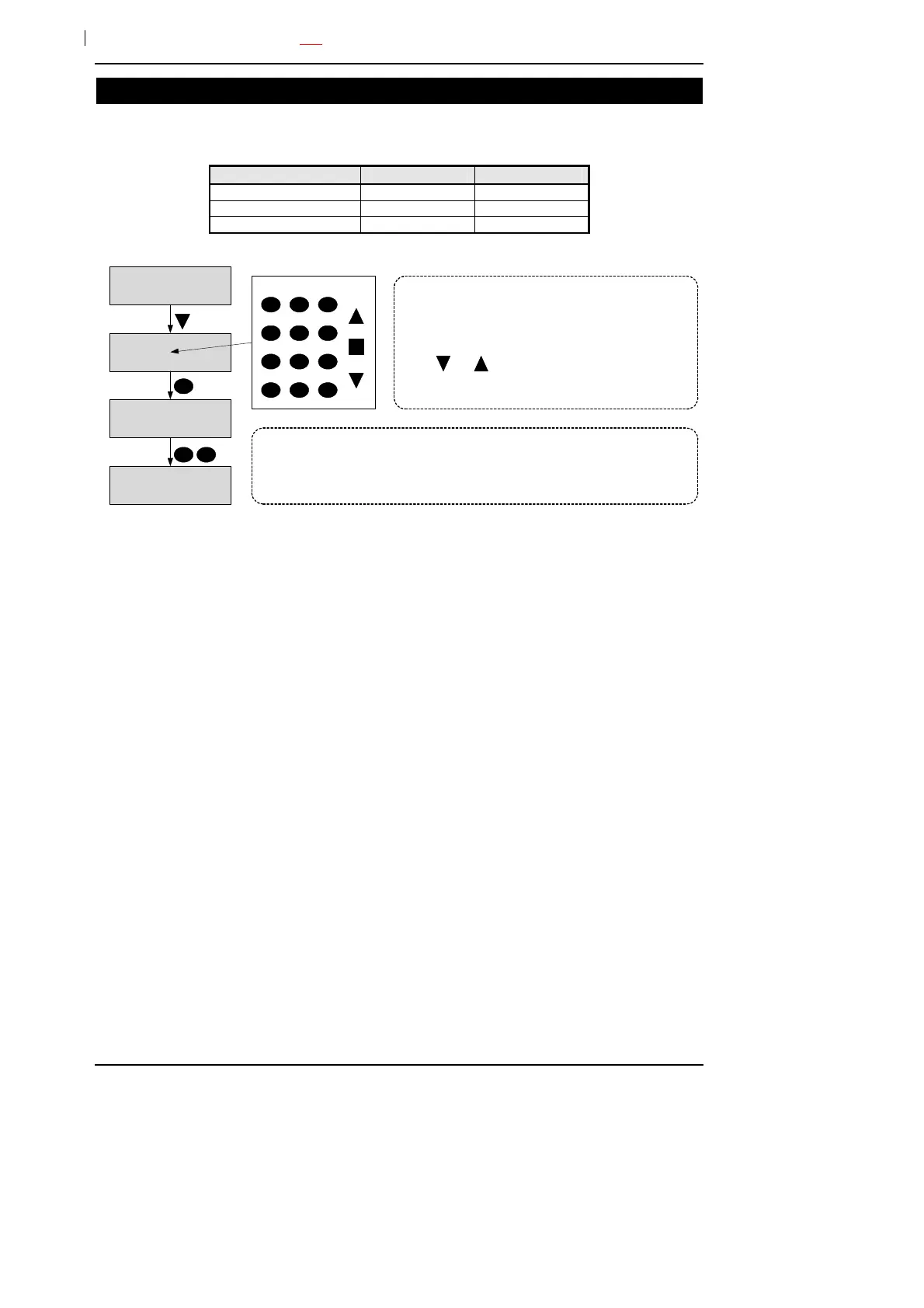
A number of text descriptors may be changed by an authorised user. All changes to descriptors are
logged.
Item Max. Length Default
User 10 User xx
Set group 10 Group x
Access control module 10 ACM x
User Number-03
J Smith
User Number-03
K Smith
User Number-03
A Smith
1
4 5 6
7 8 9
1
A
2 3
M Z
a m z
1 9
0
?
clear
space
save move
User Number-03
A Smith
The allowed characters are:
ABCDEFGHIJKLMNOPQRSTUVWXYZabcdefghijklmnopqrstuvwxyz .-/
+#%^&*@<>:!$?_0123456789
When a descriptor is displayed the character being edited will
be flashing (this is shown as a grey character in the
diagram).
You can change a character using the numeric keys and/or
use the and buttons to move through the text
character set.



 To Next Page