PX/QX/RX Version 4.20 User Manual – Issue B
- 6 -
User Codes
Each user of the system is identified by a unique code. This code can be a PIN code, a magnetic
swipe card, proximity card or fob. A card or fob can only be used on a keypad variant with a proximity
interface (internal or external). The default PIN code for user 2 is 0202. Throughout this manual user
codes are only referred to as codes.
Operator Controls and Displays
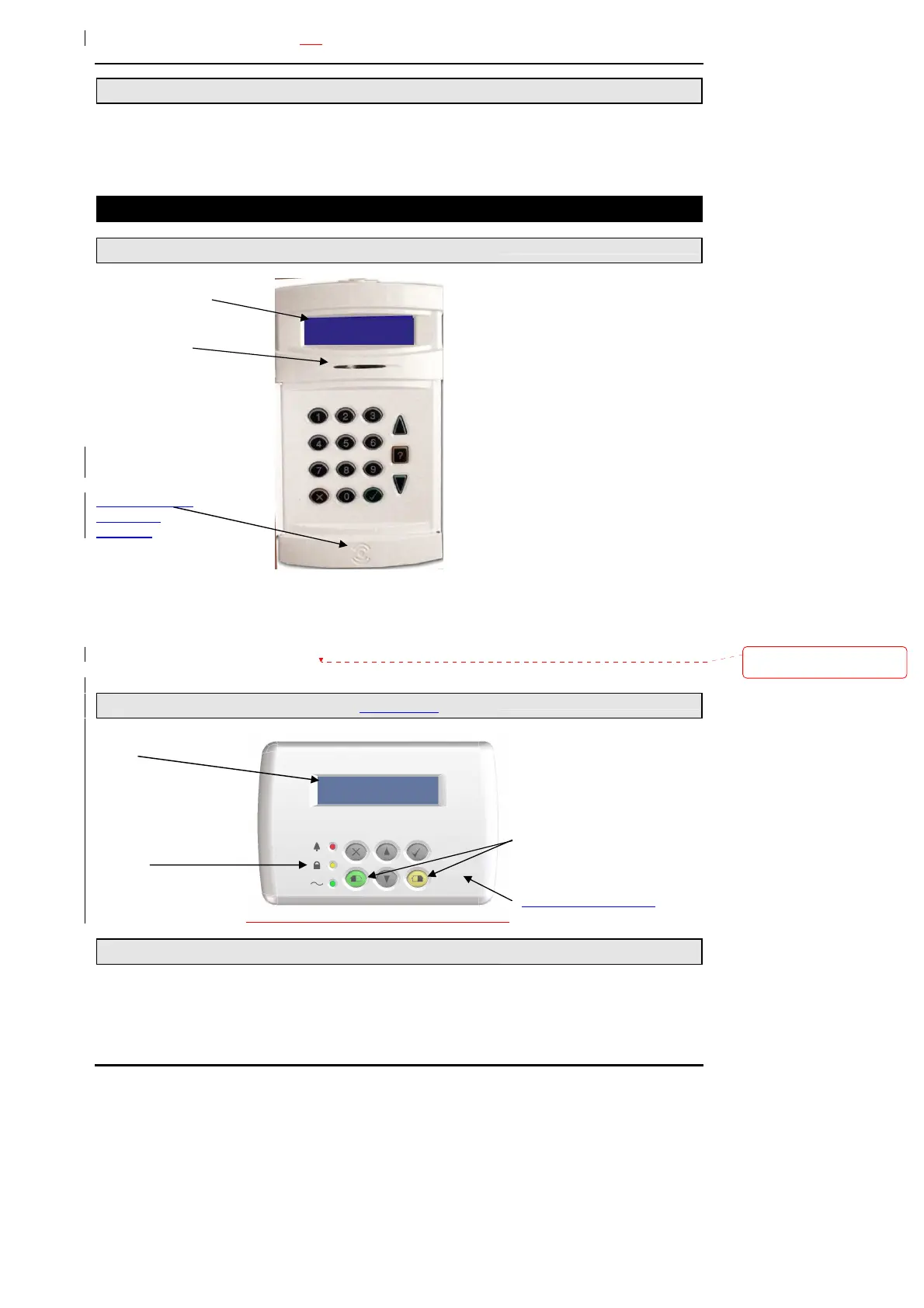
System Keypads
2 x 16 character
LCD backlit display
Mains indicator
Proximity reader
target area
(optional)
The operator keypad unit incorporates a backlit liquid crystal display (LCD) comprising 2 lines of 16
characters, and a backlit keypad to gain access to the system and to perform all authorised user
functions. The backlighting will be turned on during the entry time, during code entry and while a user
is logged on. It may also be turned on using any button except ✔ and ✗and turned off using the ✔ or ✗
buttons. Keypads may be fitted with an internal proximity reader. The keypad incorporates a mains
power indicator. This indicator will flash if the system is operating on standby battery power.
Mini Keypad
2 x 16 character LCD backlit
display
Alarm LED
Set LED
230v LED
Part Set 1/Part set 2 buttons
Proximity reader target area
Cards/Fobs
A user PIN code can be replaced by a card or fob if the keypad is fitted with the optional internal or
external reader. All Guardall proximity cards and fobs are manufactured with a unique code and
duplicate cards or fobs cannot be obtained. Spare or replacement cards or fobs can be obtained from
the installation company.
Verwijderd: an electronic key
socket or



 To Next Page