Foobar2000 The solution to the failure to play back DSD normally
1. Why is there no ASIO in the playback ( Playback)->output (Output ) of my
foobar2000 parameter option ? Because the ASIO component is not
installed. Copy the foobar2000_DSD_0.7.X folder
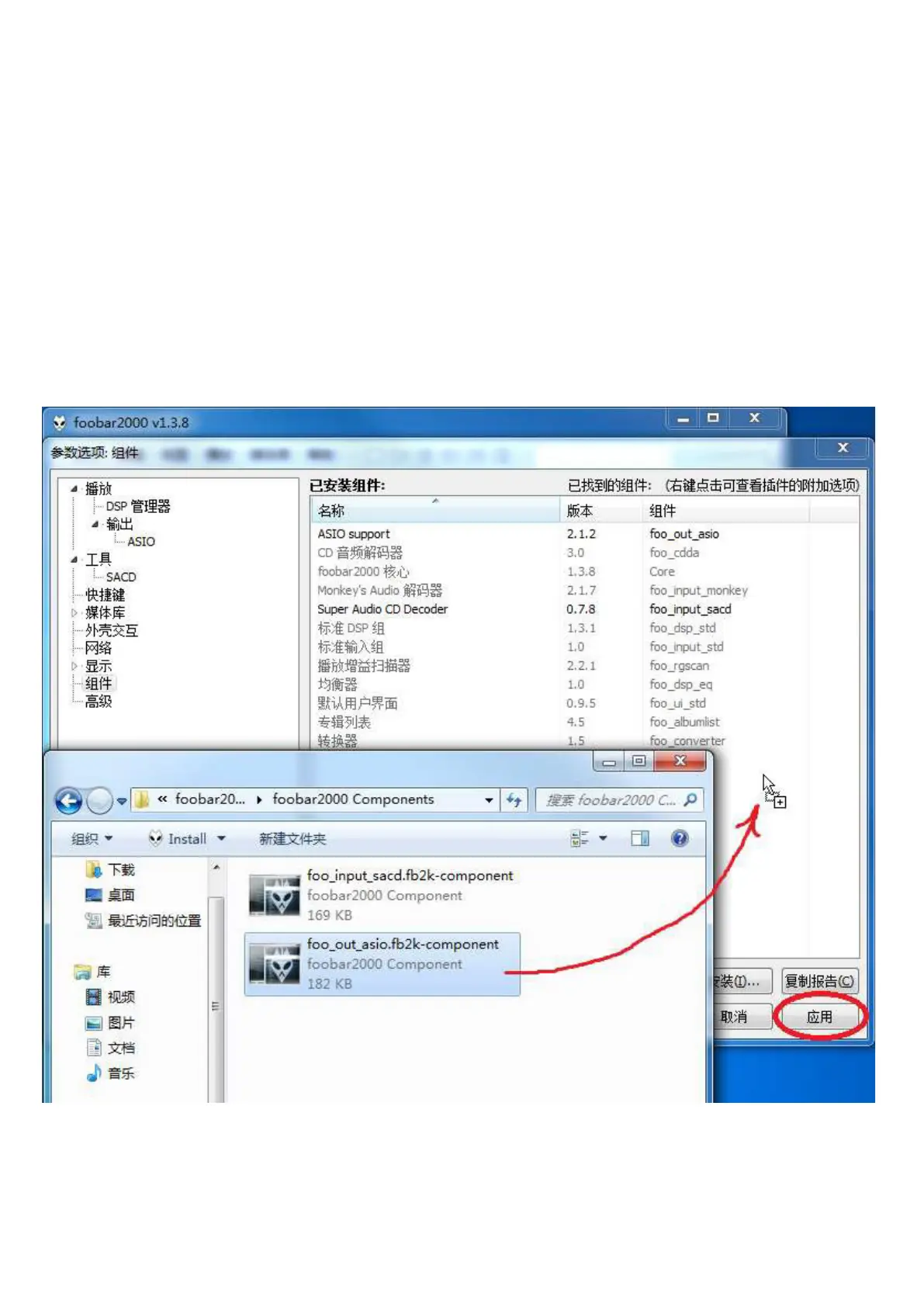
Drag the foo_out_asio.fb2k-component file to the blank space on the right side
of the foobar2000 component option box, then click the "Apply" button in the lower
right corner, and click OK in the pop-up restart foobar2000 dialog box. After
restarting foobar2000 , you can find the ASIO option.


 To Next Page