28
Installation
accomplished by touching an earth-grounded metal surface such as the chassis of an
instrument, or a metal conduit or pipe.
• To reduce static build-up, avoid excessive movement. Transport static-sensitive
components in anti-static containers or packaging.
• To discharge static electricity from your body and keep it discharged, wear a wrist
strap connected by a wire to earth ground.
• Handle all static-sensitive components in a static-safe area. If possible, use anti-static
floor pads and work bench pads.
3.3.2 Connection to the logger or controller
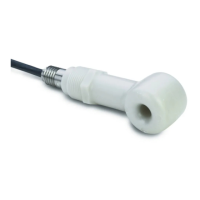
Connect the cable from the Flo-Dar sensor to the logger or the controller:
• Logger–connect the cable from the Flo-Dar sensor to the sensor connector on the
logger. If the Flo-Dar sensor has the SVS component, connect the cable from the
SVS component to the sensor connector on the logger.
• Controller–connect the cable from the Flo-Dar sensor to the correct terminal in the
controller. If the Flo-Dar sensor has the SVS component, connect the cable from
the SVS component to the correct terminal in the controller. Refer to the user
manual for the controller for the correct terminal locations.



 To Next Page